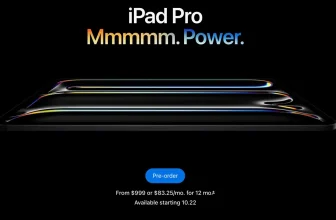
If you’ve just grabbed the iPad Pro M5, first of all — congratulations. You’ve got one of the most powerful tablets Apple has ever made. I’ve been using iPad Pros for years now, starting way back with the first-generation model, and I can tell you — the magic of this device really shines when you pair it with the right accessories.
Whether you’re using it for daily tasks, creative work, or turning it into your main computer, here are the must-have iPad Pro M5 accessories I personally recommend to every user.
For Everyday Use (The Essentials)
1. Magic Keyboard
Let’s start with the most obvious — the Magic Keyboard. It’s still the best way to transform your iPad into a laptop-like setup for typing, browsing, and editing on the go. The new M5 version feels smoother, the trackpad is precise, and it just clicks perfectly with the magnetic connector.
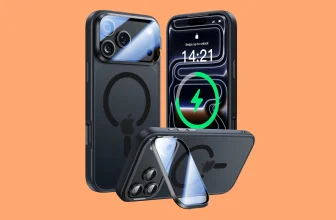
2. Magic Keyboard-Compatible Case
If you’re like me and switch between “tablet mode” and “typing mode,” a Magic Keyboard-compatible case is a must. I use the Pitaka MagEZ Case, and it’s incredible — lightweight, slim, and works perfectly with Apple’s keyboard and wireless charging accessories.
3. Apple Pencil (2nd Gen or Pencil Pro)
The Apple Pencil completes the iPad experience, especially for note-taking, sketching, or quick edits in apps like Procreate or Notes. The new Pencil Pro adds haptics and more gesture support — trust me, it’s worth it.
4. Screen Protector
Get a high-quality screen protector, preferably a matte “Paperlike” style one if you write or draw a lot. It cuts glare and gives a more natural pen-on-paper feel.
5. Protective Case
If you ever use your iPad without the Magic Keyboard, a rugged case will save you from scratches and accidental drops. Go slim but sturdy — brands like Pitaka, ESR, and UAG make great options.
6. USB-C Hub
A USB-C hub is the bridge between tablet and computer life. You’ll need one for plugging in drives, SD cards, or even HDMI displays. I use one from Satechi, and it’s been rock solid.
7. External Hard Drive or SSD
If you handle video editing or large files, pair your iPad Pro M5 with a portable SSD like the Samsung T7 Shield. It’s fast, compact, and works perfectly with iPadOS’ Files app.
If You’re Replacing a Laptop
If your goal is to make your iPad Pro M5 your main computer, here’s what I recommend after years of testing setups.
1. iPad Stand
You’ll want a stand that gives a proper ergonomic angle.
My pick is the Pitaka MagStand — it looks clean and charges wirelessly while keeping your desk tidy.
2. Wireless or Bluetooth Keyboard
I still love the Apple Magic Keyboard, even as a standalone accessory. If you type a lot, the travel and spacing are perfect. For a mechanical feel, Logitech’s MX Keys Mini is also great.
3. Magic Mouse
The Magic Mouse brings Mac-style gestures to iPadOS. Swiping between pages and apps feels natural, and it’s small enough to toss in your bag.
4. Magic Trackpad
If you prefer more gesture control and precision, the Magic Trackpad adds full touch gestures — perfect for photo editing or multitasking on iPadOS 26 and newer.
Going Full Desktop Setup
Now, if you’re like me and you’ve gone 100% iPad-only, this is where the real fun begins.
Here’s my setup — and yes, it can easily replace a MacBook.
1. 4K or 5K External Monitor
A high-resolution monitor makes multitasking and productivity easier.
I use a 5K display, but even a 4K monitor will drastically improve your workflow.
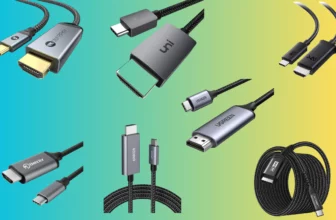
2. Thunderbolt Dock with DisplayPort
Forget Apple’s HDMI adapter — I switched to the Spigen ArcDock, and it’s been amazing.
It adds more ports, stable connections, and removes all HDMI-related bugs.
You’ll need a Thunderbolt 4 cable to get the best speed from your M5 iPad Pro’s port.
3. HDMI or DisplayPort Cable
This connects your iPad to your monitor. Choose DisplayPort for better refresh rates if your monitor supports it.
4. Desktop Speakers
If you’re building a creative setup, good speakers make all the difference. I’m currently using Audioengine A2+, and the sound is unreal for their size.
Final Thoughts from a Full-Time iPad User
I’ve gone all in on the iPad lifestyle — no MacBook, no desktop, just the iPad Pro M5 and everything listed above. With the right accessories, it’s more than a tablet — it’s a complete workstation that can handle work, creativity, entertainment, and travel.
If you’re just starting, begin with the basics like the Magic Keyboard, Apple Pencil, and a USB-C hub.
Then, slowly build your setup into a full desktop station when you’re ready to go iPad-only.