If you’re trying to access an old network device or fix file sharing issues on Windows 11, you may have come across something called SMB1 protocol.
But here’s the big question:
👉 Should you enable SMB1 on Windows 11?
The short answer is: only if absolutely necessary—and with caution. Let’s break it down in a simple, clear way.
What Is SMB1 Protocol?
SMB (Server Message Block) is a network protocol used for file and printer sharing.
- SMB1 → Old version (outdated and insecure)
- SMB2 / SMB3 → Modern, secure versions
👉 SMB1 was widely used years ago but is now disabled by default in Windows 11.
Why SMB1 Is Dangerous
Enabling SMB1 comes with serious risks.
1. Security Vulnerabilities
SMB1 is outdated and lacks modern security features.
👉 It was used in major cyberattacks like ransomware outbreaks.
2. Malware Risk
Hackers can exploit SMB1 to gain access to your system.
👉 This puts your files and data at risk.
3. No Encryption
Unlike newer versions, SMB1 does not provide strong encryption.
👉 Your data can be intercepted easily.
When Should You Enable SMB1?
Only enable SMB1 if you really need it.
✔️ Common Use Cases:
- Connecting to old NAS devices
- Accessing legacy printers
- Using outdated software or servers
👉 If your device requires SMB1, you may have no choice.
How to Enable SMB1 on Windows 11
If you must enable it, follow these steps:
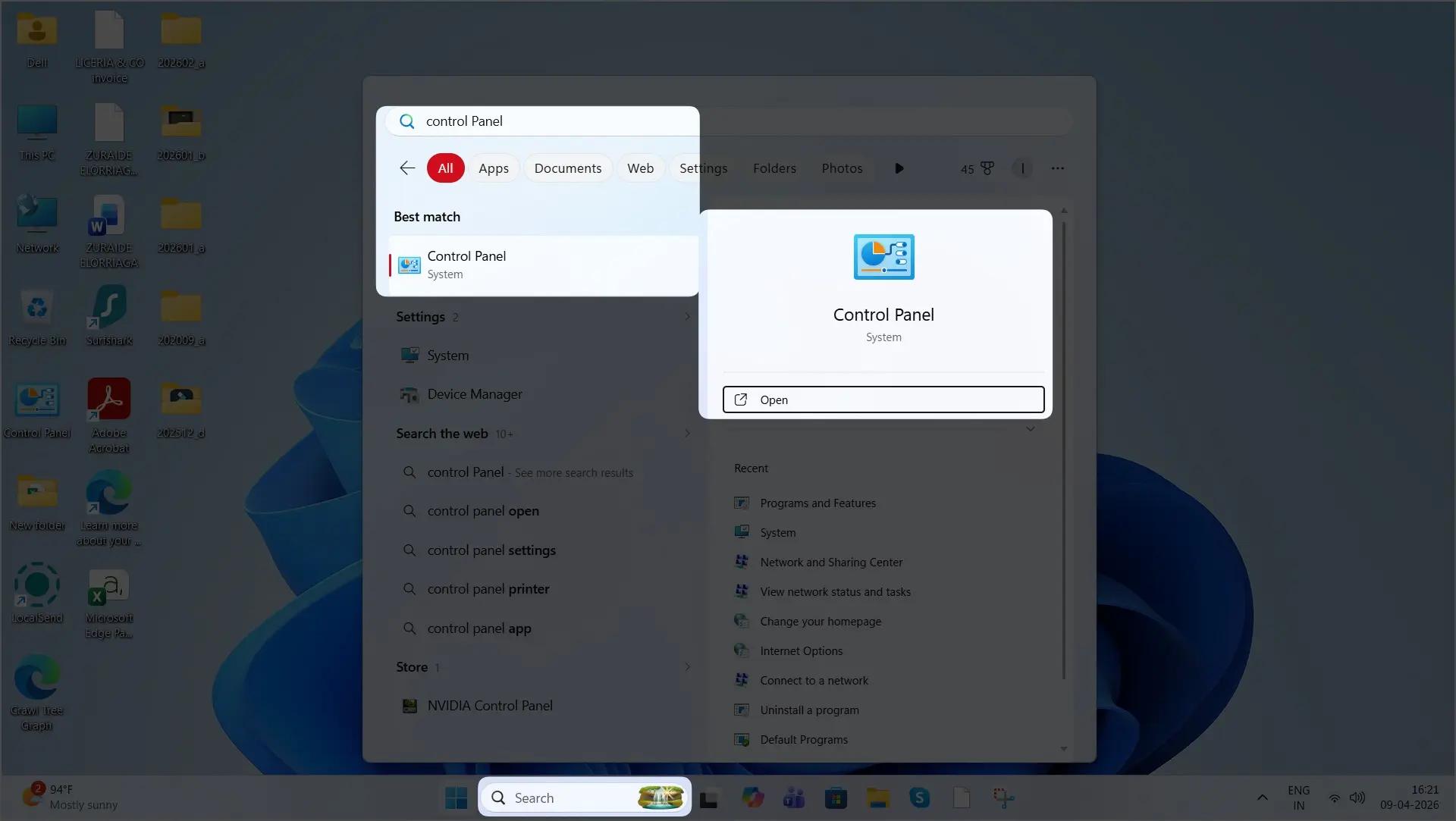
- Open Control Panel
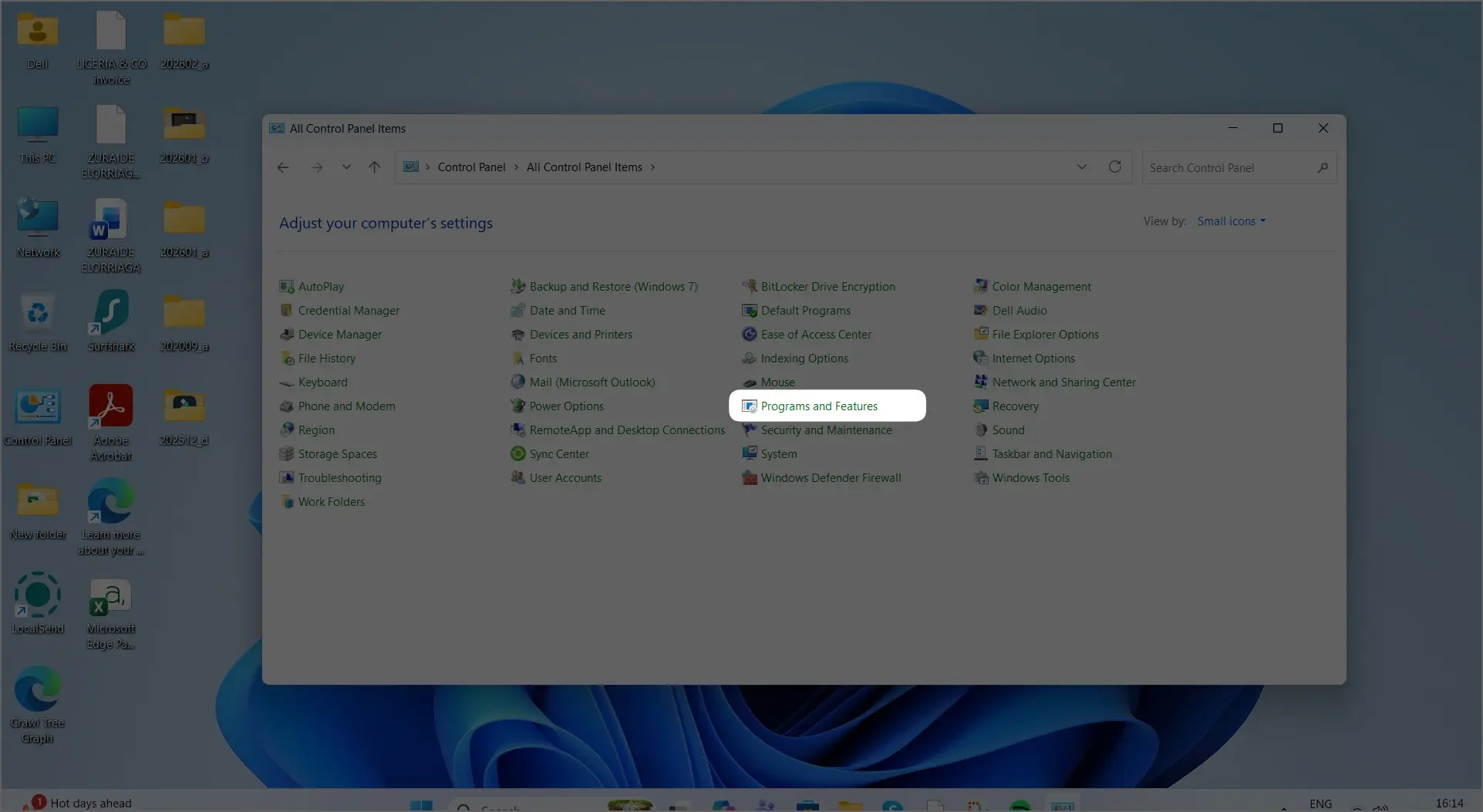
- Go to Programs and Features.
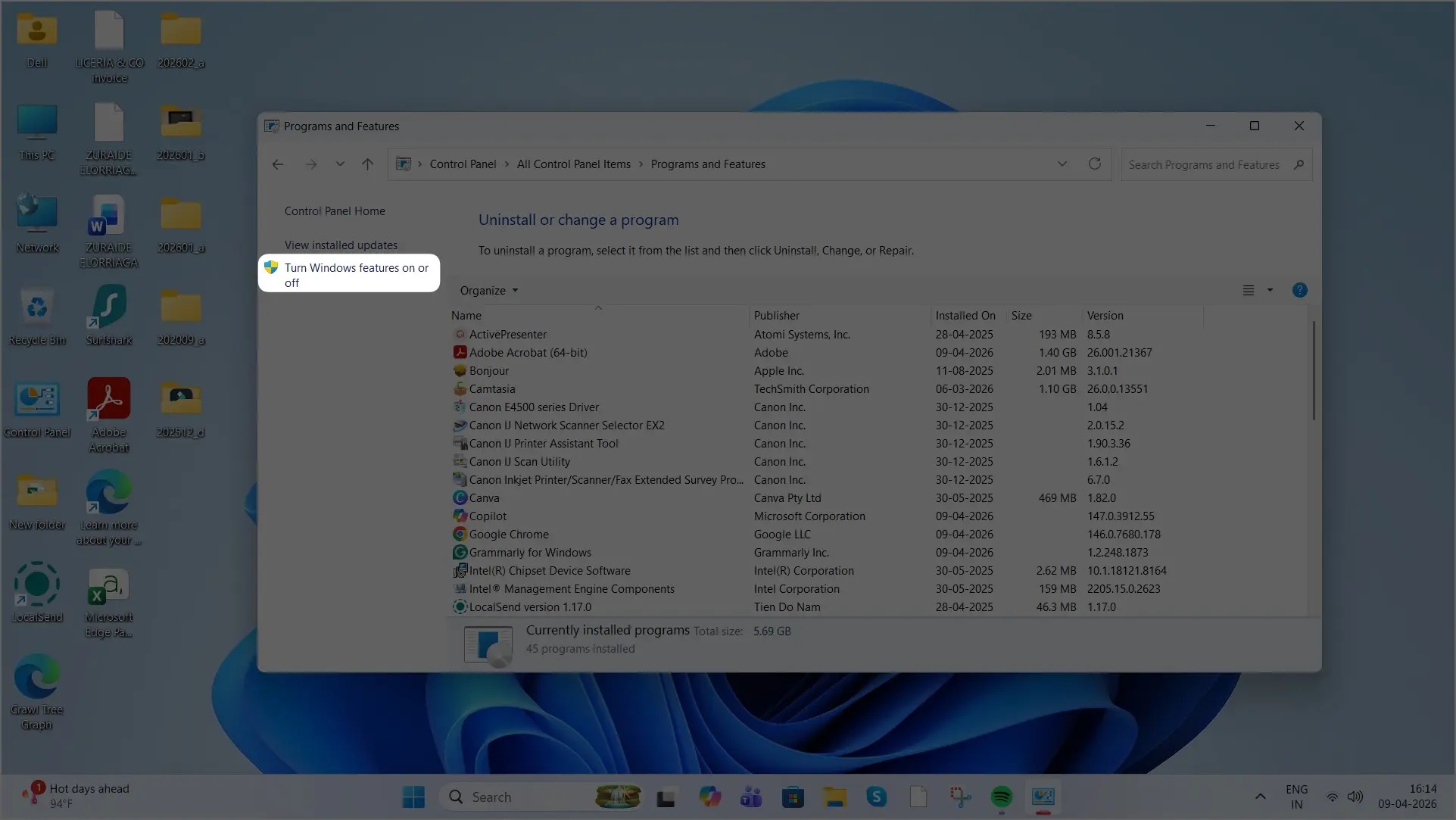
- on the left sidebar, Click on Turn Windows features on or off
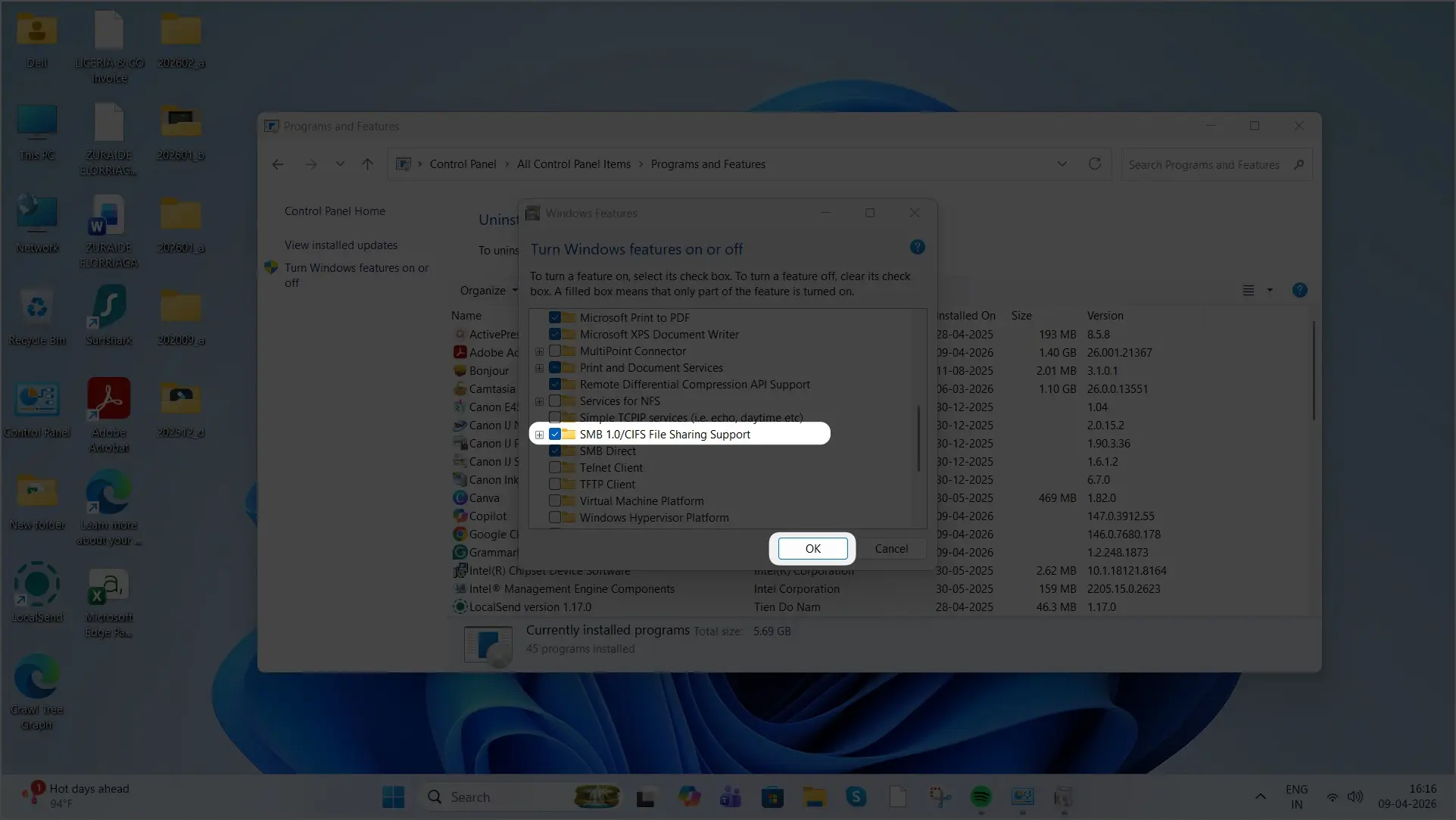
- Find SMB 1.0/CIFS File Sharing Support
- Check the box
- Click OK
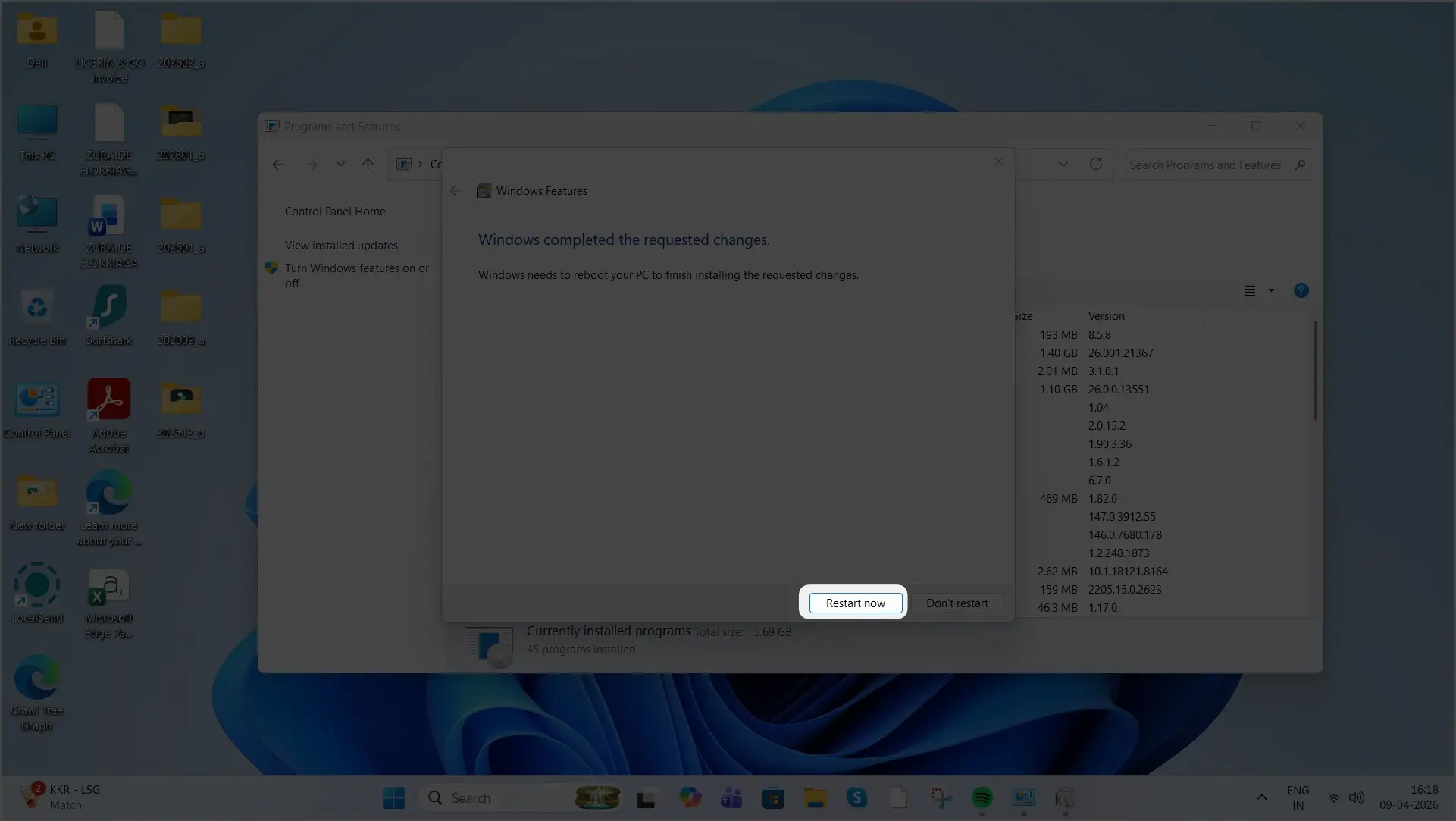
- Finally, click the Restart Now button to apply the changes immediately to your PC.
How to Disable SMB1 (Recommended)
Once you’re done using it:
- Go back to Windows Features
- Uncheck SMB 1.0/CIFS
- Restart your system
👉 This keeps your system secure.
SMB1 vs SMB2/SMB3 (Quick Comparison)
| Feature | SMB1 | SMB2/SMB3 |
|---|---|---|
| Security | Weak ❌ | Strong ✅ |
| Speed | Slow | Fast |
| Encryption | No | Yes |
| Recommended | No | Yes |
Best Practice (Important)
👉 Instead of enabling SMB1, try this:
- Update your NAS or device firmware
- Use SMB2 or SMB3 if supported
- Replace outdated hardware
Final Verdict
Should you enable SMB1 on Windows 11?
👉 No, unless absolutely required.
If you do enable it:
- Use it temporarily
- Disable it after use
👉 The safest approach is always to use modern protocols like SMB2 or SMB3.
Pro Tip
If your network device only supports SMB1, it might be time to upgrade—it’s not just about compatibility, it’s about security.