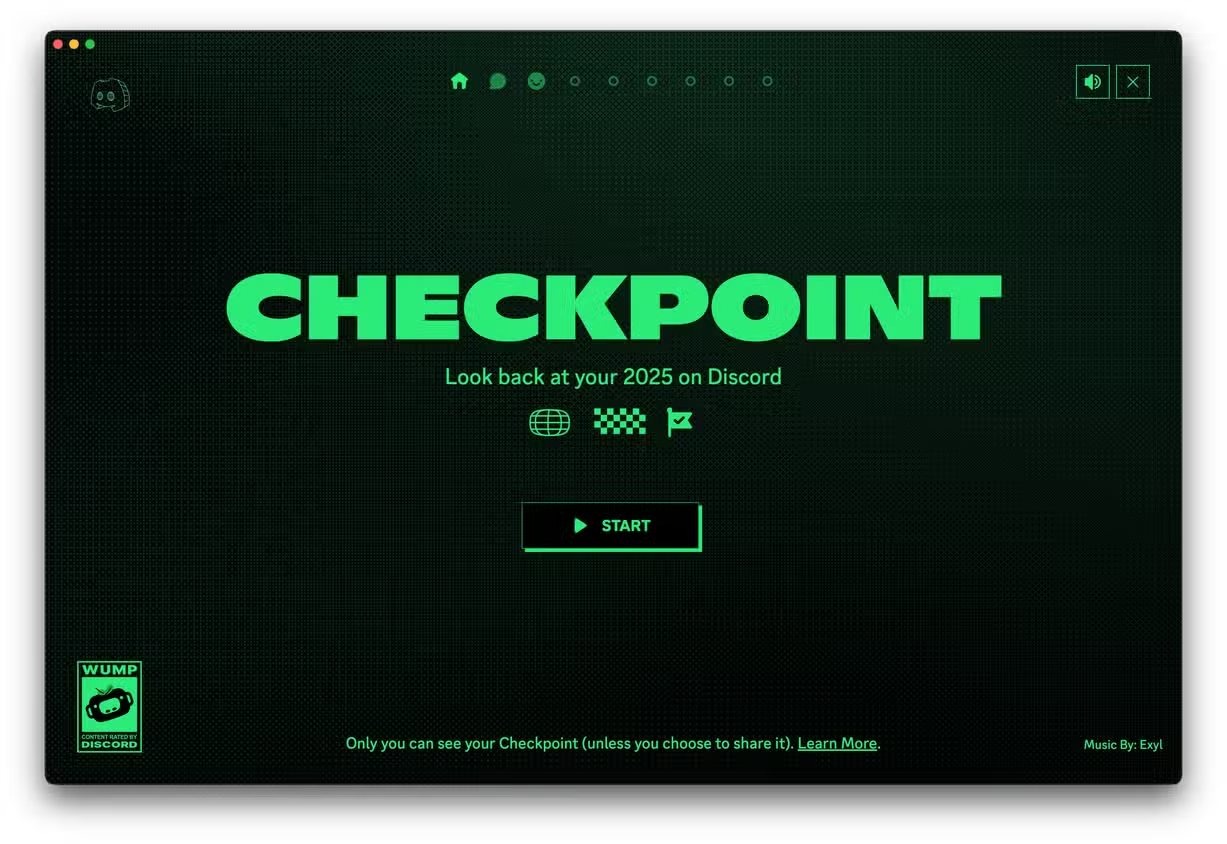
Discord has finally introduced one of the most requested features—your very own Discord Checkpoint (also known as Discord Wrapped or Discord Recap) for 2025. For the first time ever, Discord is giving users a personalized summary of their activity throughout the year, similar to Spotify Wrapped.
How To See Your Discord Checkpoint 2025 – Tutorial for Discord Recap
If you want to check your top friends, most active servers, total messages sent, favorite emojis, top games, and more, this guide will show you exactly how to access your Discord Checkpoint 2025 on both mobile and desktop.
What Is Discord Checkpoint 2025?
Discord Checkpoint is a brand-new yearly recap feature that highlights your activity on the platform. With this update, users can finally view:
- Number of messages you sent
- Top servers you engaged in
- Games you played the most
- Friends you talked with the most
- Favorite emojis
- And other personalized insights
Discord has never released a recap feature before, making Checkpoint 2025 the first official annual summary.
This feature is rolling out gradually, so you might not see it immediately—but it’s coming to everyone soon.
Step 1: Check Discord’s Announcement
Discord announced the 2025 recap on Instagram, sharing that the Checkpoint feature is now rolling out. Their post highlights:
- Your total messages sent
- Top games played
- Friends you spent the most time with
- Favorite emojis
- More yearly stats
If you don’t see the feature yet, don’t worry—it may take a few days to reach your device.
Step 2: Update the Discord App
To see Discord Checkpoint 2025, the first requirement is updating the app.
How to Update Discord:
- Open the App Store (iOS) or Google Play Store (Android).
- Search for Discord.
- Check if an update is available.
- Install the latest version.
If you don’t see an update yet, keep checking over the next few days as Discord rolls it out.
Step 3: Open the Checkpoint Link From Discord
Discord’s Instagram bio includes a link to the official Checkpoint page.
On the post related to the recap, tap:
“Rolling out over the next few days — Discord Checkpoint is the first time we’re giving you a recap of the stuff you did on Discord throughout the year.”
The instructions mention:
- Make sure you’re using the latest version of Discord.
- On desktop, look for the flag icon in the top-right corner.
- On mobile, open the U Tab (bottom right) and tap the Checkpoint banner.
Step 4: If You Don’t See Checkpoint — Turn On Data Personalization
If Discord Checkpoint isn’t appearing, there are two possible reasons:
✔ You didn’t have enough activity in 2025
or
✔ You turned off data personalization
Here’s how to check:
Enable “Use data to personalize my Discord experience”
- Open Discord.
- Tap your profile icon → open Settings (top right).
- Scroll to Privacy & Data.
- Turn on Use data to personalize my Discord experience.
This toggle MUST be enabled to receive your yearly recap.
If it’s off, Discord cannot track your activity, and your checkpoint will not generate.
Step 5: How to Access Discord Checkpoint 2025
Once the feature is rolled out to you, here’s where to find it:
On Mobile:
- Open Discord
- Tap the U tab (bottom-right)
- Look for the Checkpoint banner
- Tap it to open your yearly recap
On Desktop:
- Open Discord on your computer
- Look for the flag icon at the top-right corner
- Click it to access your Checkpoint 2025 summary
You’ll now see your entire year in Discord, displayed in a clean, shareable format.
Mobile vs Desktop View
Your Checkpoint may look slightly different depending on your device:
- Desktop shows a wider layout
- Mobile is vertical and easy to share on social media
- All stats remain the same across devices
What to Expect in Your Discord Wrapped
Your recap will show details such as:
- Total messages sent
- Hours spent in voice channels
- Top 5 servers
- Most used emojis
- Most active friends
- Top games you launched through Discord
This summary is perfect for sharing online or comparing stats with friends.
Why You May Not See Checkpoint Yet
You may not see your Discord recap if:
- The update is still rolling out
- You haven’t updated your app
- You didn’t have enough activity in 2025
- Data personalization is turned off
Make sure everything above is enabled, then check again within a few days.
Final Thoughts
Discord’s brand-new Checkpoint 2025 recap finally gives users insight into their yearly platform activity—something fans have been waiting for for years. As long as your app is updated and your privacy settings allow data tracking, you’ll soon get a full summary of your Discord year.
If you still don’t see it, keep checking—Discord confirmed that the rollout is happening gradually.