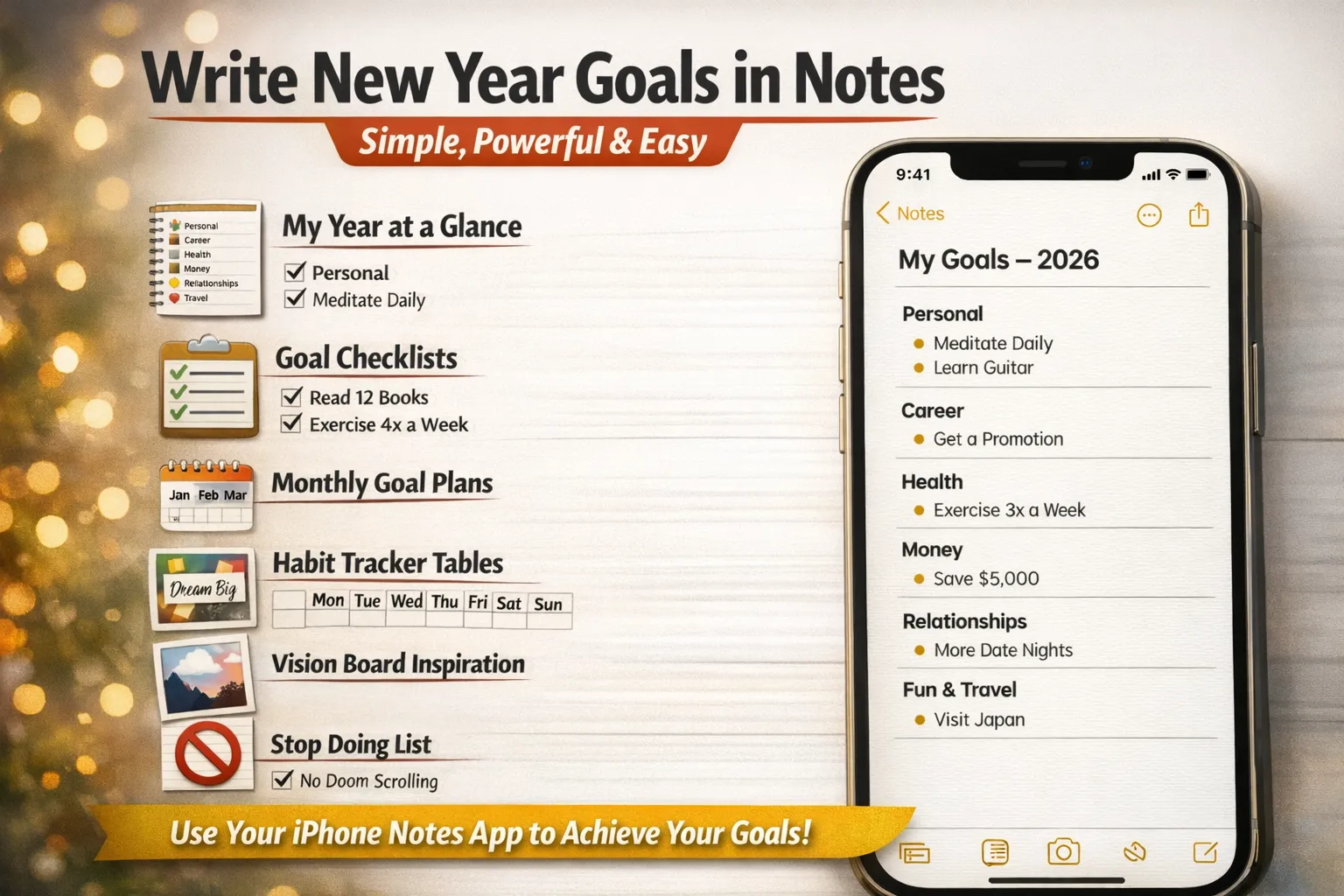
Starting the New Year with clear goals doesn’t need fancy apps or planners. Your iPhone’s Notes app is more than enough to plan, track, and actually achieve your goals. It’s simple, distraction-free, and always with you.
Below are practical, ready-to-use ideas you can turn into a full New Year goals article for your blog.
Why Use Notes App for New Year Goals?
Before diving into ideas, here’s why Notes works perfectly:
- Always synced across iPhone, iPad, and Mac
- Supports checklists, headings, tables, and images
- Easy to update anytime
- No extra apps or subscriptions – Free for all the time.
1. One-Page “My Year at a Glance”
Create a single note titled “My Goals – 2026” and divide it into sections.
Example layout:
- Personal
- Career
- Health
- Money
- Relationships
- Fun & Travel
Keep it short and readable so you actually revisit it.
2. Turn Goals into Checklists
Checklists feel rewarding and keep you consistent.
Examples:
- Read 12 books
- Learn a new skill
- Exercise 4x a week
- Save $5,000
- Travel to 2 new places
Checking boxes gives instant motivation.
3. Monthly Goal Breakdown Note
Create 12 sub-headings inside one note:
- January Goals
- February Goals
- March Goals
This helps break big goals into smaller, realistic actions.
4. Habit Tracker Using Tables
Use a simple table inside Notes.
Example:
- Columns: Habit | Mon | Tue | Wed | Thu | Fri | Sat | Sun
- Rows: Water, Workout, Reading, Sleep
This turns Notes into a lightweight habit tracker without extra apps.
5. “Stop Doing” List (Underrated but Powerful)
Goals aren’t only about adding things.
Create a section called:
Things I’m Not Taking Into the New Year
- Overworking
- Doom scrolling
- Skipping sleep
- Negative self-talk
This builds mental clarity.
6. Vision & Motivation Note
Create a separate note for inspiration:
- Quotes
- Screenshots
- Personal affirmations
- Short reminders like “Why I started”
You can even add images to make it feel like a mini vision board.
7. Career & Skill Goals Note
Perfect for professionals and creators.
Ideas to include:
- Skills to learn
- Certifications to complete
- Side projects
- Income goals
- Content ideas
Review this note every Sunday or month-end.
8. Financial Goals Note
Simple structure:
- Savings target
- Monthly budget
- Debt payoff goals
- Emergency fund plan
Clarity beats complexity.
9. Health & Wellness Goals
Use short, realistic goals:
- Steps per day
- Screen-time limits
- Sleep targets
- Mental health habits
Keep it honest, not extreme.
10. Weekly Review Note
Create a recurring note titled:
Weekly Reset
Include:
- What went well
- What didn’t
- One improvement for next week
This keeps goals alive all year.
Pro Tip: Pin Your Goals Note
Pin your main New Year goals note at the top of Notes so you see it daily. Visibility increases follow-through.
Final Thoughts
You don’t need complex productivity apps to win the New Year. A clean, intentional Notes setup can:
- Keep goals organized
- Reduce overwhelm
- Help you stay consistent
Sometimes, simple tools create the biggest change.