

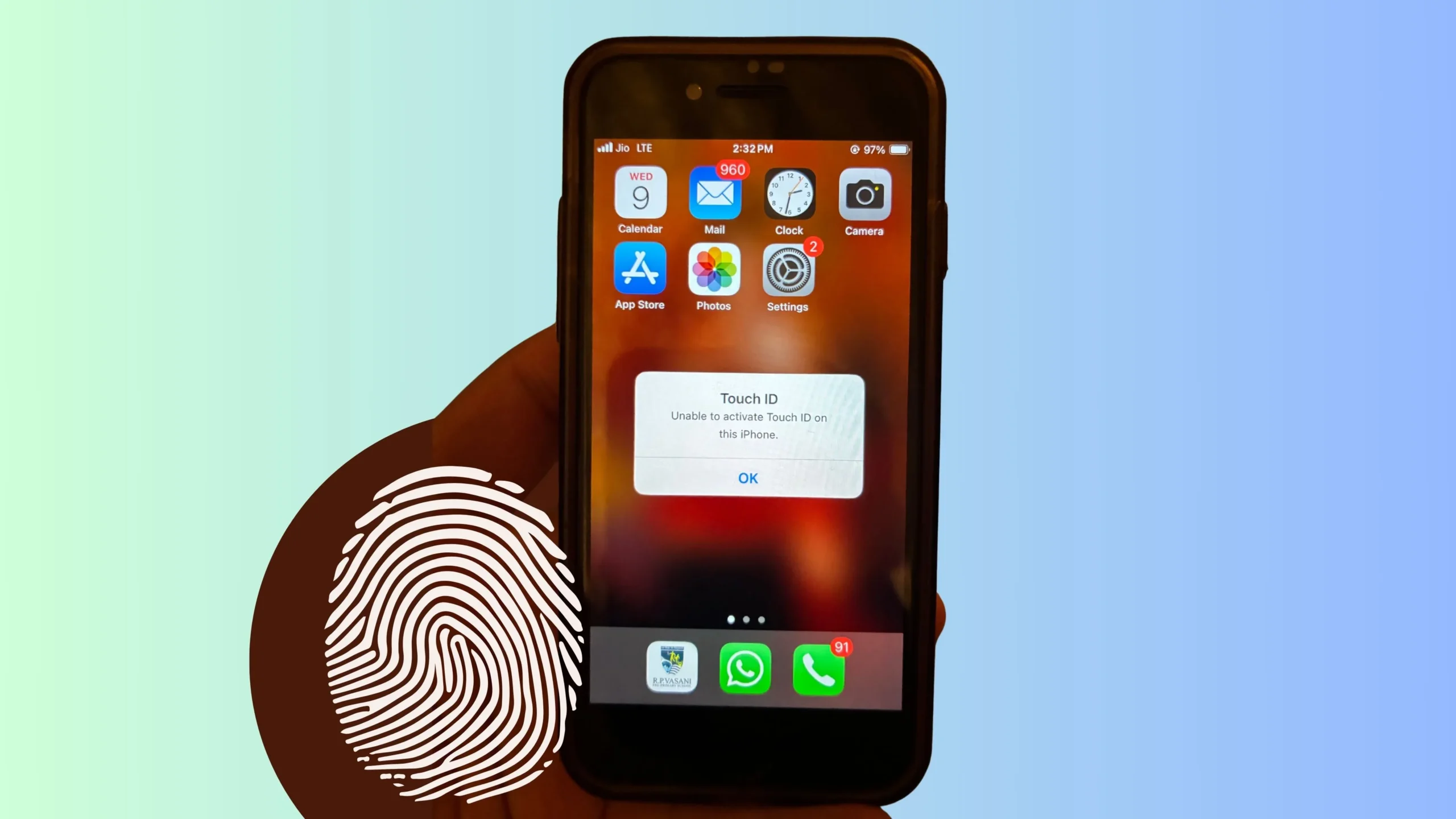
The iPhone’s Touch ID is one of the finest things about it. You can unlock the phone, approve App Store transactions, and utilize Apple Pay with your fingerprint. Are you worried about it? What should you do if you get the unpleasant notice “Unable to activate Touch ID on this iPhone” and “fail during setup” of your Touch ID?
Don’t worry; this issue can generally be fixed with a few straightforward actions. This article learns about the most common Touch ID difficulties and ideas on how to fix them.
Why You Might See This Error
Before we jump into solutions, here are some common reasons you might get this error:
- Hardware issue: Your iPhone Touch ID sensor could be damaged from a drop, screen replacement, or water exposure.
- Software glitch: A bug or corrupted setting, such as a stuck button, might be preventing Touch ID from working.
- Dirty sensor or fingers: Oils, dirt, or moisture can interfere with the fingerprint scanner.
- Incompatible changes: A recent screen replacement might have disconnected or damaged the Touch ID hardware.
How to Fix “Unable to Activate Touch ID on iPhone”
1. Clean the Home Button & Your Fingers
Use a clean, dry microfiber cloth to gently wipe the Touch ID sensor. Make sure your fingers are clean and dry too. Even tiny bits of sweat or lotion can cause problems.
2. Restart Your iPhone
A simple restart can clear out minor software glitches.
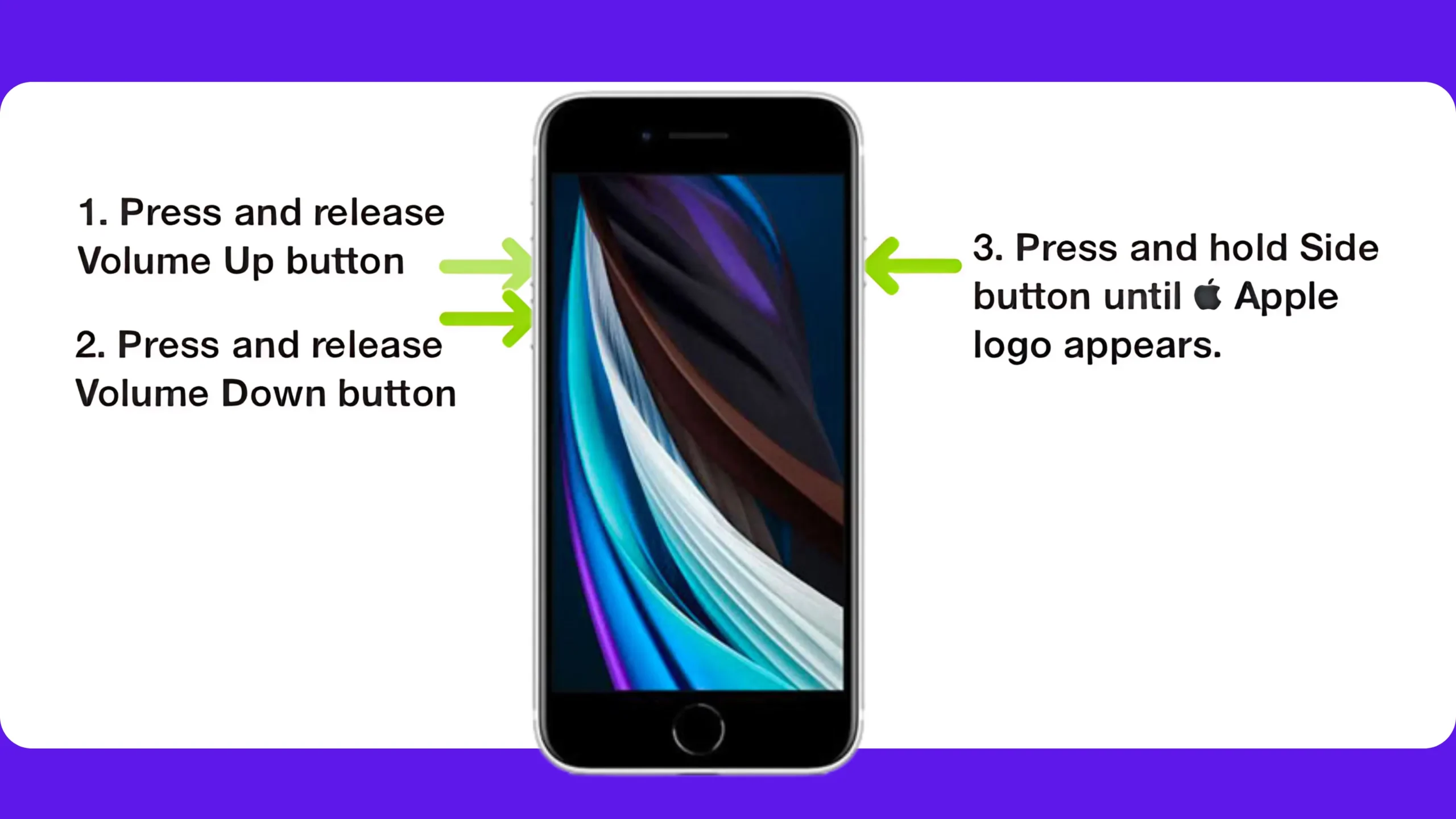
- On iPhone SE 2: Quickly press and release the volume up button and volume down button, then only press and hold the power button until you see the Apple logo on the screen after the black screen.
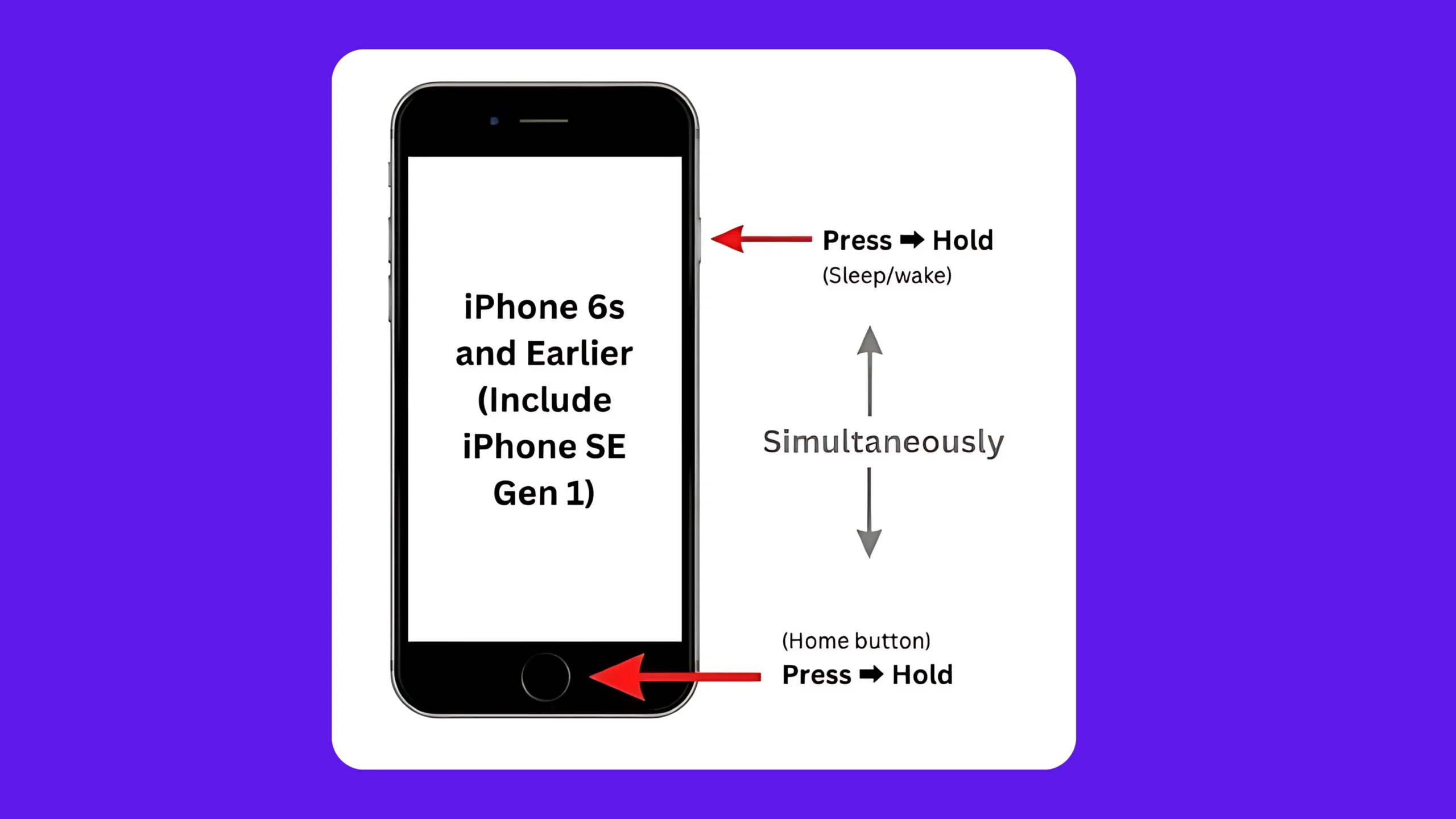
- iPhone 6S & Earlier (iPhone SE 1): Press and hold the side power button and home button until you see the Apple logo on the screen.
3. Update iOS
Sometimes the problem is due to outdated software.
- Go to Settings > General > Software Update and install any available updates.
4. Remove and Re-add Fingerprints
- Open Settings > Touch ID & Passcode (enter your passcode).
- Delete existing fingerprints by tapping on them and selecting “Delete Fingerprint.”
- Tap “Add a Fingerprint” and follow the prompts.
5. Check Your Settings
Make sure that Touch ID is set up for the tasks you want:
- Go to Settings > Touch ID & Passcode, then turn on the options for iPhone Unlock, Apple Pay, and iTunes & App Store as needed.
6. Reset All Settings
This resets system settings without deleting your data.
- Go to Settings > General > Transfer or Reset iPhone > Reset > Reset All Settings.
(You’ll need to re-enter Wi-Fi passwords and tweak preferences afterward.)
If Nothing Works…
If you still see this error “Unable to activate Touch ID on this iPhone,” it might be a hardware issue and Think about that.
Especially if you recently had a screen replacement or the phone suffered physical damage, the Touch ID sensor (which is paired to the logic board) may be disconnected or broken.
In this case, it’s best to:
✅ Enable the touch button and use it as a home button. Settings > Accessibility > Touch > AssistiveTouch > Enable the Toggle AssistiveTouch. Scroll and set single tap for the Home button.
✅ Contact Apple Support or visit an Apple Store.
✅ Use your passcode in the meantime to secure your device.
Final Thoughts
Touch ID is super handy, and not having it can be a hassle. But with these troubleshooting tips, you should be able to get it working again — or at least confirm whether it’s a hardware issue that needs professional repair.
Have questions or want to share what worked for you? Drop them in the comments below!





