What to Know
- Hiding your active status on Facebook Messenger allows you to control your visibility to others when you are online. This can be especially useful if you prefer privacy or need to focus without interruptions.
Want to appear offline in Messenger? for someone or all friends? Learn how to hide your active status on Facebook Messenger iPhone and Android, Desktop! It’s an easy way to avoid friends and family during personal time.
Stay hidden from anyone you don’t want to talk to on the platform. Following these steps will hide your active status so that it appears you are not online, even when you are actively using Messenger.
Try this way to activate Dark mode on Facebook Messenger
How to stop someone seeing you online on Facebook Messenger
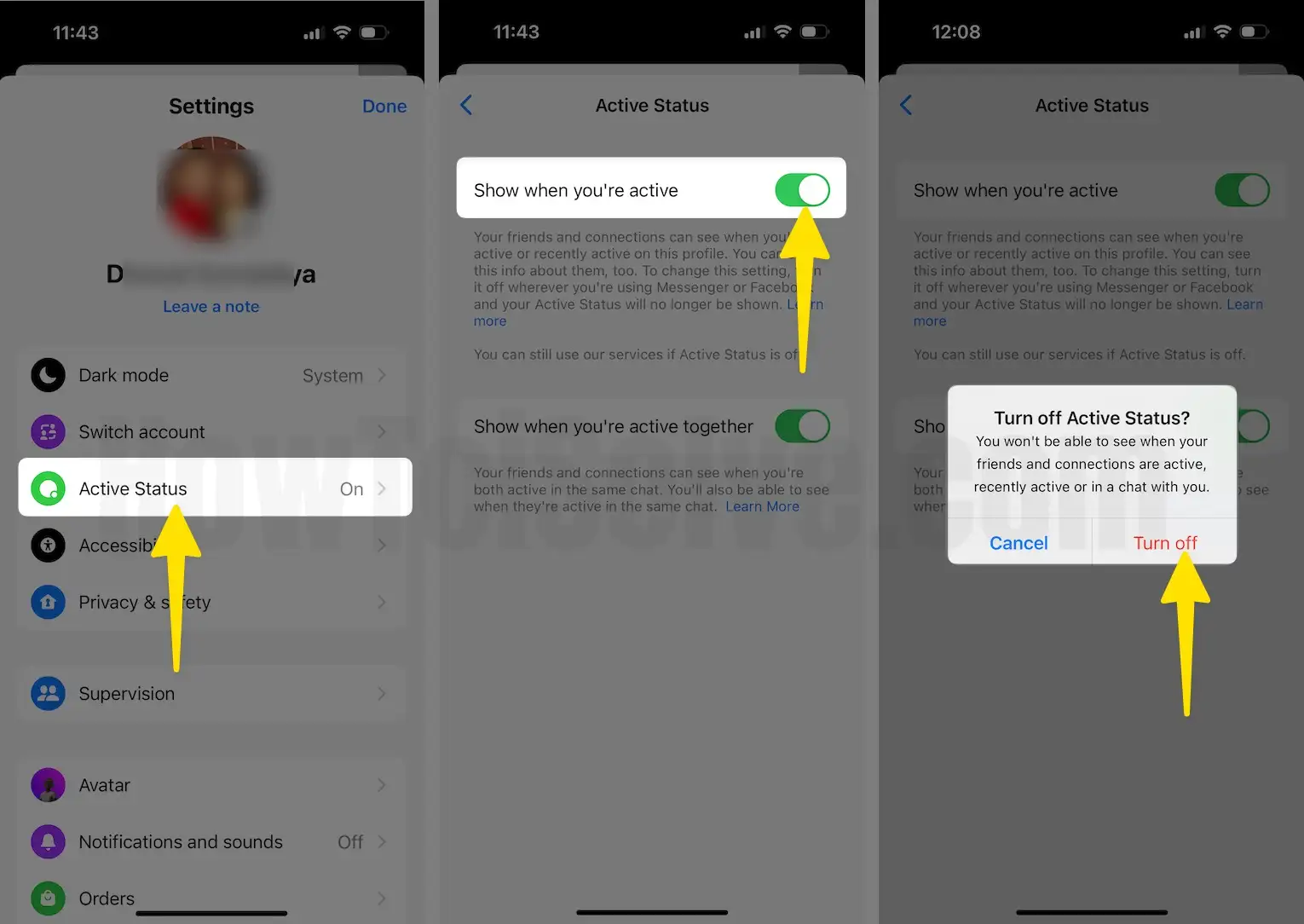
1. Open the FB Messenger app on your device.
2. Tap on the Three Horizontal button beside the top-left Search bar.
3. Click on the Settings icon located at the top-right of the screen.

- Please tap on the Active Status setting.
- Now you can see a green toggle next to the show when you’re active, in addition, Turn to the left side to turn it off.
- You’ll get a popup – Turn off Active Status? You won’t be able to see when your friends and connections are active, recently active or in a chat with you. For confirmation, so tap on Turn Off.
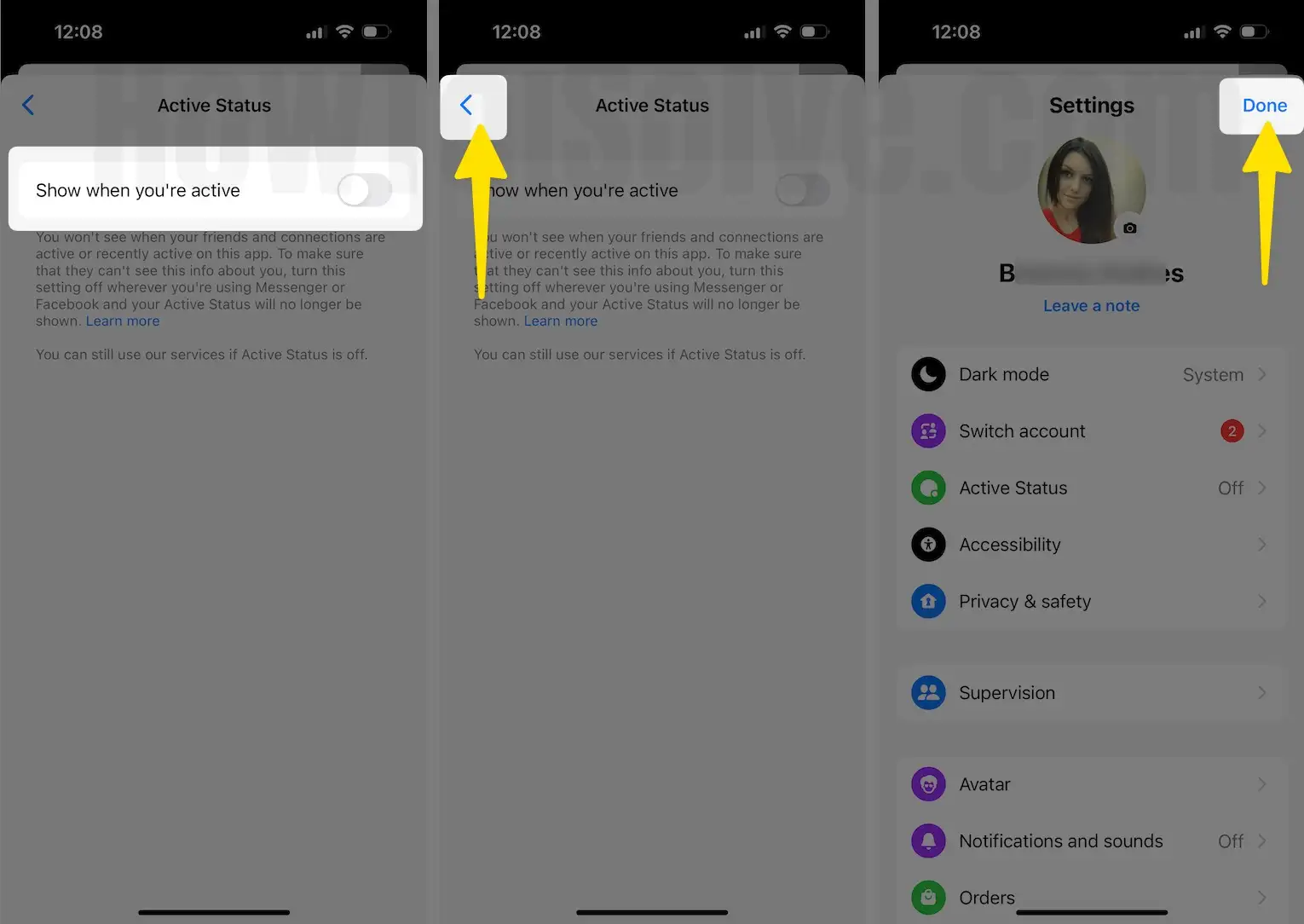
- Tap on < icon to go back (Appear top-left corner).
- Lastly, click on Done on the upper-right side on the screen to save the changes.
That’s cool!
Pros of Hiding Active Status on Facebook
- Privacy: Provides more privacy as others cannot see when you are online.
- Control: Allows you to use Messenger on your terms without feeling compelled to reply immediately.
- Focus: Helps you avoid distractions if you need to concentrate on other tasks.
Cons of Hiding Active Status on FB
- Communication Delays: Others might hesitate to message you if they think you’re not available, potentially delaying important communications.
- Misunderstandings: Friends may assume you are not active on Messenger, which can lead to misunderstandings about your responsiveness.
- Reciprocal Visibility: You also cannot see the active status of others if you turn off your own, which might hinder your ability to reach out at opportune times.
How to Turn off active status on Facebook Messenger Desktop
if you are logged-in to Facebook on your PC desktop browser and want to stay offline during your Facebook session. Let’s follow the steps below to turn off active status on Facebook PC.
Step 1: Log in to your messenger account on any web browser on your Desktop. Login with your username and password.
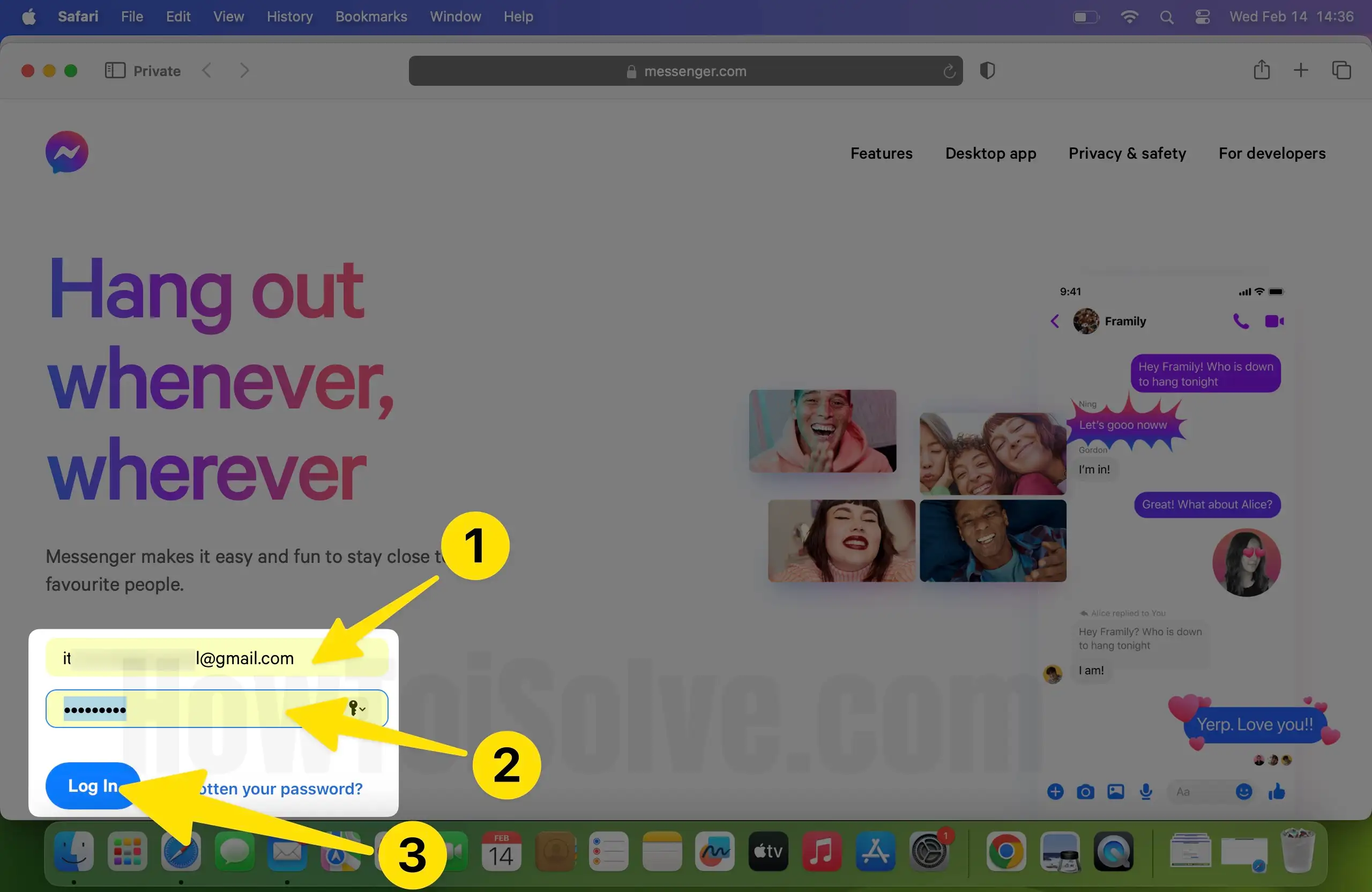
Step 2: Click on your Profile at the bottom left corner.
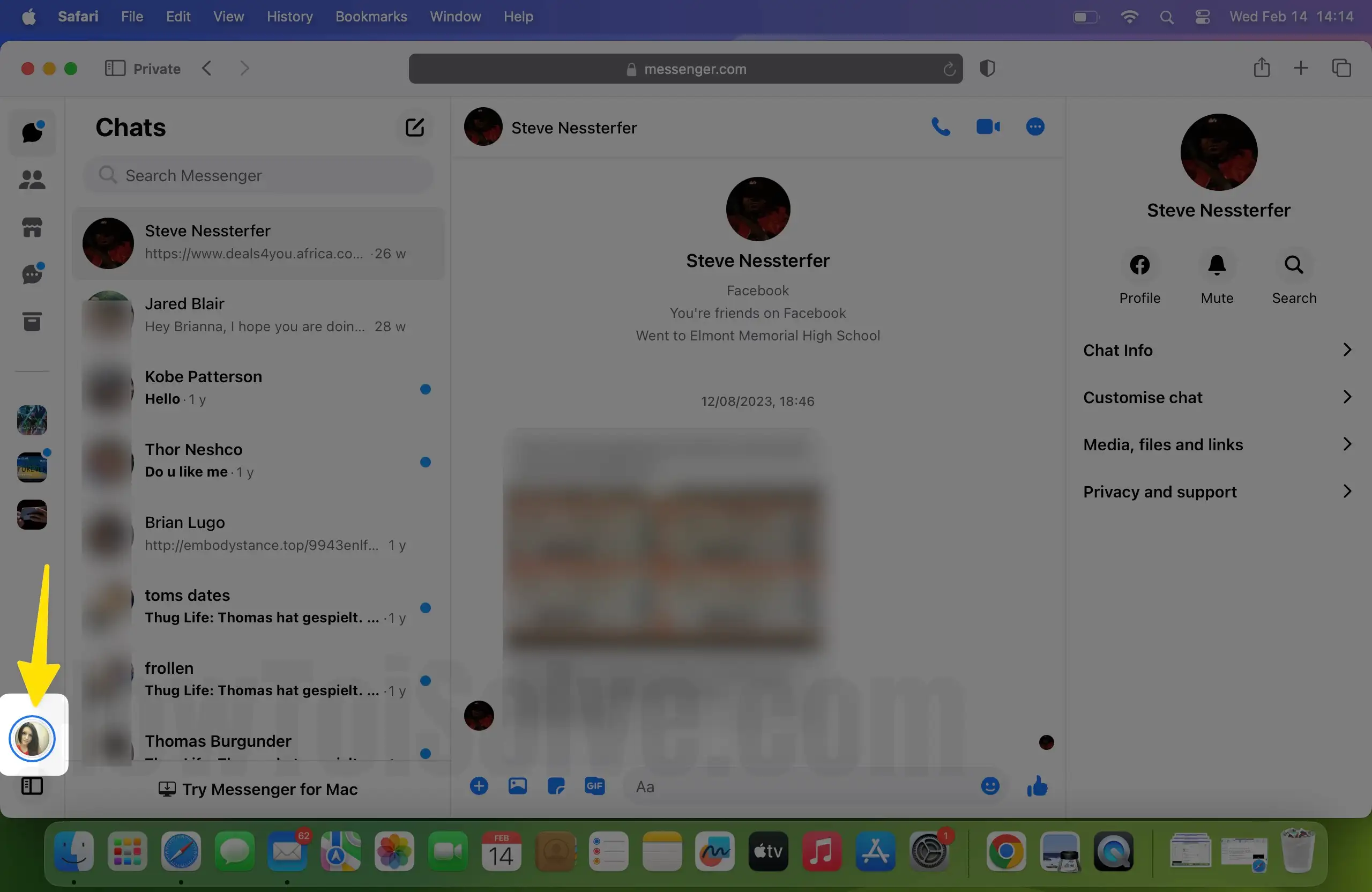
Step 3. Select Preferences.
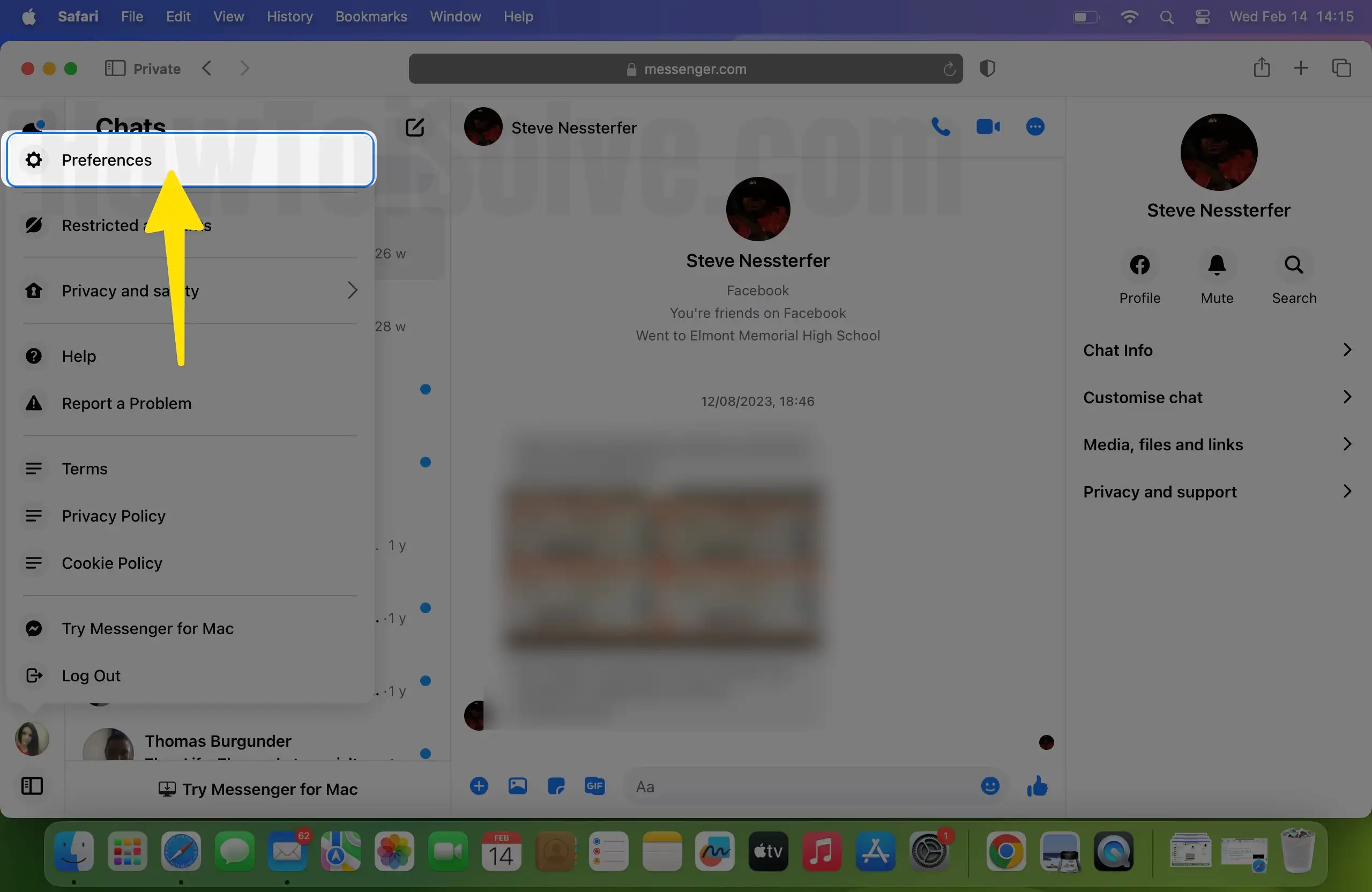
Step 4: Click on the Active Status Option in the pop-up window.
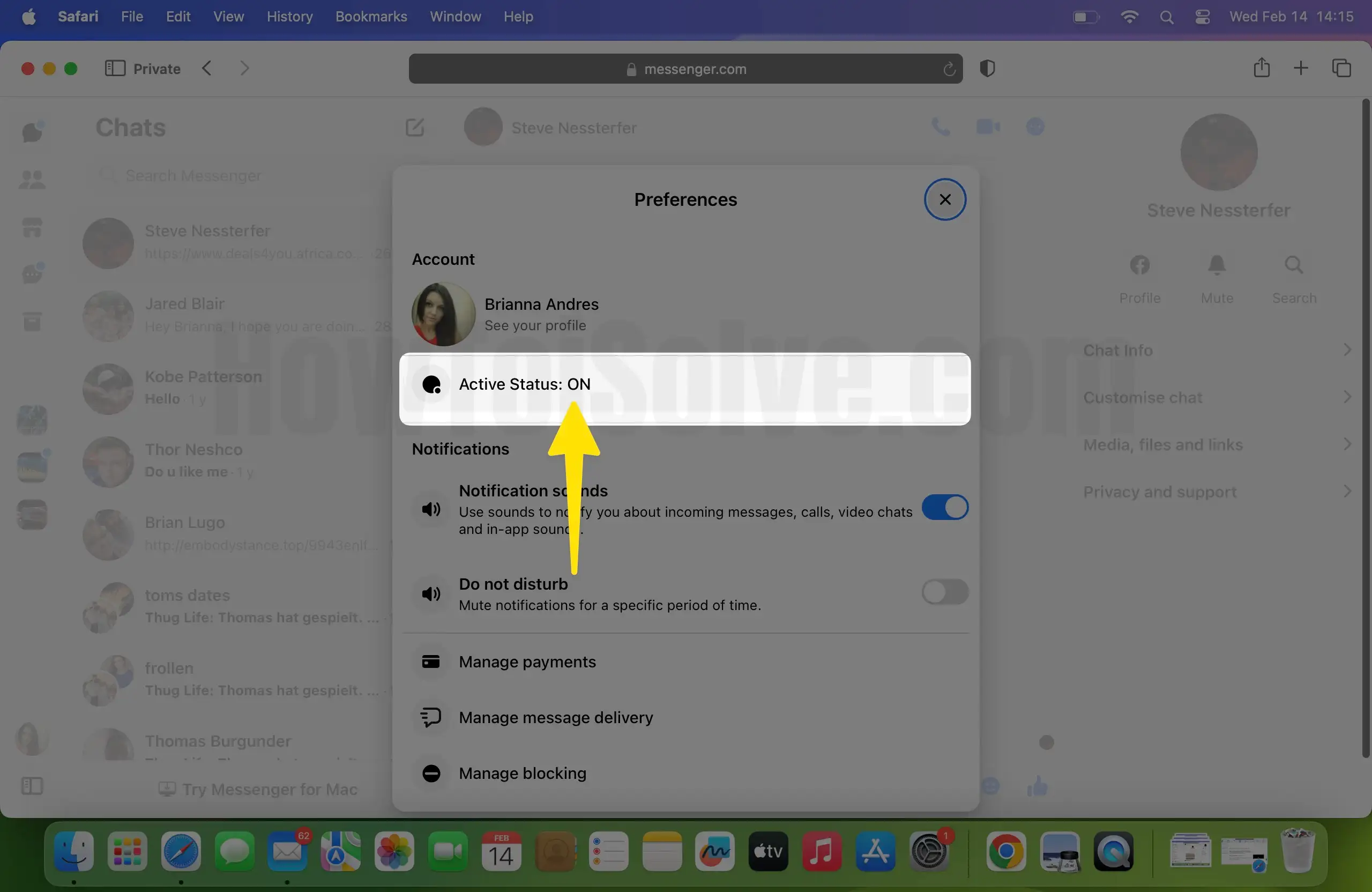
The first option is for Active Status to turn on and off for all.
Step 5. Another two options are to Turn on and Turn off the activate status for selected contacts. Click on the Edit button and Search for people in your Facebook account.
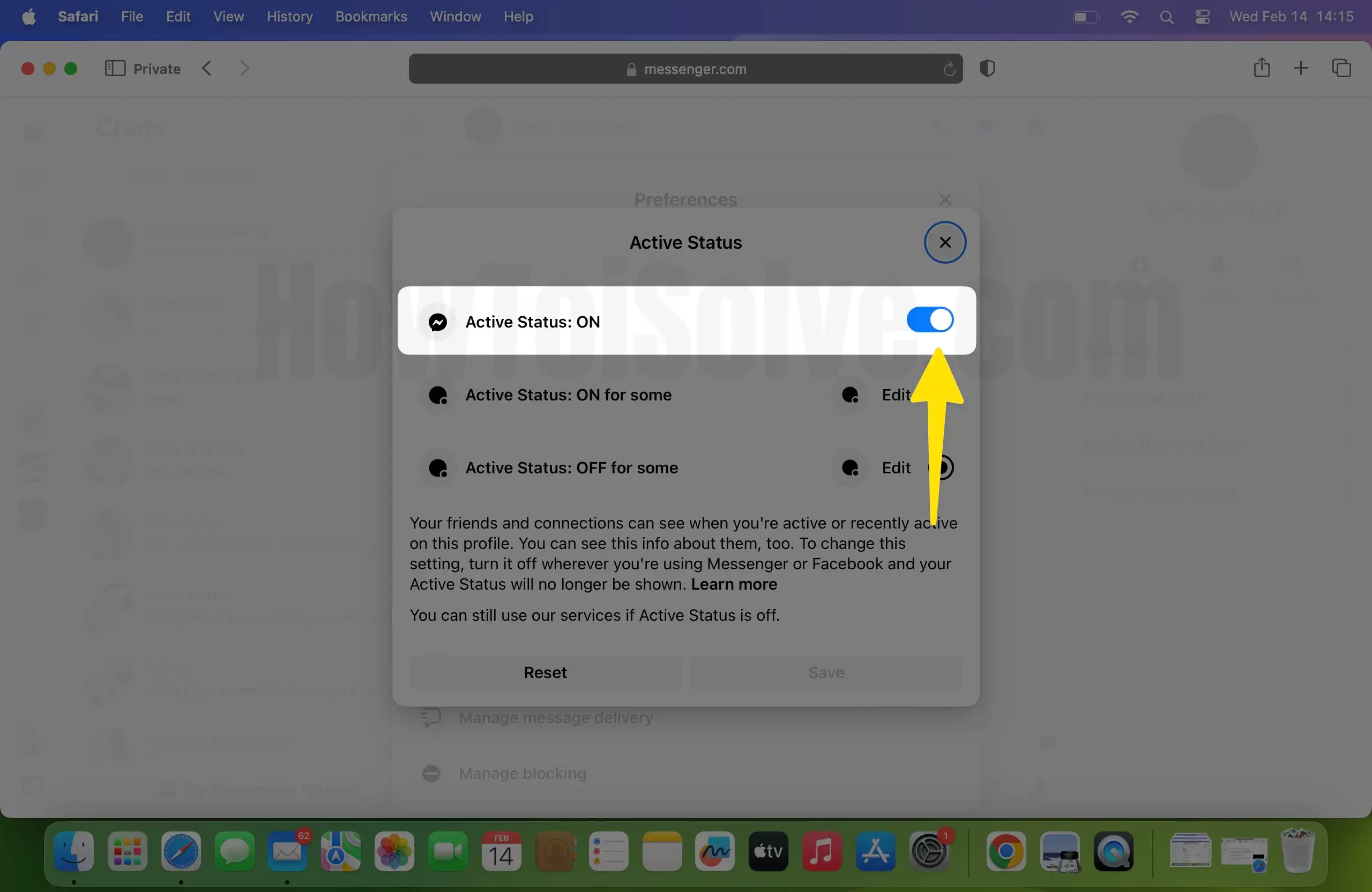
Step 6. Select People > Save. That’s it.
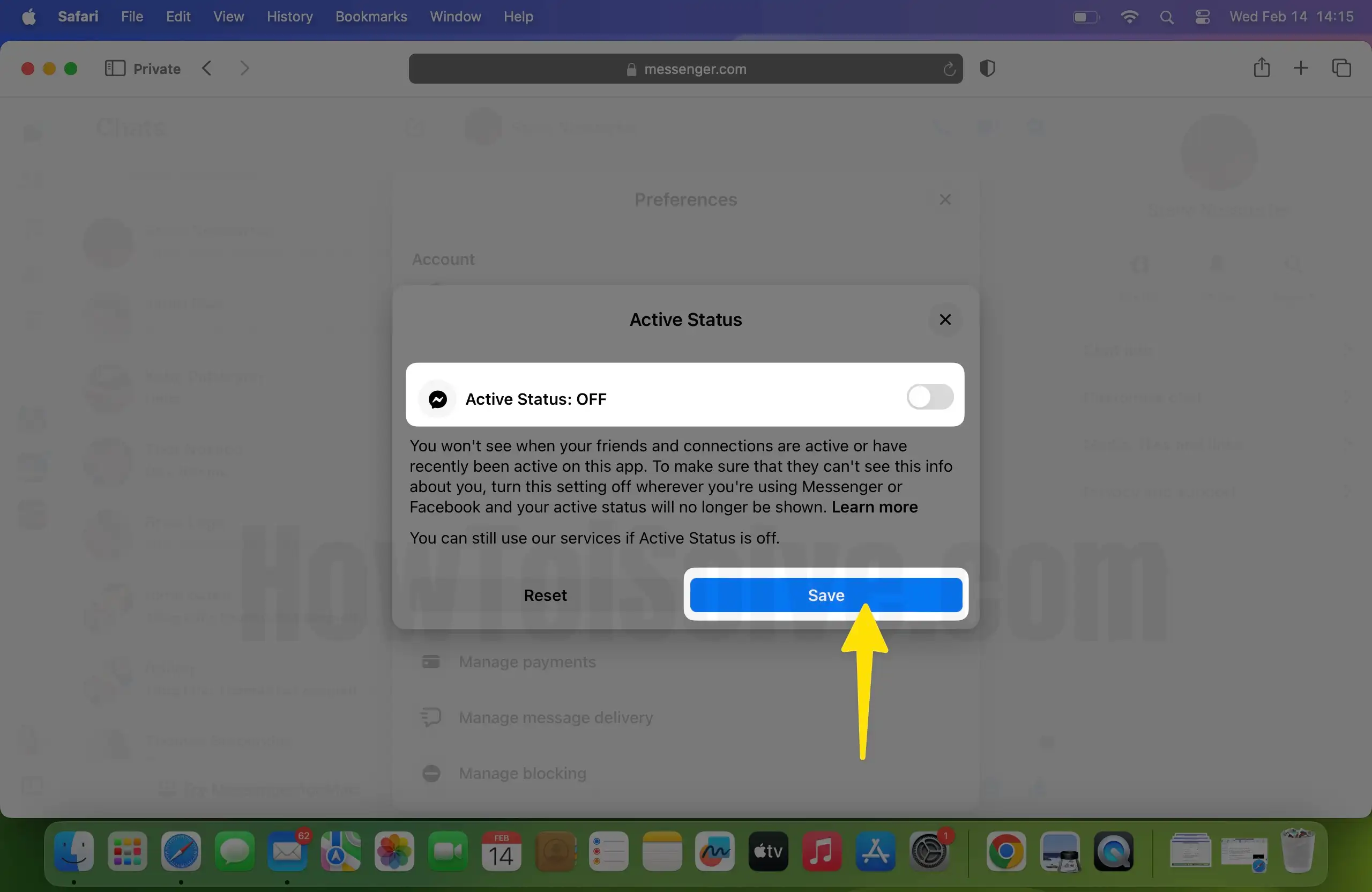
If you want to reset the settings and set it up again, then tap on the Reset button and Setup again.
So you will get a message about the successfully updated active status. You can use Facebook, but your contacts can’t see you online on their device.
Nowadays, Facebook is highly customizable, though controlling the Active Status of the profile is nothing new. It’s a very old feature that is used by tones of people to stay hidden from their friends, and the people with whom they don’t want to engage.
Active Status on Messenger can be turned on and off anytime, without hassle. When the Active Status is disabled, your profile will appear inactive even though you’re chatting on Messenger or exploring Facebook. Besides, there’s an option available that lets you appear offline for specific people you choose.
There is no straight way to tell if someone has turned off their status on Facebook Messenger. Nevertheless, the active status isn’t affected by the messenger’s read and unread functionality. If you want to verify whether the person is online, then drop a message and look for the symbol that appears when someone reads the messages.
Yes, it is possible to hide the active status of a particular person on Facebook Messenger, but the steps remain the same to do so. Follow the steps given in this tutorial for desktop (the mobile app doesn’t allow this option) to hide your active status on Messenger from one person.
As I mentioned earlier, the active status doesn’t affect the messages read and unread status. Sending the message is the only way left to check who’s online even after your active status is disabled. If you want to go offline, then refer the above section and turn off active status for your Facebook Messenger profile.
Spying on another Messenger profile and finding out who someone is talking to on Messenger is not allowed and there is no such feature available right now. However, there are few third-party software like NexSpy, TruthSpy, SpyStealth, etc. available for the same purpose. You can use any of the services to find out who someone is talking to on Messenger.
Timestamp is nothing but the last active status on the Facebook Messenger. And we’ve already mentioned detailed steps regarding how to turn off the timestamp on Facebook Messenger if you don’t want to show active status to other.
Unfortunately, there is no feature or setting available in Messenger that lets you see someone else actively typing to another person in messenger. So if you’re searching for a way, then don’t waste your time.
Last Active in Messenger not working? There is nothing to worry about; it might be a minor software glitch, or you have mistakenly disabled the active status of your profile. In that case, verify the Messenger Active Status first and then it is already set to on, then update the Messenger app.