Keeping iTunes up to date ensures you have the latest features, bug fixes, and security improvements. Whether you use Windows 11, 10, or 8, updating iTunes is simple—but the process can vary slightly depending on how you installed it. Here’s a step-by-step guide.
Method 1: Update iTunes via Microsoft Store (Windows 11 & 10)
If you installed iTunes from the Microsoft Store, it updates automatically. However, you can check for updates manually:
Step 1: Open the Microsoft Store from the Start menu.
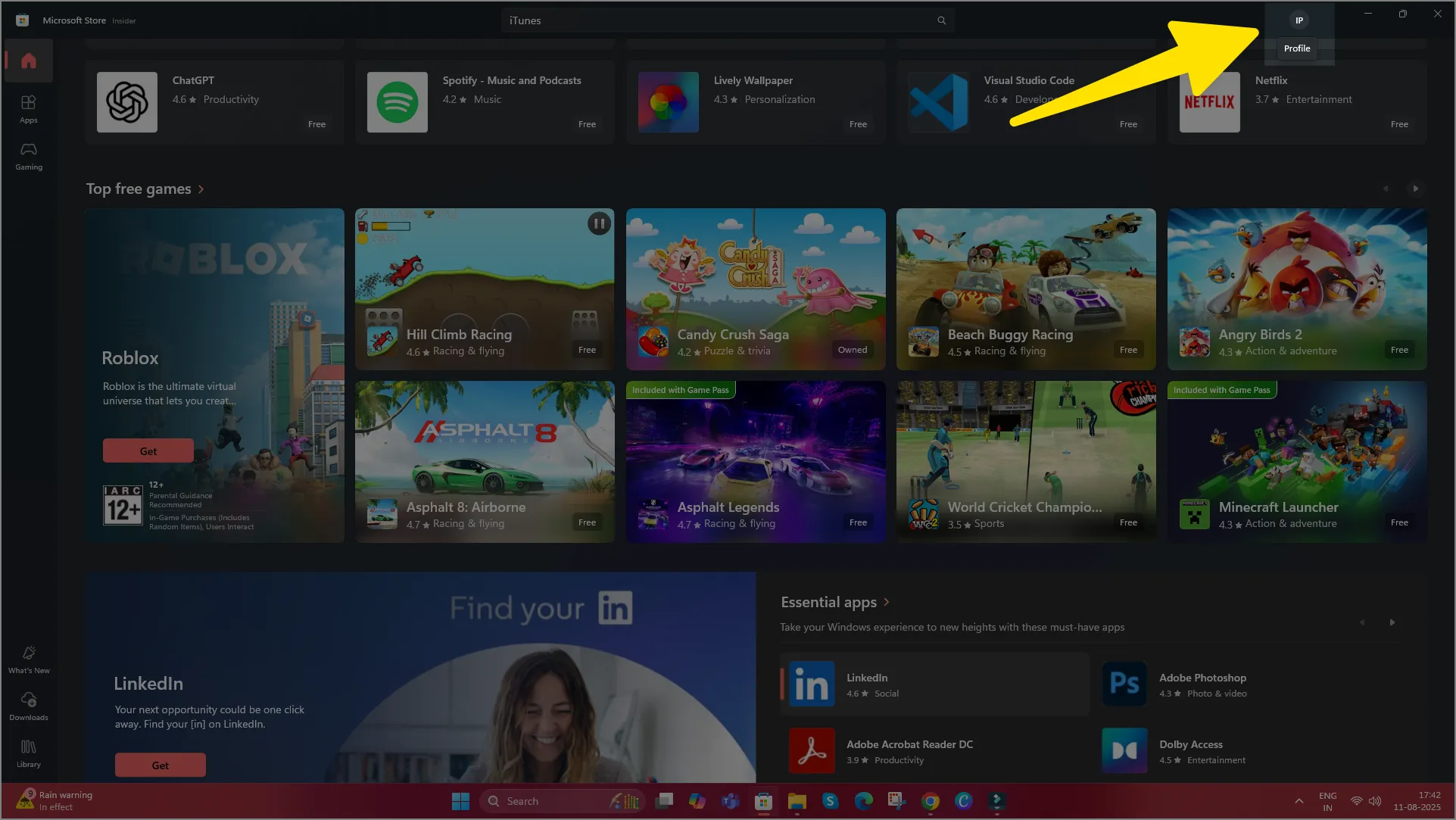
Step 2: Click your profile icon in the top-right corner.
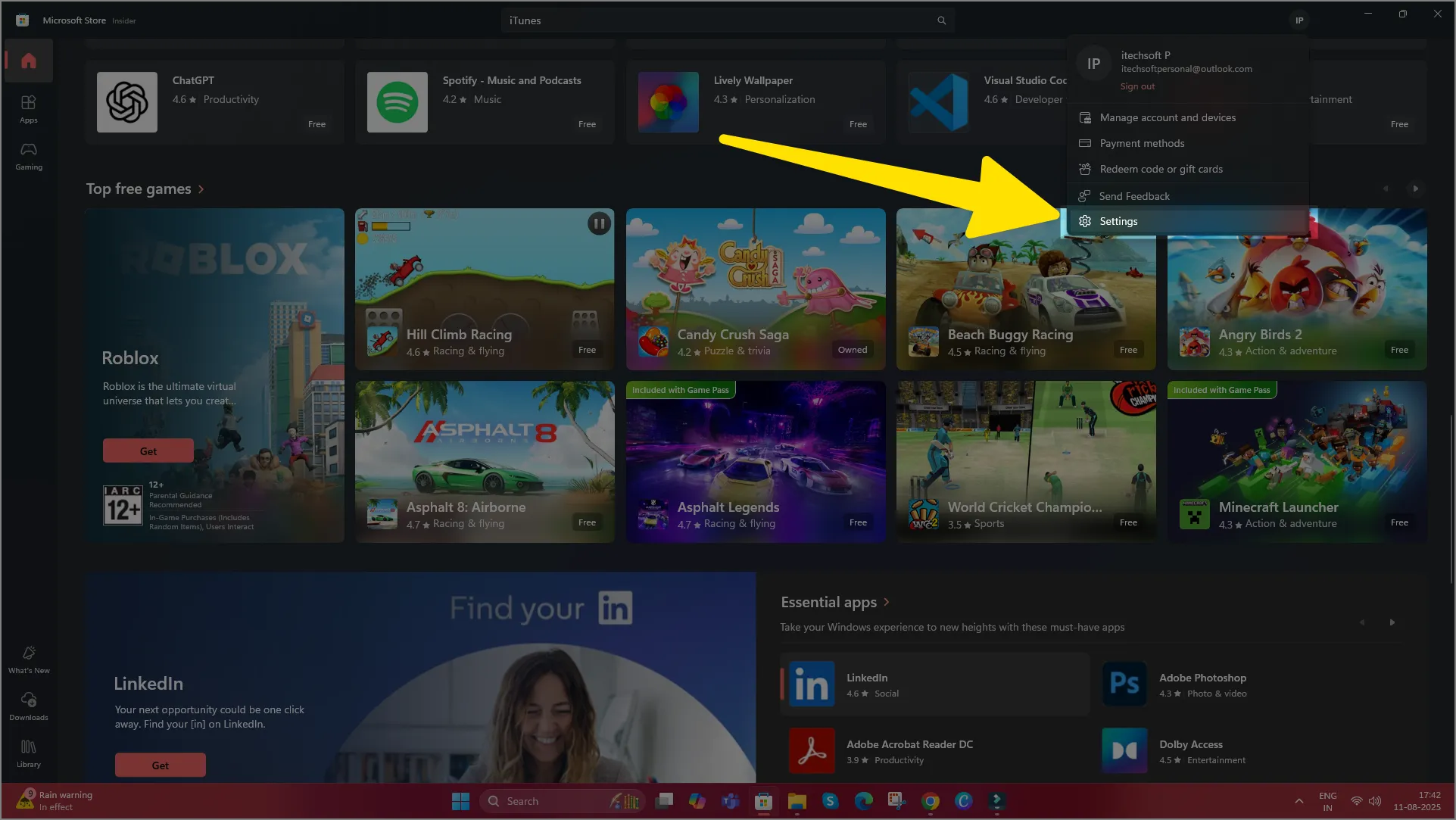
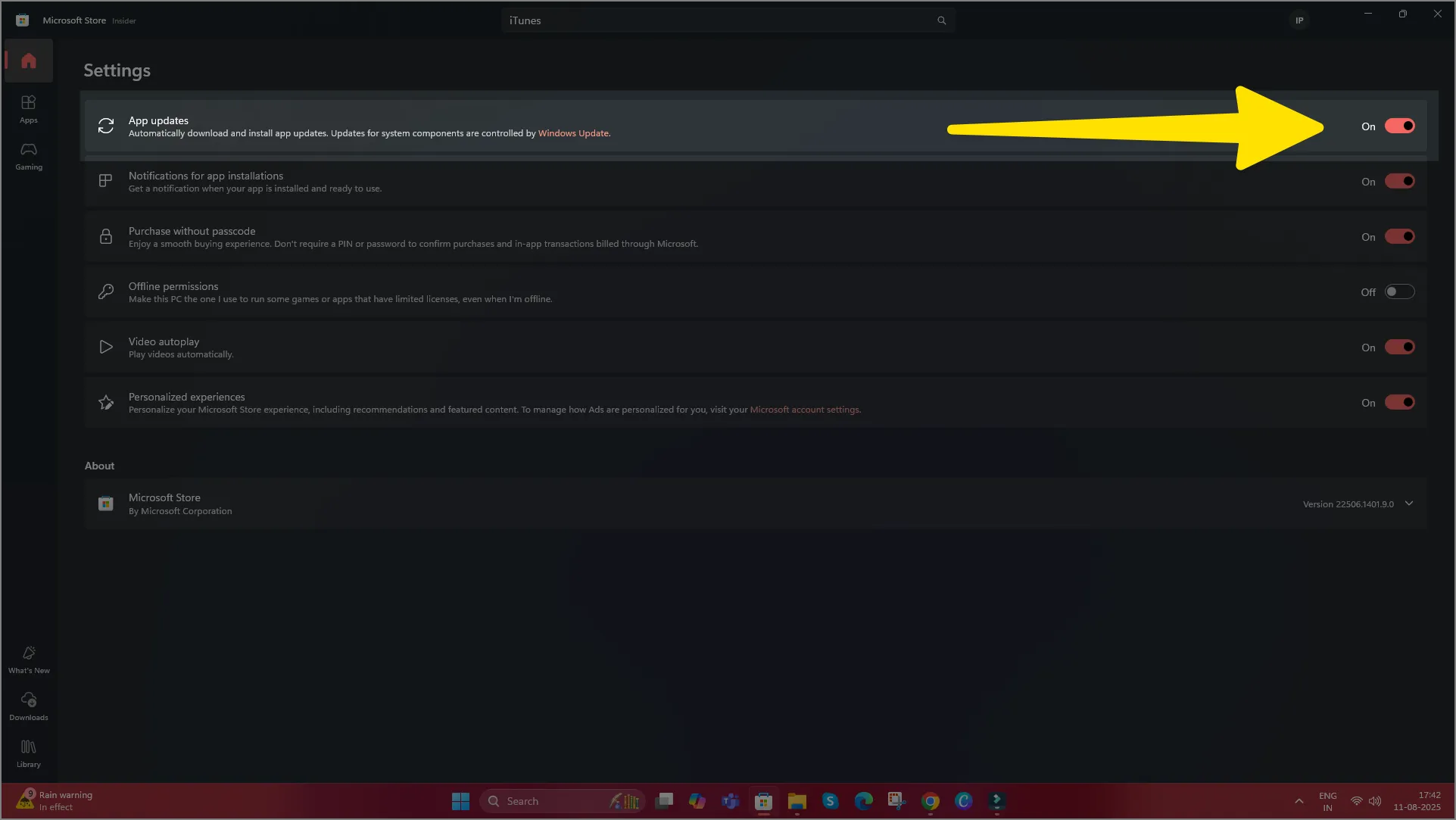
Step 3: Select app settings and make sure app updates are enabled.
Step 4: Go back and click Library from the left menu.
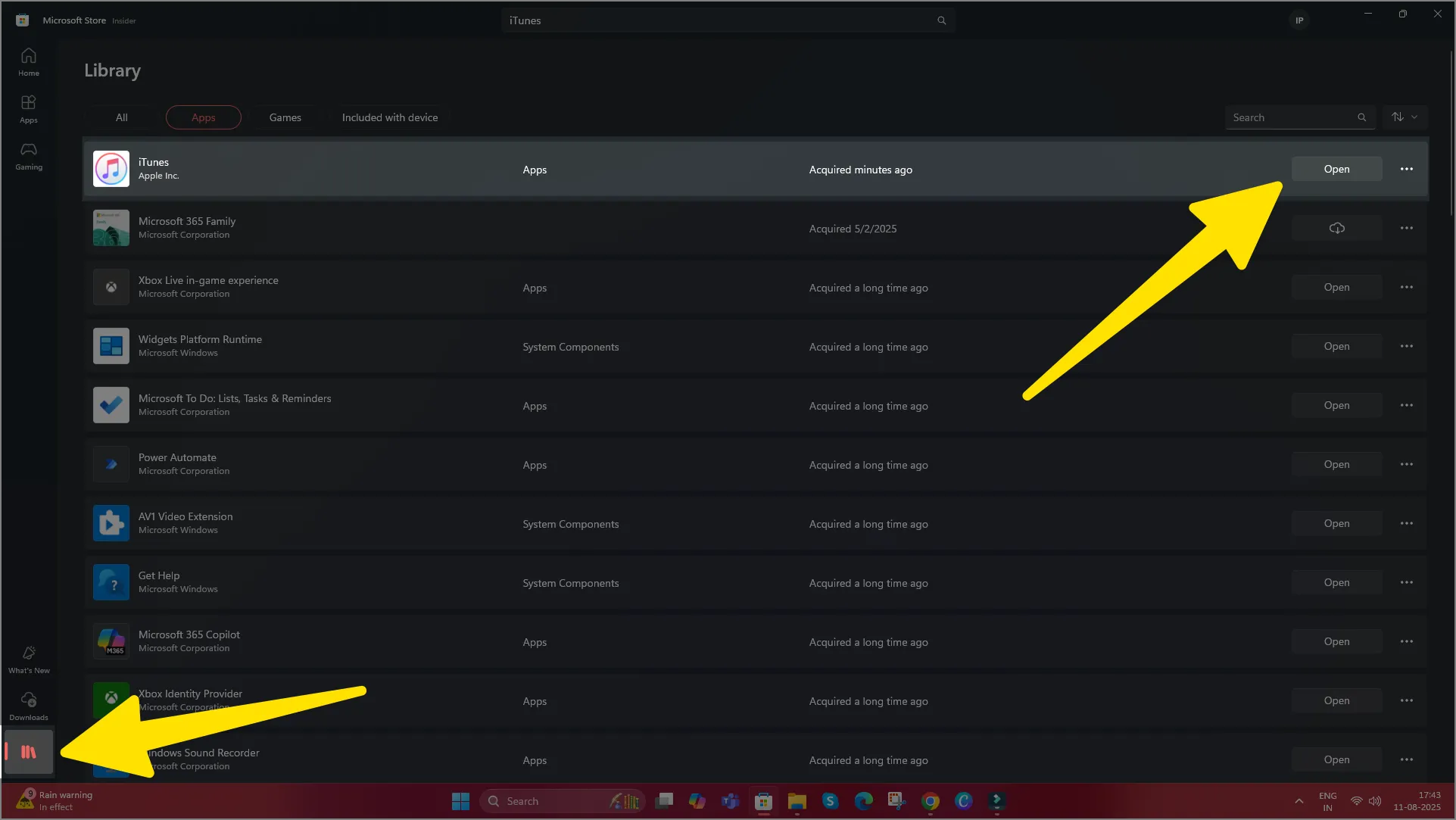
Step 5: Click Get updates to check if a new iTunes version is available.
Method 2: Update iTunes via Apple Software Update (Windows 11, 10 & 8)
If you downloaded iTunes directly from Apple’s website, follow these steps to update it:
Only update iTunes software.
Step 1. Open the iTunes app on your PC. (Download iTunes now if it is Not installed on your system.)
Step 2. From the Menu bar, Click on Help
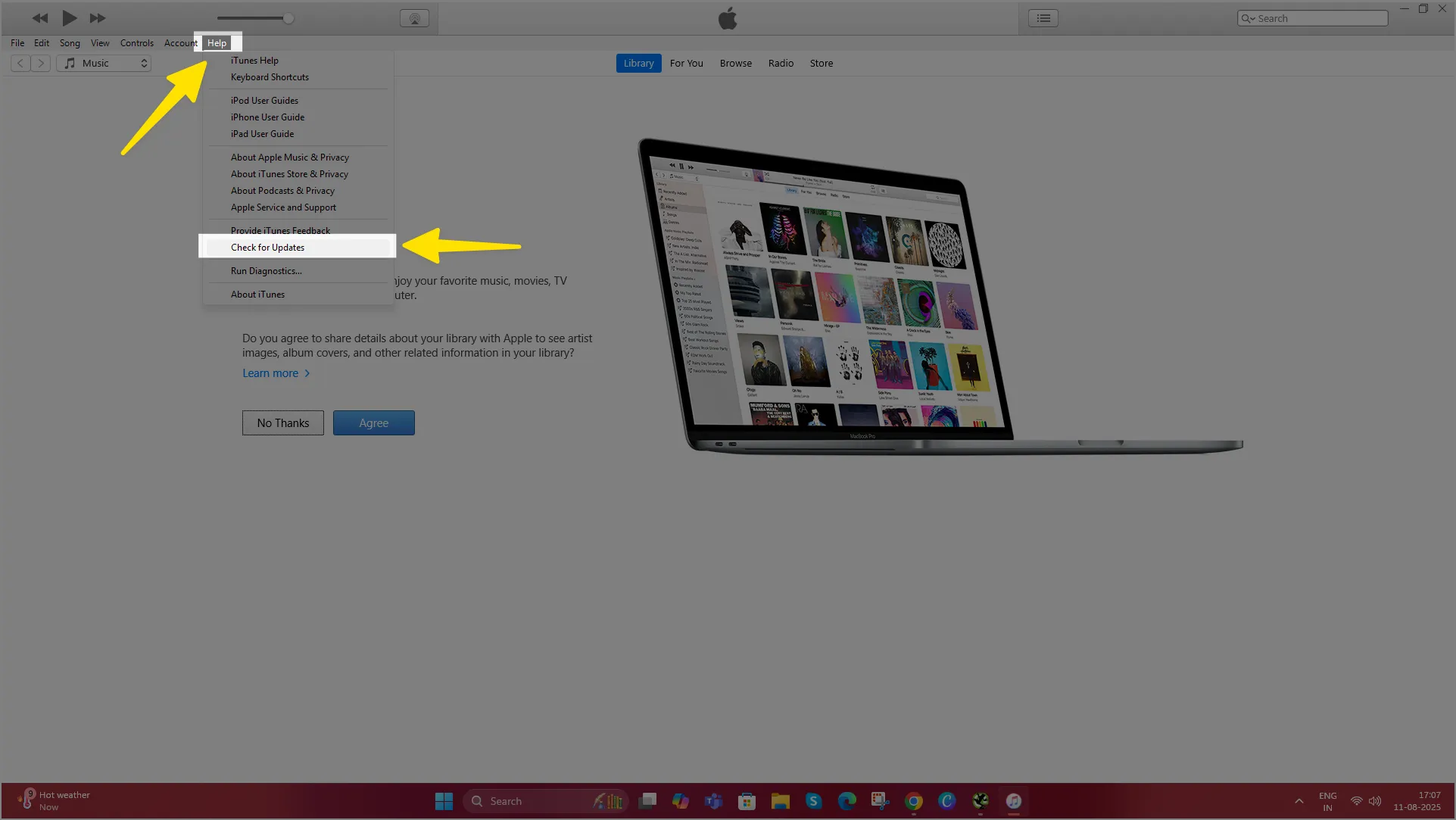
Step 3. Choose Check for Updates. In the earlier version of iTunes, you can find this option in the Advanced Menubar. Learn how to show the menu bar.
Unlock your iPhone and connect with Windows via iTunes.
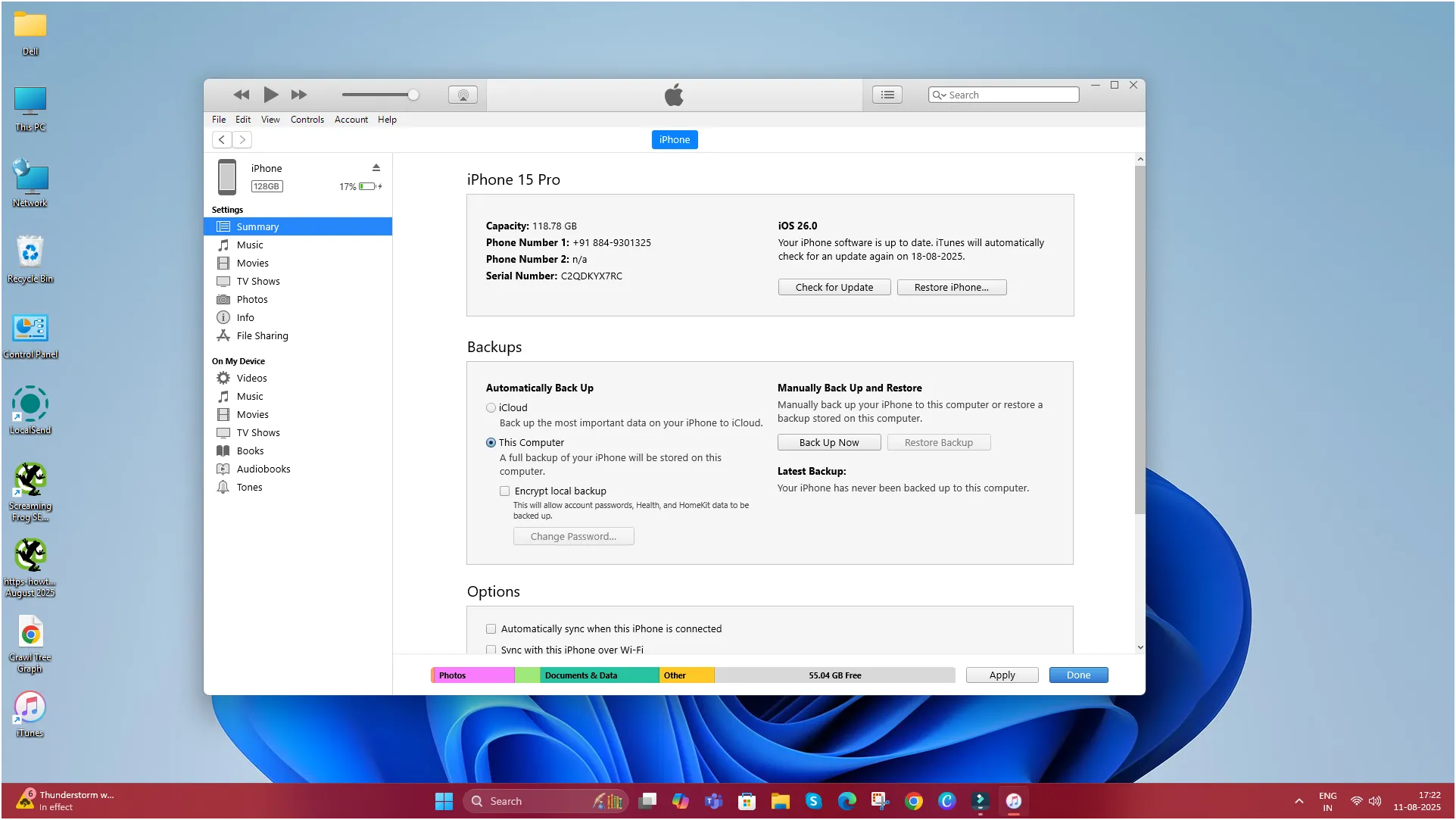
Steps to update all installed software,
- Open the Start menu and search for Apple Software Update.
- Launch the app—it will scan for updates.
- If iTunes appears in the list, check the box next to it.
- Click Install and follow the on-screen instructions.
- Restart your computer if prompted.
Method 3: Download the Latest Version Manually
If the above methods don’t work:
- Go to the official Apple iTunes download page.
- Click Download iTunes for Windows.
- Run the installer and follow the prompts—it will replace your old version.
Tips for a Smooth Update
- Back up your iTunes library before updating, just in case.
- Keep your Windows system updated to avoid compatibility issues.
- If you face installation errors, uninstall iTunes and reinstall the latest version.
Final Thoughts:
Updating iTunes on Windows 11, 10, or 8 is quick and helps keep your music library, device syncing, and app management running smoothly. Whether you use the Microsoft Store or Apple’s direct download, staying updated ensures the best performance and security.