Is your iPhone stuck, frozen, or refusing to turn off? Don’t worry—this common issue can often be fixed with a few simple steps. Whether it’s a software glitch or hardware problem, this guide will walk you through effective solutions to get your iPhone back to normal and responsive, even if the screen is completely unresponsive.
Steps to Turn off iPhone Using the Side Button
At the time to go, the way to turn off the Apple iPhone is quite different for those who have jumped from the Old iPhone model. Right now We have to use Key combinations to Soft Restart or Hard Reset the Apple Devices [iPhone, iPad].
- Press the Volume Up Button + Sleep/Wake button to Slide to the Power Off Option. See the Picture Below.

That’s it. Also, Find Alternate ways to turn off your iPhone without a Home button [Given in this Article] easily, or in some situations when the Home button won’t work or is damaged.
4 Ways to Turn Off iPhone Without Side Button
Method 1: Using the Settings App
- Open the Settings app on iPhone.
- Tap on General
- Scroll down the screen to Shut Down.
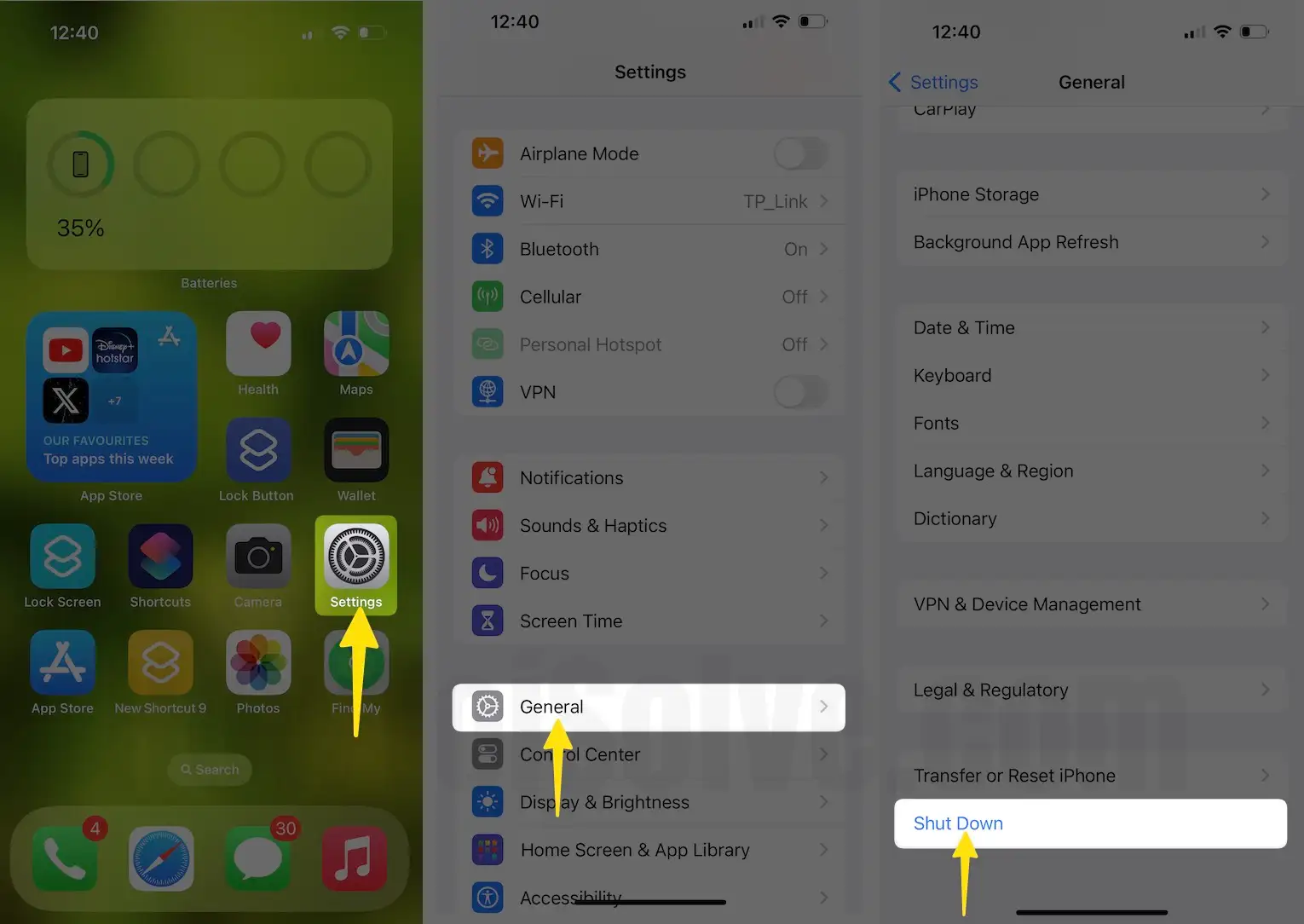
This method is useful for soft restarting iPhones. However, it doesn’t work and doesn’t help to fix your problems; you must try hard to restart.
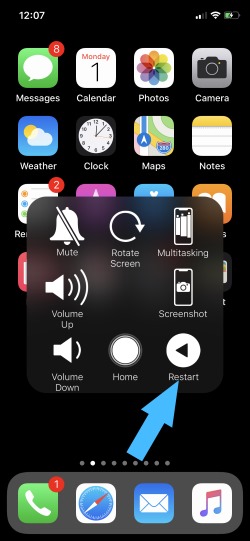
Method 2: Using Assistive Touch
We can enable and customize Assistive Touch to manage all shortcuts or add/remove controls in Assistive Touch. Know how to customize assistive touch on iPhone.
Now, we can restart the iPhone from the home screen or lock screen.
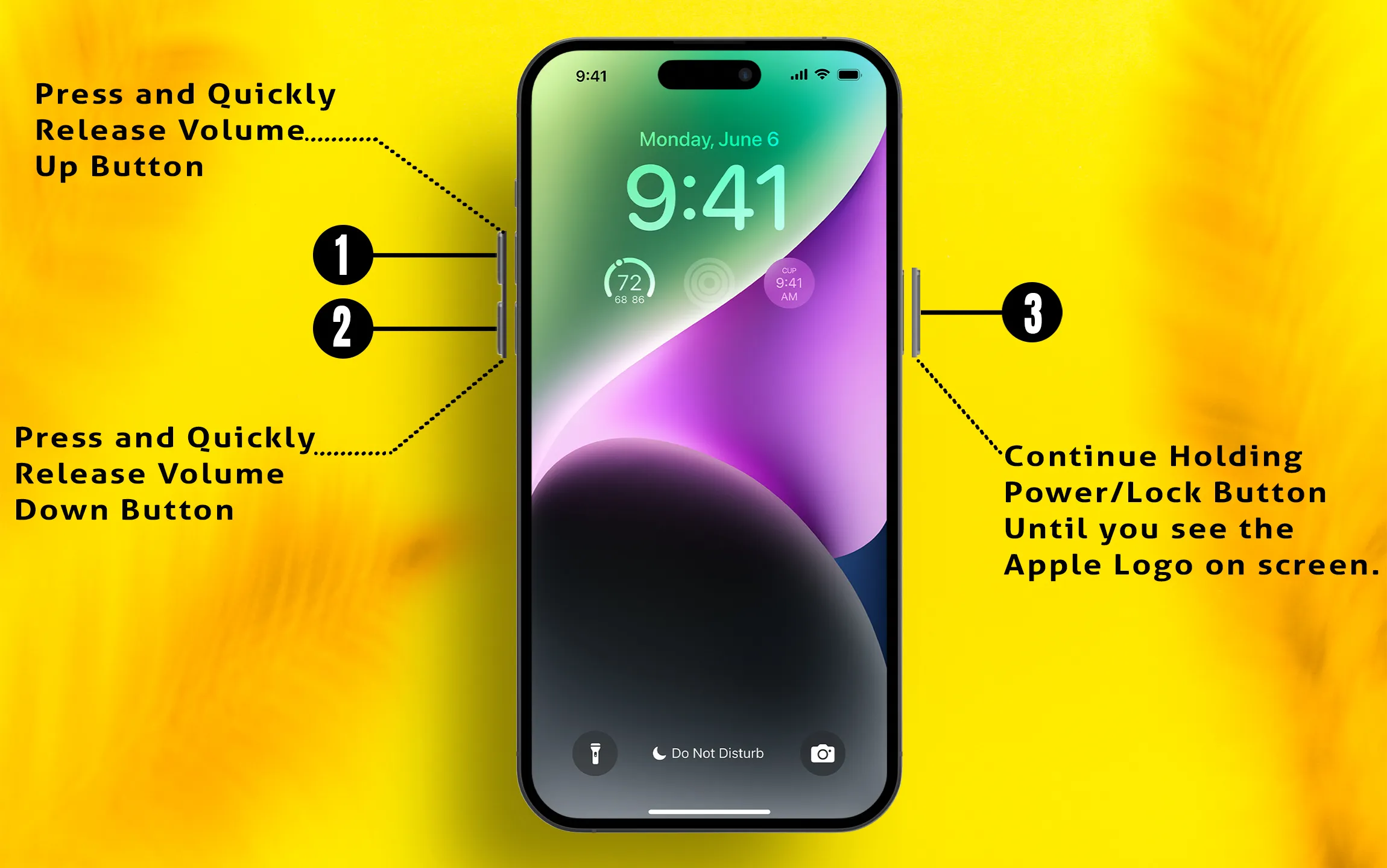
Hard Restart iPhone
- Quickly press and release the volume up button,
- Now Quickly Press and release the volume down button.
- Finally, Press and Hold the side button until you see the Apple logo on the screen and after that black screen.
Again press and hold the side button only to start your iPhone like before.
Disable or Stop Activating Siri When Press Only On Side Button:
- Go to the Settings > Accessibility > Side Button > Off (Select off under PRESS AND HOLD TO SPEAK).

Officially, no custom settings make your Side button turn off your iPhone. Go to the Settings below to turn off the iPhone quickly.