In Short
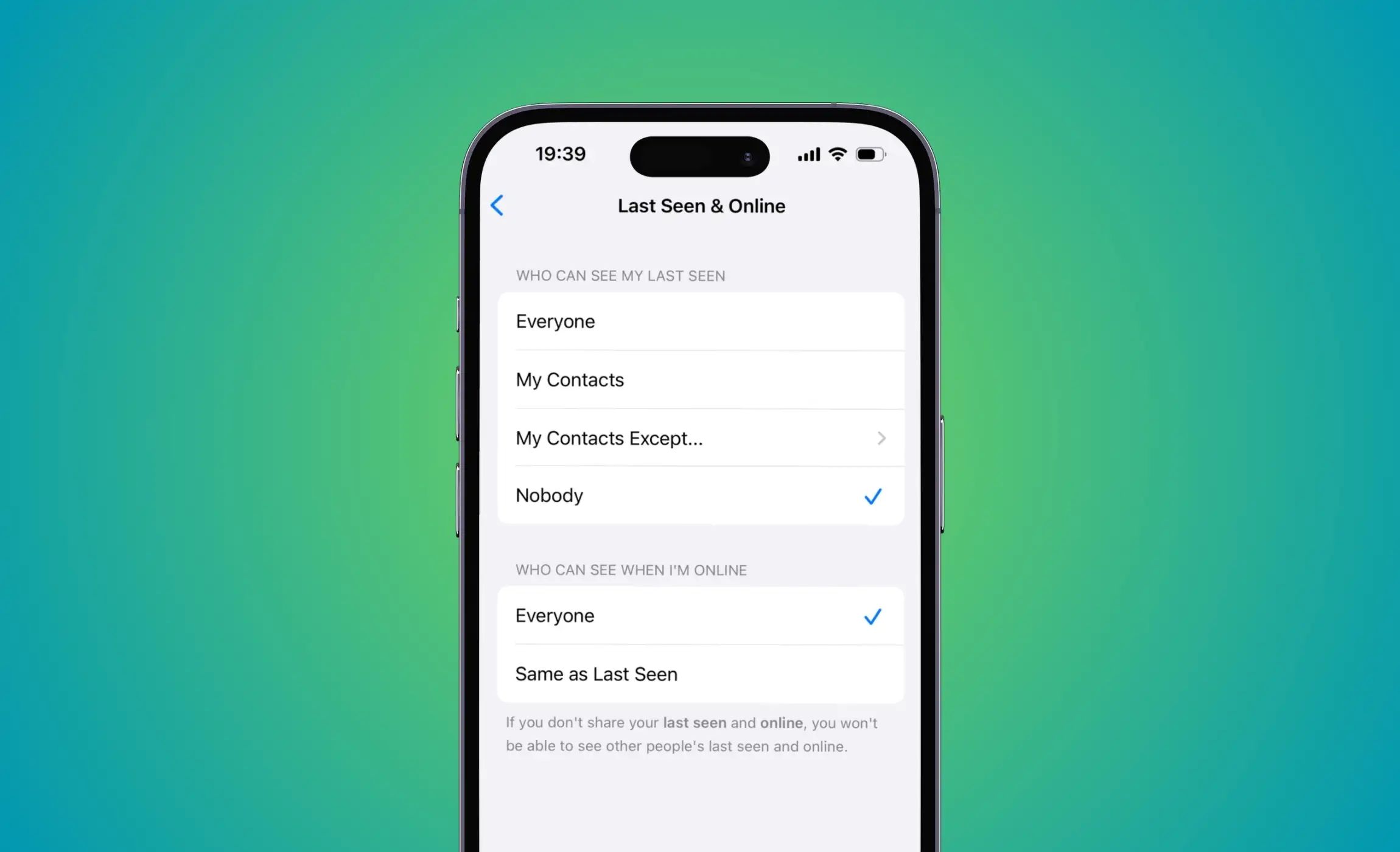
- Hide Last seen status from Whatsapp privacy settings. Allow for Selected One Person or More Contacts, Nobody, Everyone, and Your saved Contacts.
Are you looking to hide your last seen timestamp on WhatsApp for personal privacy reasons? By turning off the last seen profile option, you can keep your online and offline status private from anyone who may be tracking your activity. Although the timestamp feature is useful, some people prefer to keep their status hidden.
Don’t miss: Turn time (Timestamp) on iPhone’s Photography picture
By default, the “last seen” feature on WhatsApp is turned on for everyone who interacts with you. However, you have the option to disable it. Once disabled, no one can know when you were last active on WhatsApp or whether you have sent a message to someone. This means that your online activity will remain private.
Here are the simple steps to Hide the last seen timestamp on WhatsApp from the iPhone
Step 1: Launch WhatsApp on your iPhone > Tap on the Settings Gear icon from the bottom right corner > Select Privacy.
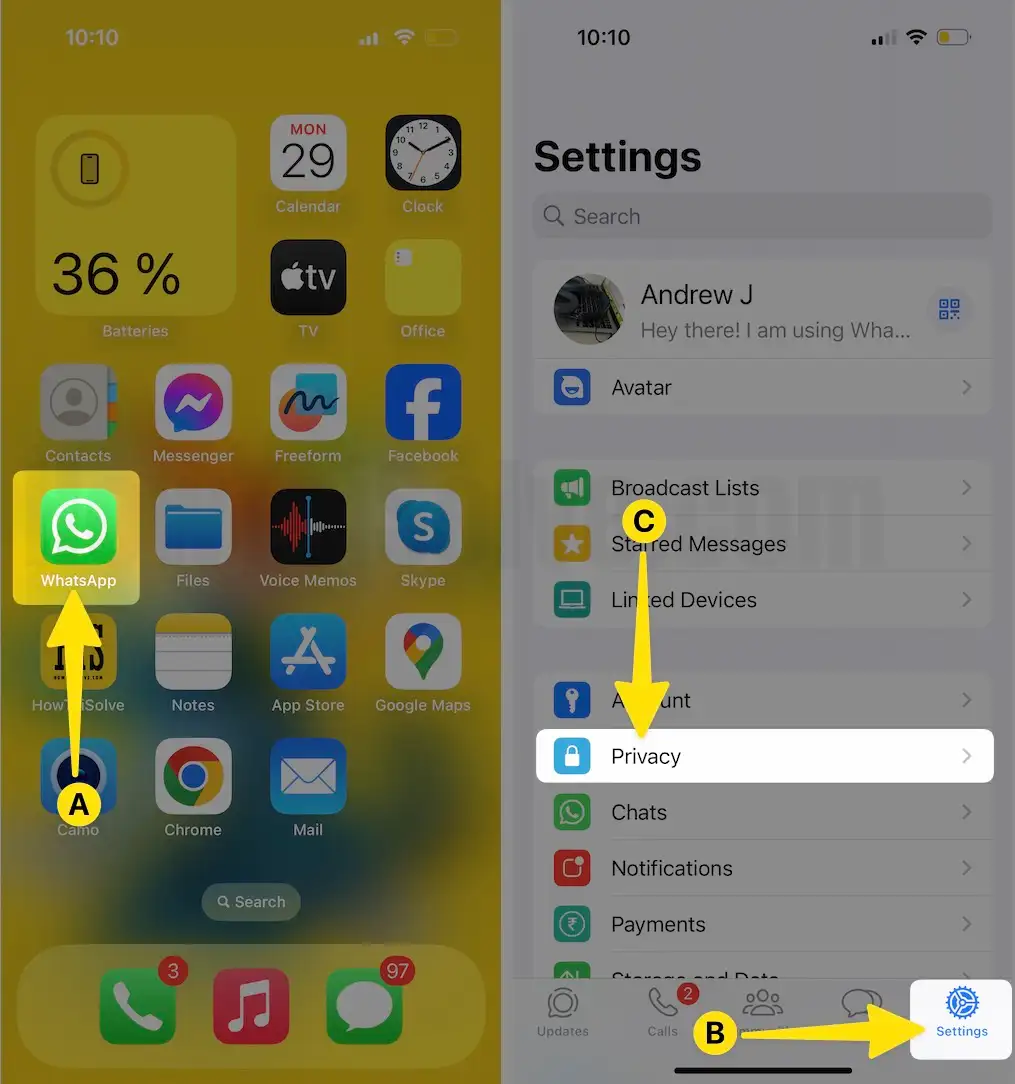
Step 2: Tap on Last Seen & Online > Choose Nobody.

- Everyone: This is the default setting; using this option, anyone can see your timestamp. On WhatsApp Chat Screen.
- My Contacts: only your friend will see your last seen profile status added to your account.
- Nobody: Nobody option works as a high-security feature. After enabling this option, no one will see the last-seen time stamps on your message screen.
You can choose any as you wish; all the options are open to all normal users.
You might also like: How to stop saving WhatsApp images and videos on iPhone
How to hide Last Seen on WhatsApp for one person
These are the steps to share your last seen timestamp with a specific contact on your list.
Step 1: Launch WhatsApp on your iPhone > Tap on the Settings Gear icon at the bottom right corner > Select Privacy.
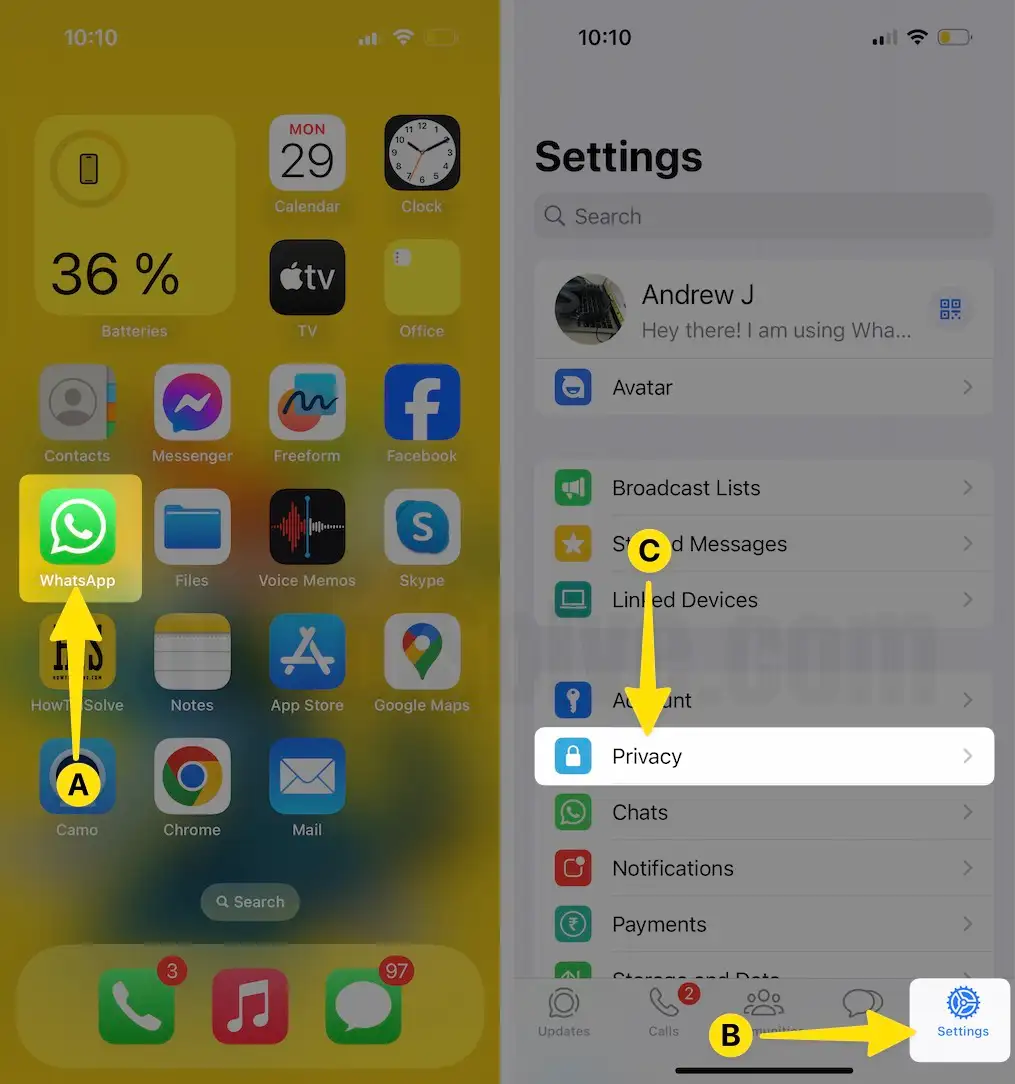
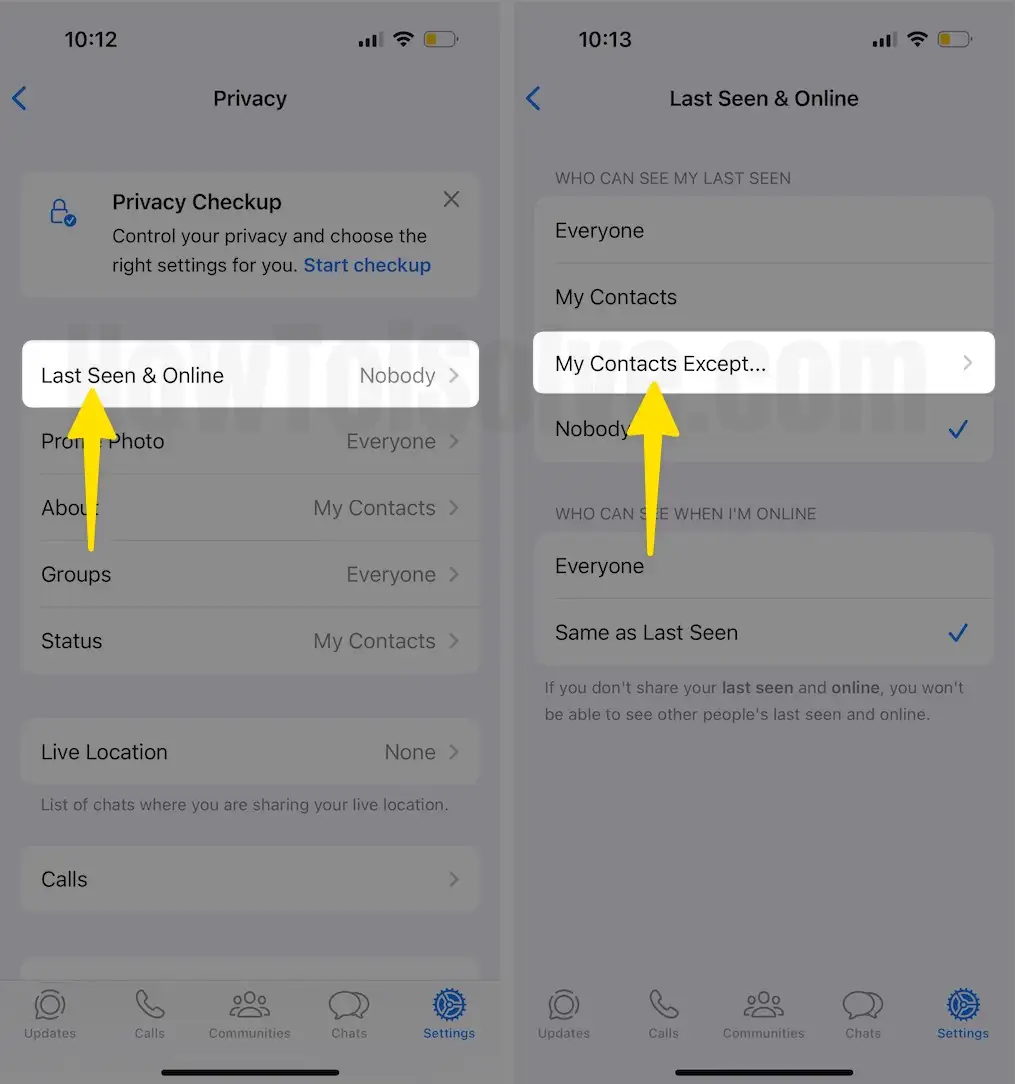
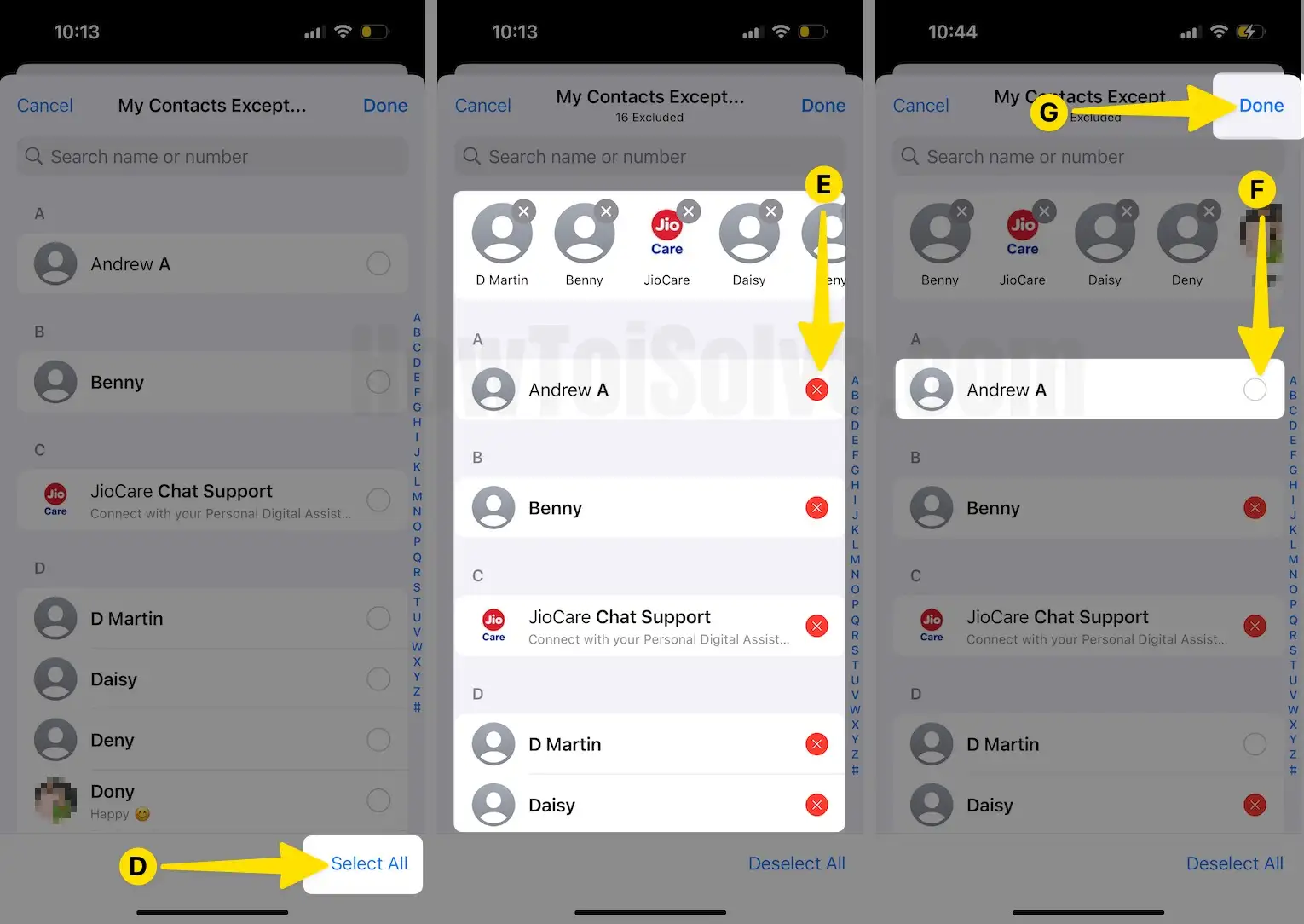
Step 2: Select Last Seen & Online > Tap on My Contacts Except…
Step 3: Tap on Select All From the bottom right corner > Search & Remove the Contact that you hide Last Seen on WhatsApp for one person > Tap on Done.
That’s it.
Are you having trouble enabling, disabling, or hiding your Last Seen timestamp on WhatsApp from your iPhone? If so, leave a comment, and we will gladly assist you.