After updating to the latest iOS version, you may encounter issues with Facebook not loading properly on your iPhone. Common problems include the app crashing, displaying blank screens, or experiencing slow loading times. These issues can arise due to compatibility problems, outdated app versions, network issues, or system bugs. In this guide, we will provide effective solutions for fixing Facebook on your iPhone after the iOS update. Key solutions include updating the app, resetting the network, and reinstalling Facebook.
Troubleshoot Facebook App won’t load and App keeps crashing
Solution 1: Quit the Facebook app and other apps too
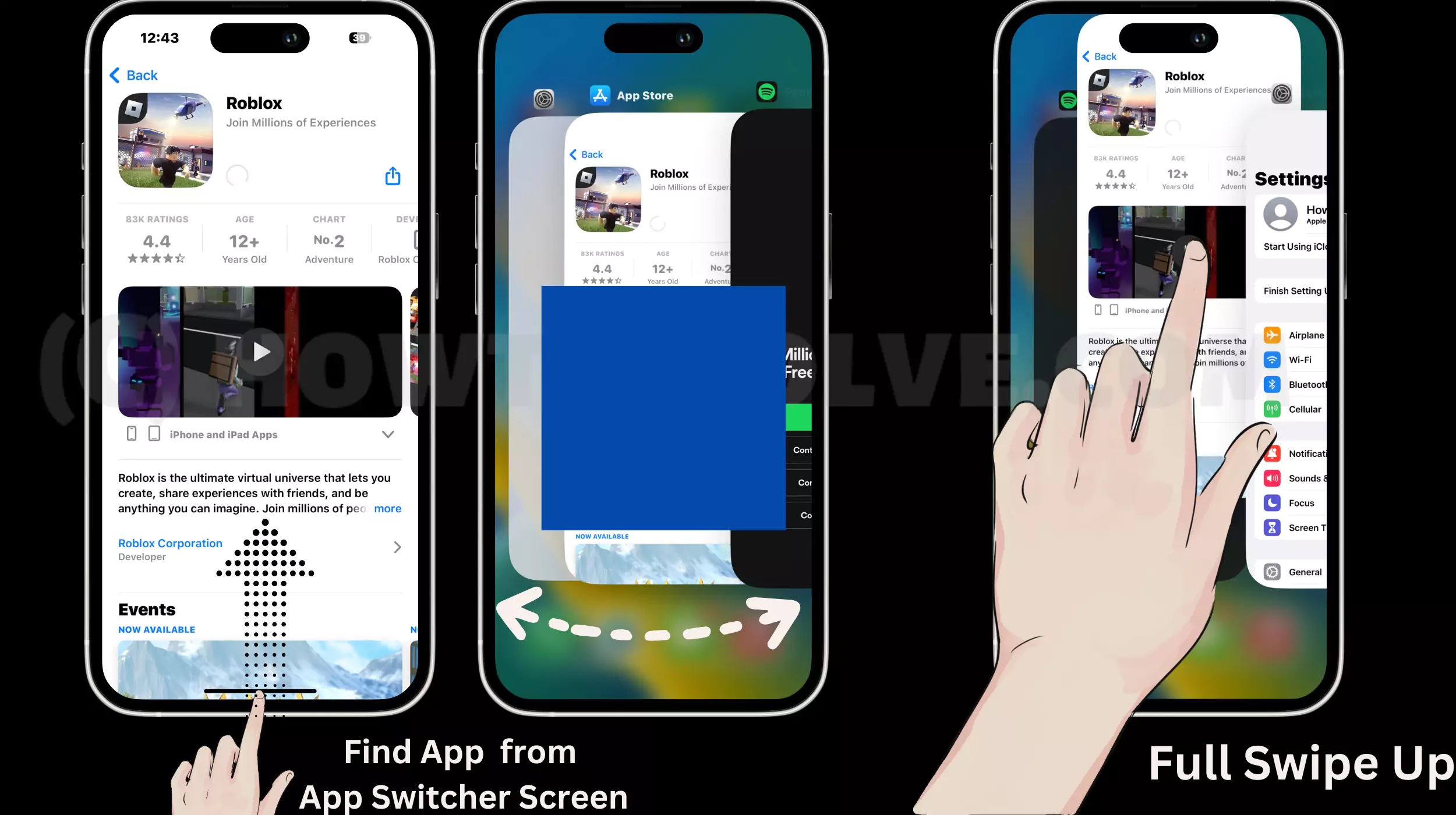
If you haven’t closed the used apps for a day or more then the entire processor of the iPhone is eaten by those applications. As a result, the Facebook app won’t load and keeps crashing on iPhone.
- Swipe up from the bottom of the screen and then pause in between.
- Now you will see all the applications that are running in the background.
- Close them all and free up some memory.
Log out, App login, Re-Login. That will create a new login session on the server. Also, refresh the Cache more automatically.
Solution 2: Force Restart Your iPhone
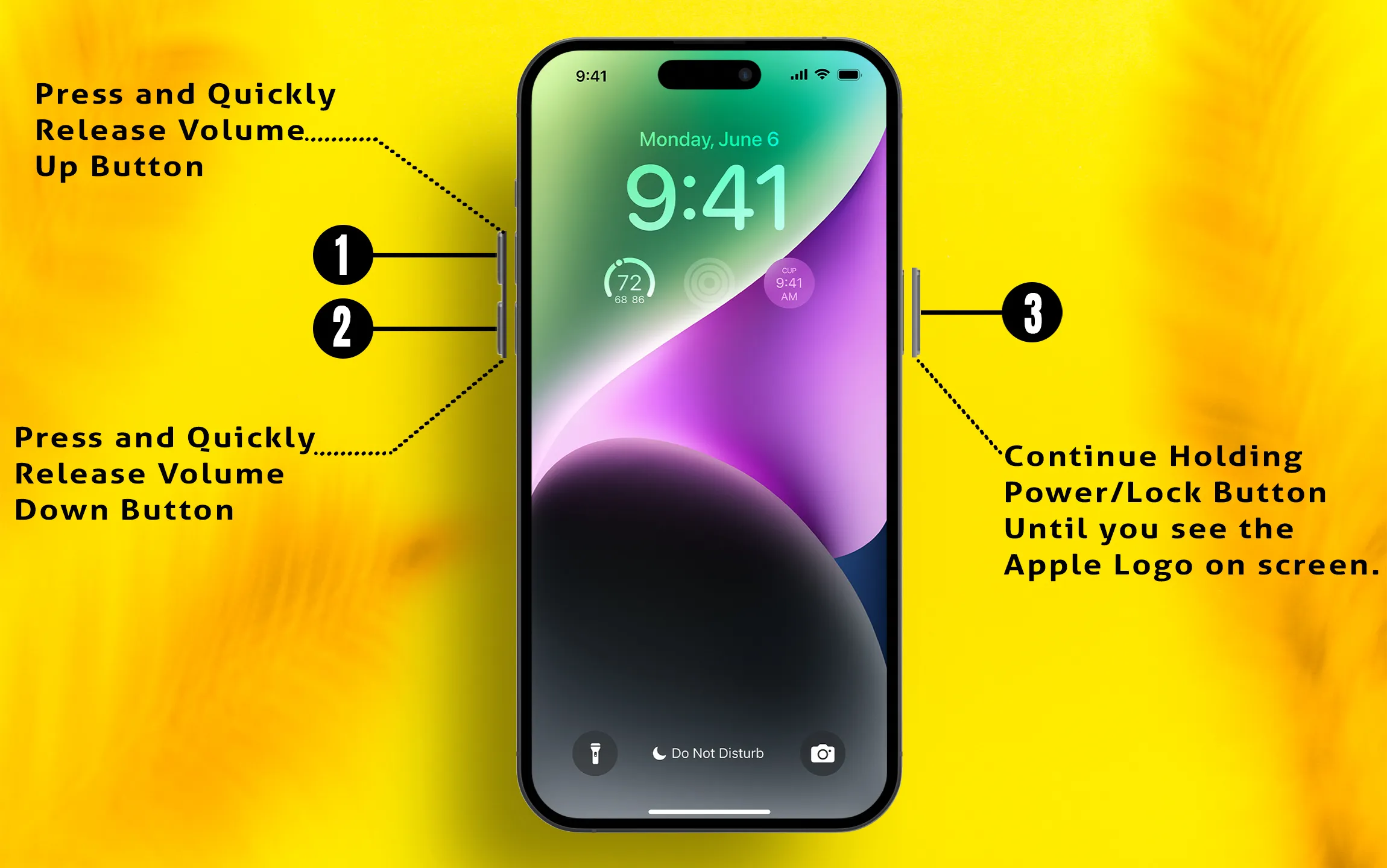
Clearing up some memory doesn’t work out for you and still the Facebook app keeps crashing on your iPhone so you must reboot your iPhone. Possibly all the unwanted cache and junkie files will get removed from the internal memory, and the Facebook app might become stable.
- Press the Power button and either the Volume button until you see a slider to turn off the device.
- Drag the slider and turn off the iPhone.
- After that press and hold the Side button to boot the iPhone.
Solution 3: Update the Facebook app
To achieve optimal output from the app, keeping it updated is essential. If you haven’t updated the Facebook app yet, please do so.
- Open App Store.
- Search Facebook App.
- Next, find Facebook and update it.
- Once Facebook gets updated, restart your iPhone.

Solution 4: Reinstall the Facebook app
Now you have to delete and reinstall the app if still problem persists on your iPhone. When you delete the app every document and data related to that app will be removed from the device. So we will try this solution to fix Facebook keeps crashing on iPhones.
- Touch And Hold on to the “Facebook” app.
- Now, when you see the Remove App on the app tap on it.

3. Click Delete App. tap on Delete.
4. Confirm the uninstallation of the app.

5. Next, to install the app you have to visit the “App Store”.

Solution 5: Reset Network Settings
Now, probably the problem is with the network of iPhone cellular connection, or some glitch is interfering with the Wi-Fi connection. So to get rid of this you have to reset the network settings of the iPhone.
- Launch the “Settings App”.
- Tap General.
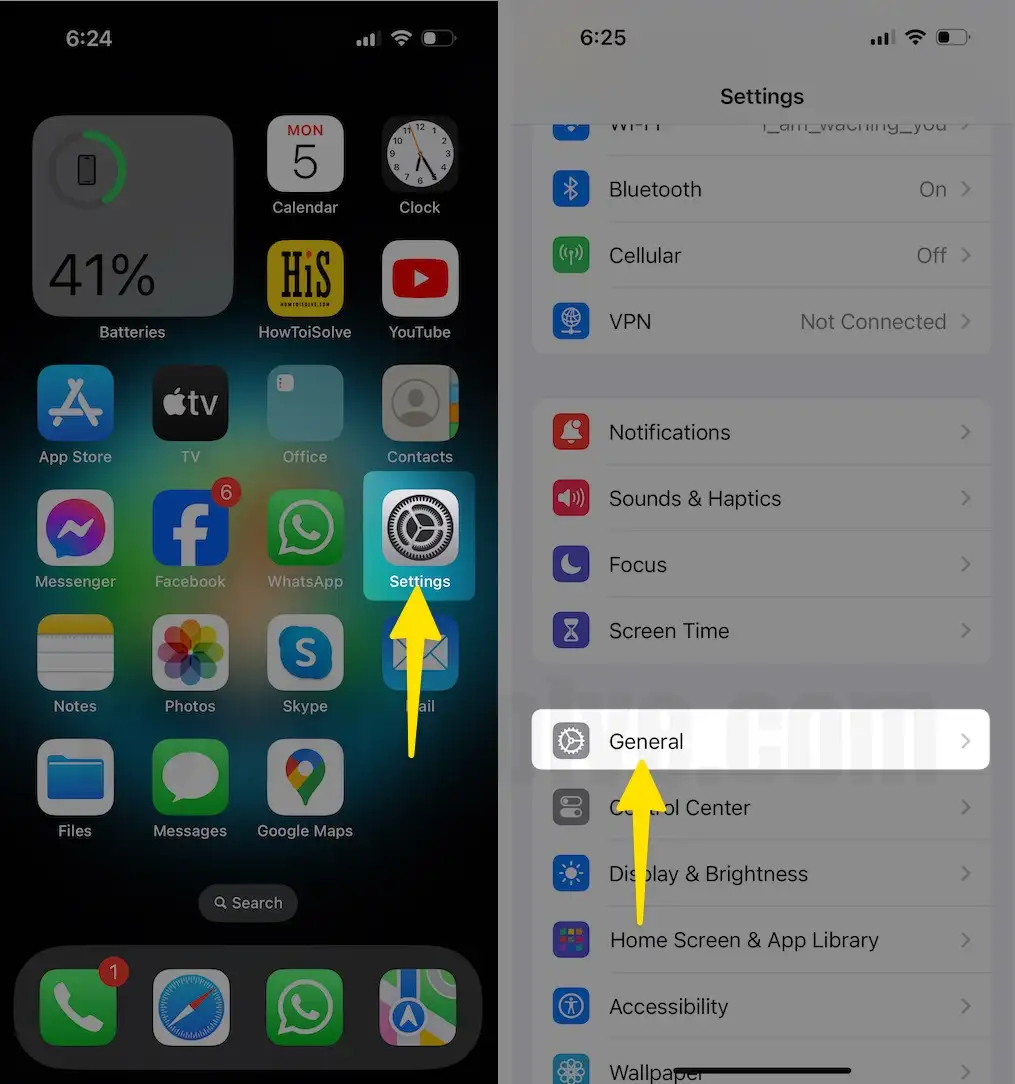
- Scroll to the Transfer or Reset iPhone.
- Tap on Reset.

- Select the Reset Network Settings.
- Tap Enter your passcode.
- Click on Reset Network Settings.

Check your WiFi settings or cellular settings. If there is a problem, you can troubleshoot it by checking your browser and surfing the internet.
Also, you can use an internet speed checker app. Contact the Facebook app developer by posting to the Facebook community.
A Facebook app won’t load Videos or photos. Unable to scroll the Facebook app, or the search is not working. A revert would be highly appreciated. Simply click the Submit comment button and ask all you want; I would be happy to resolve all your queries.