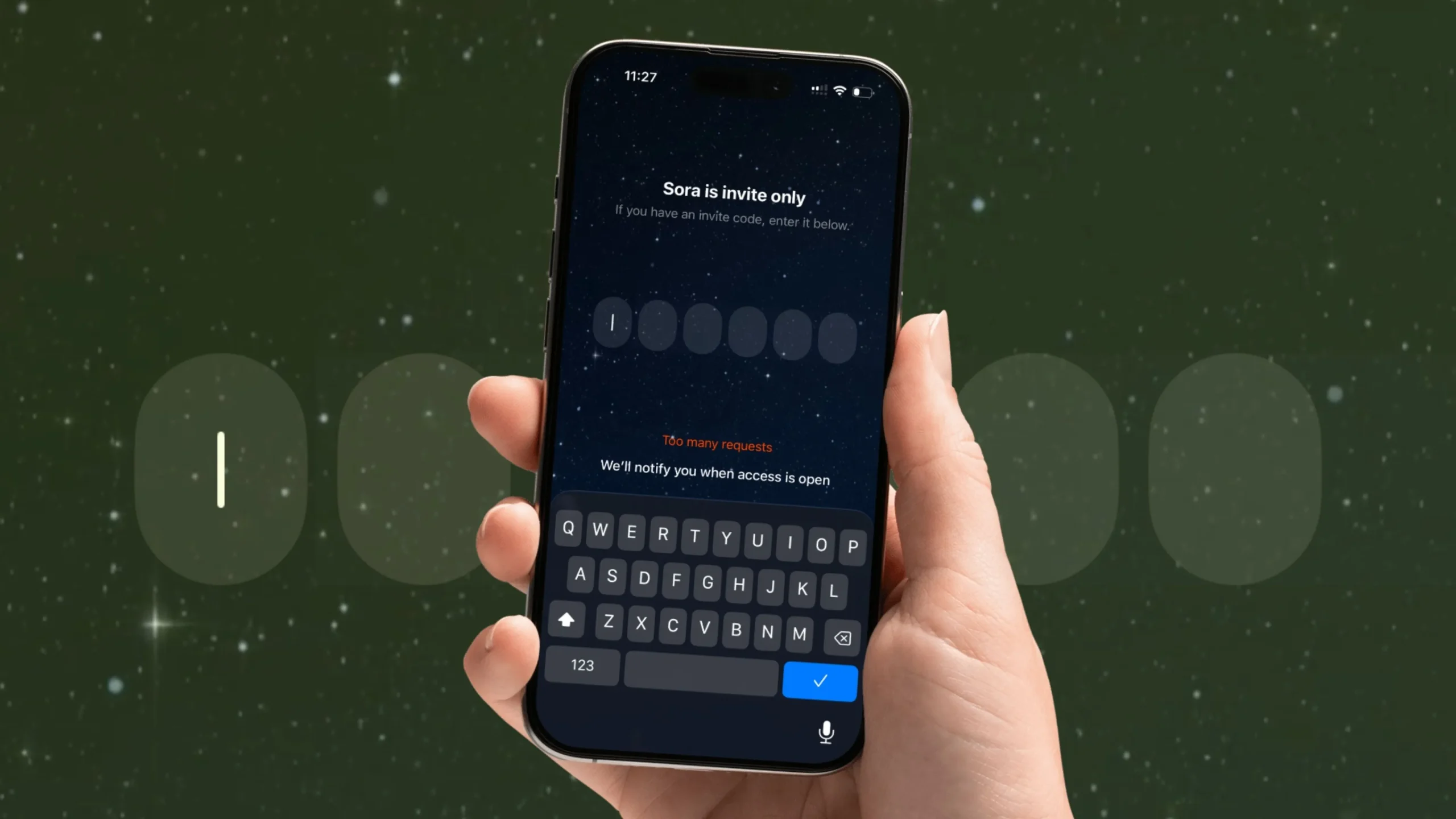
The Sora AI video app has been making waves, but some users—especially in the U.S.—are running into the dreaded “Too Many Requests” error. This issue often pops up when the app’s servers are overloaded, or your device/network sends multiple requests in a short time.
Don’t worry. Below are proven fixes you can try right away.
1. Force Close the Sora App
The first step is often the simplest.

- On iPhone, swipe up from the bottom to open the App Switcher.
- Swipe up on Sora to close it completely.
- Relaunch the app to see if the error clears.
A quick restart often helps clear temporary glitches.
2. Connect a VPN (Your Fix)
Many users—including me—have fixed this by connecting a VPN to a U.S. server.
- Download a reliable VPN app (SurfsharkVPN, ProtonVPN, NordVPN, or any trusted one).
- Connect to a USA region/server.
- Relaunch the Sora app.
Sometimes the error is linked to regional server load or geo-restrictions. A VPN can route your connection through less crowded servers.
3. Relaunch the App
After changing your network or VPN settings, close and relaunch the app again to refresh its connection with the Sora servers. (Wait a few minutes and try again.)
If it’s still not fixed, move on to the next steps.
4. Check Sora Server Status

If none of the above helps, the issue might be on Sora’s end.
- Visit their official X (Twitter) page or status page if available.
- If the servers are down or under maintenance, all you can do is wait.
5. Switch to a Stable Network
A weak Wi-Fi or mobile network can trigger this error.
- Toggle Airplane Mode ON → OFF to refresh your connection.
- If you’re on Wi-Fi, switch to mobile data, or vice versa.
- Make sure your internet speed is stable enough for video processing.
6. Log Out and Log Back In
Some users have cleared the error by logging out of their Sora account and signing back in:
- Open Profile/Settings → Log Out → Close the app → Reopen → Log back in.
This resets your active session and clears any stuck requests.
7. Update the Sora App
Running an outdated version of Sora might cause unexpected bugs.
- Open the App Store → Search “Sora” → Tap Update if an update is available.
App updates often include fixes for common errors.
8. Restart Your iPhone
A quick reboot refreshes your phone’s memory and network stack.
- Hold the Side Button + Volume Button → Slide to power off → Wait 30 seconds → Power it on again (Hold Side Button until you apple logo on screen).
9. Clear Cache (If Available)
Currently, Sora for iOS doesn’t have a direct “Clear Cache” option, but you can offload/reinstall the app:
- Go to Settings → General → iPhone Storage → Sora → Offload App → Reinstall.
This removes temporary files without deleting your account data.
10. Reinstall the App
If all else fails:
- Delete the Sora app from your iPhone.
- Reinstall it fresh from the App Store.
- Sign back in with your ChatGPT credentials.
Quick Recap of Your Personal Fix
- Step 1: Force close the Sora app.
- Step 2: Connect VPN to USA Region.
- Step 3: Relaunch the app.
This method has worked for many users when the issue was due to region-based server load.
When to Contact Support
If none of these steps solve the problem, reach out to Sora’s Support Team via the app’s Help/Feedback section. Provide details about your device, app version, and screenshots of the error.
Final Thoughts
The “Too Many Requests” error usually happens due to server congestion or temporary glitches, so most users can fix it by force closing the app, switching networks, or using a VPN.
For more troubleshooting guides, check out our related article: How to Fix Sora App Not Working.