
Is your Apple Music app on your Mac not working right? Your albums might be missing, the music might not be playing right, or the entire application can just feel really unstable. Sometimes the best way to fix things is to just restart Apple Music. Restarting Apple Music effectively restores its functionality without causing any loss to your library.
In this guide, we’ll show you exactly how to restart Apple Music on your Mac & iOS to get things working smoothly again. Whether you’re dealing with missing albums or playback glitches, these steps will help bring your music back to life.
Restart Apple Music on macOS & iOS—Quick & Easy
Quick Way to Restart Apple Music on Your Mac
- Click Music in the top menu bar.
- Then select Quit Music (or press
Command + Q).
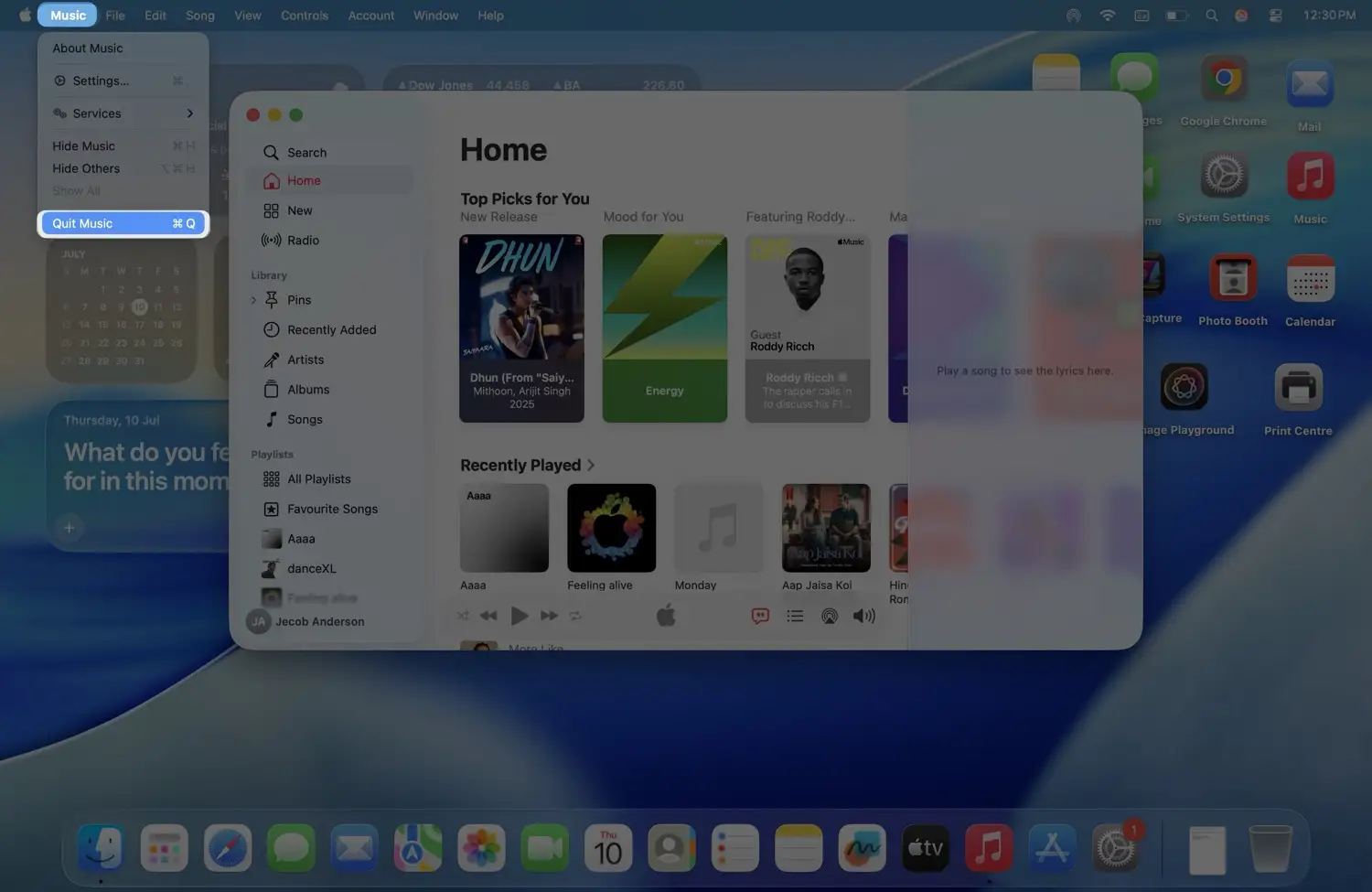
Force Quit Music App on macOS
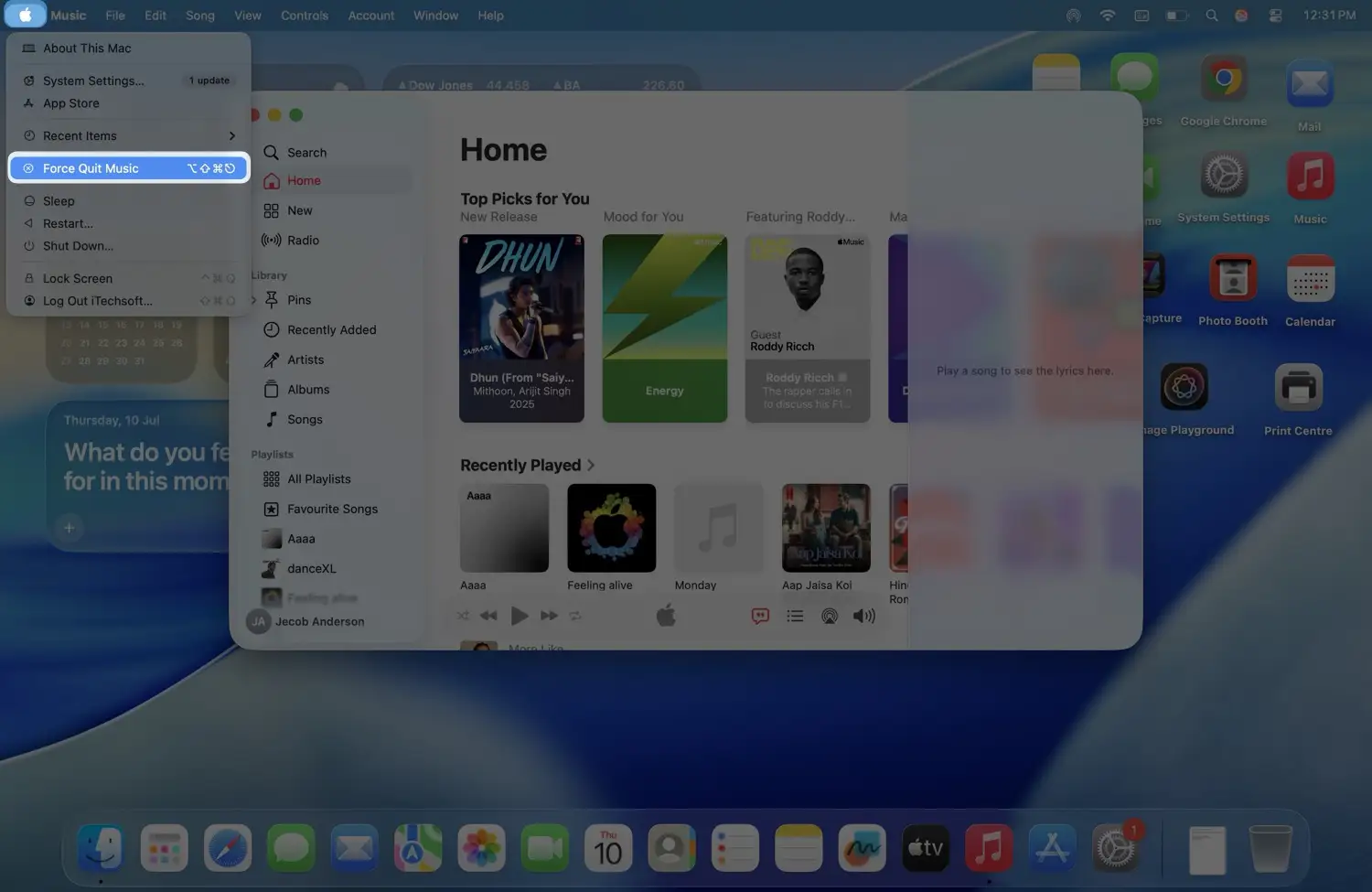
- If the app is frozen, click the Apple logo in the top left corner.
- Choose Force Quit.
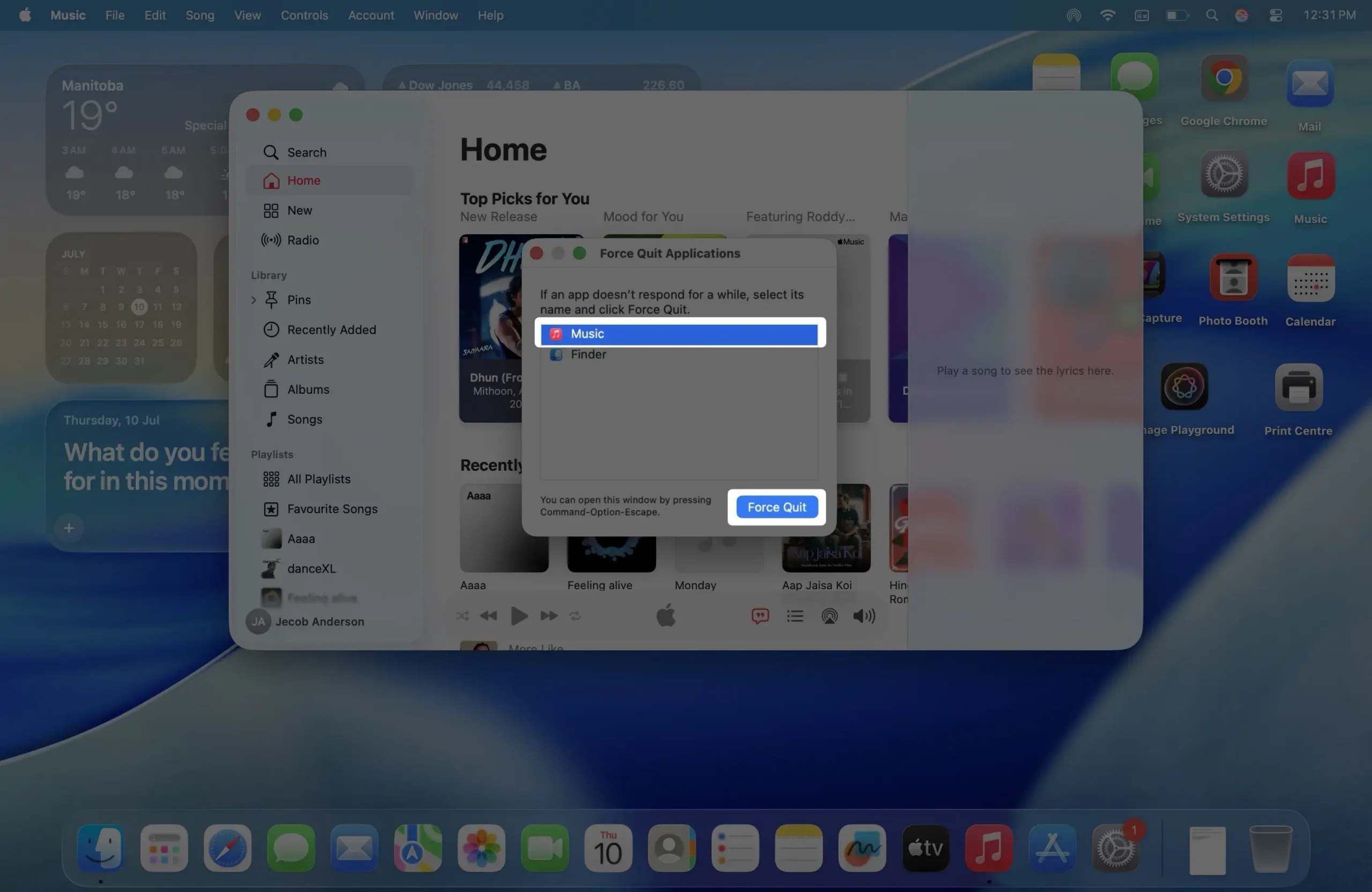
- Select Music, then click Force Quit.
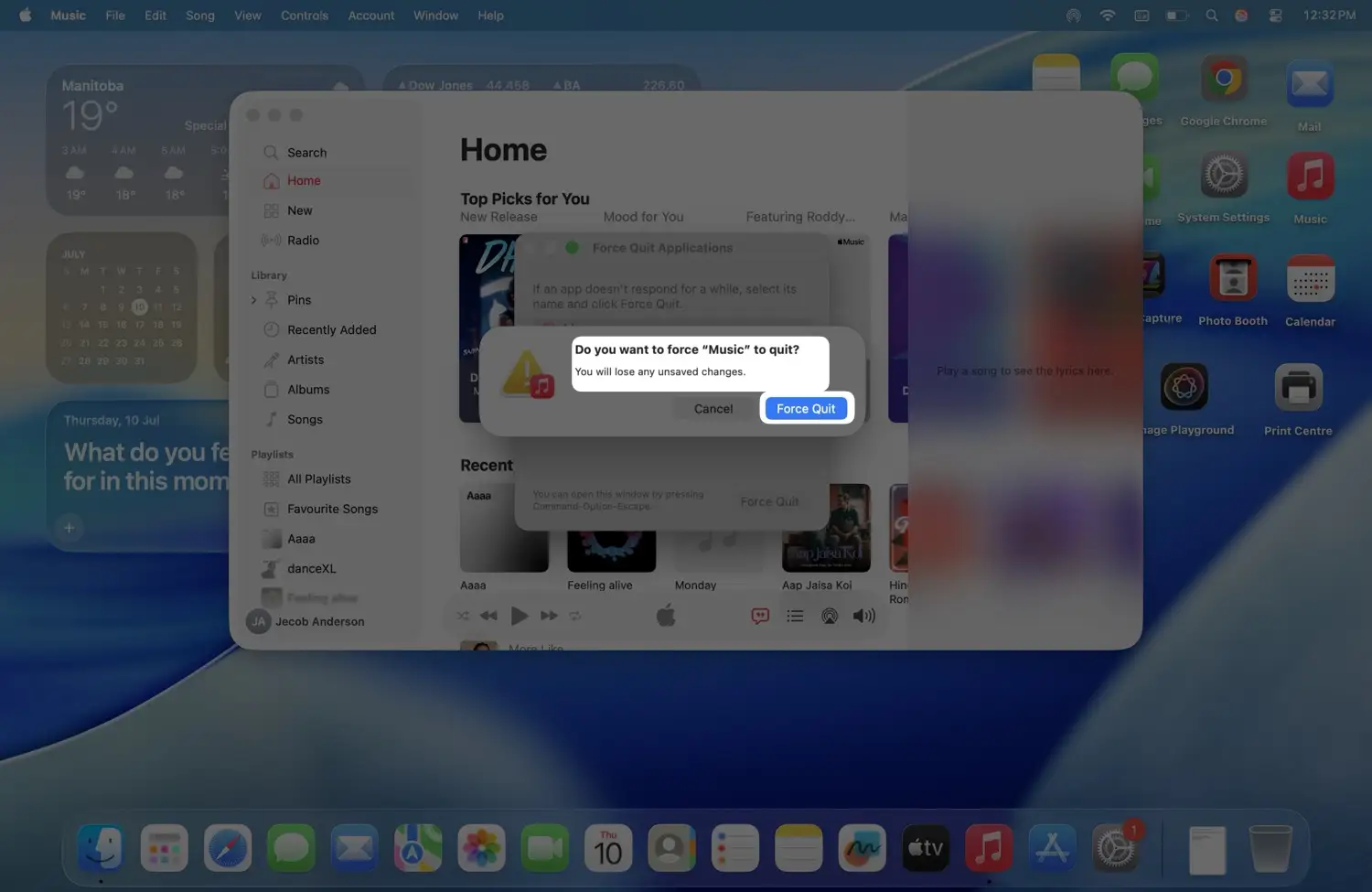
- A pop-up will ask, “Do you want to force ‘Music’ to quit?” — Click Force Quit. That’s it. Now just relaunch Music from your Dock or the Applications folder in Finder.
Reopen Apple Music
Click the Music app icon in your Dock or find it in the Applications folder to launch it again.
Restart Music App in iOS
- Swipe up from the bottom of your iPhone screen (or double-click the Home button on older iPhones) to open the app switcher.
- Find the Music app preview, then swipe it up and off the screen to close it.
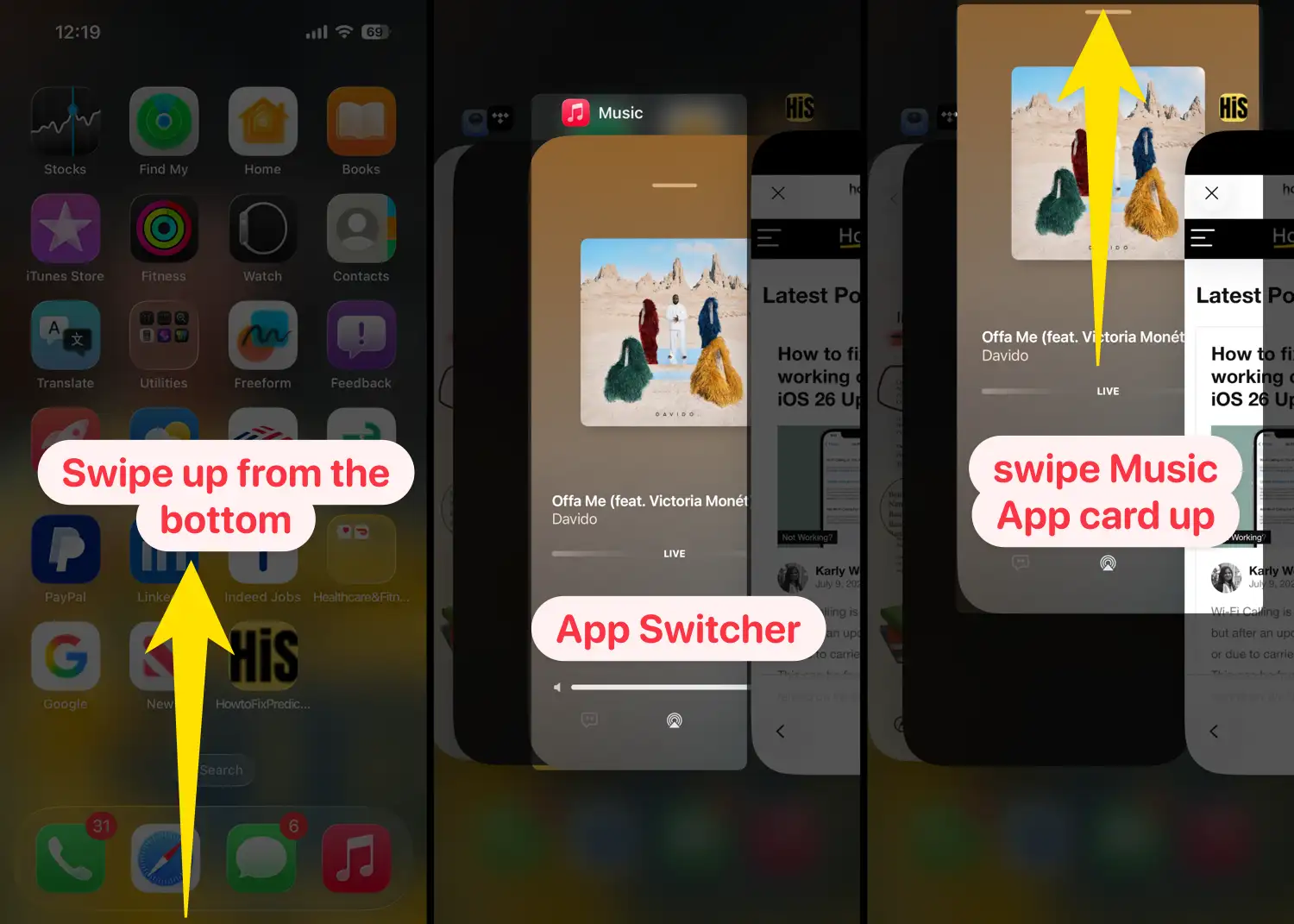
- Go back to your Home Screen and tap the Music app icon to reopen it.
That’s it. Your Apple Music app is now restarted and ready to go. If problems persist, you may want to restart your Mac to resolve any lingering system issues.
Have you restarted Apple Music on your Mac or iPhone? Let us know below! Do you have any additional advice or questions? Share them—we want to know. Please spread the word about this post to anyone who might be struggling.