Sending a text message to multiple people on your iPhone is easier than ever in iOS 26. Whether you want to share an update with family, send an invite to friends, or notify your team at once, you can do it right from the Messages app without installing anything extra. In this guide, we’ll show you the simplest ways to send a message to multiple contacts at once, how group messaging works on iPhone, and which settings you need to check to ensure everything sends smoothly. Perfect for new iPhone 17, 16, 15, 14, 13, and 12 users. Let’s get started.
Ultimate Steps to Send a Text Message to Multiple Contacts on iPhone
- Open the Messages App from your iPhone’s Home Screen.
- Tap on the new Composition button that appears in the top-right corner of the screen.
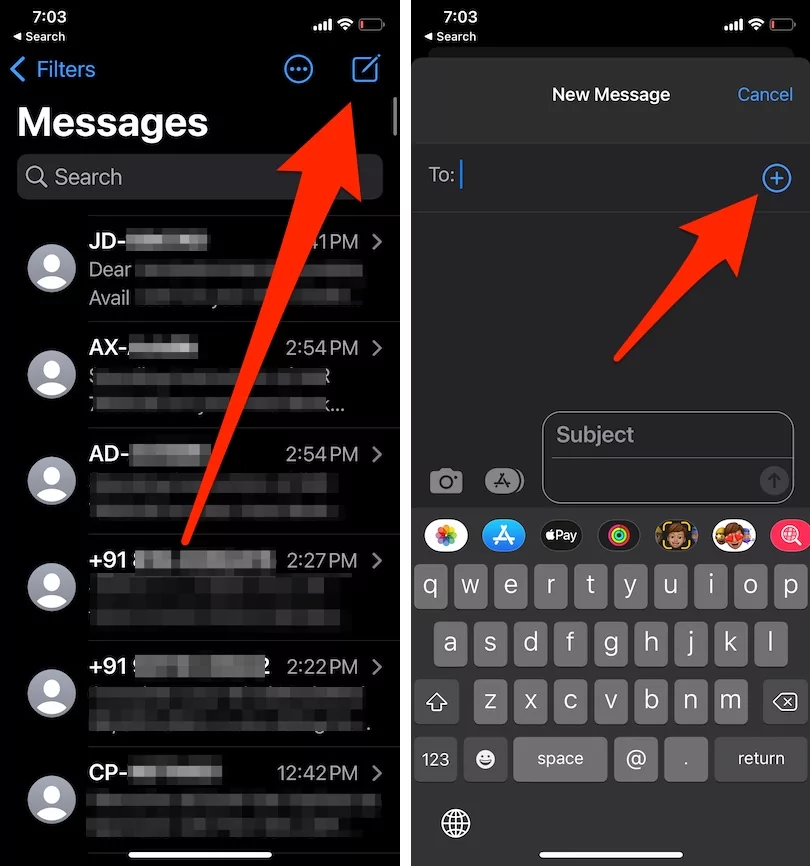
- Next up, you will have to tap into the ‘TO’ field and enter the first contact, then tap the (+) plus button and add other recipients from the contact address book one by one.
- You can add multiple contacts from the iPhone as you would like, and you can even enter a new phone number here, too.
- Now type and send your group text message as usual. Apple’s iOS has two mechanisms: iMessage and SMS/MMS. Hence, it will send as a Group iMessage (blue color bubble) or Group SMS text message (Green Color bubble), depending on the recipient’s contact service.


Read More: How to Set Up iMessage in iOS
How to Forward Text Messages to Multiple Contacts on iPhone and iPad
We can also quickly forward any text message to multiple contacts saved in your phone app. To do that, follow the steps below.
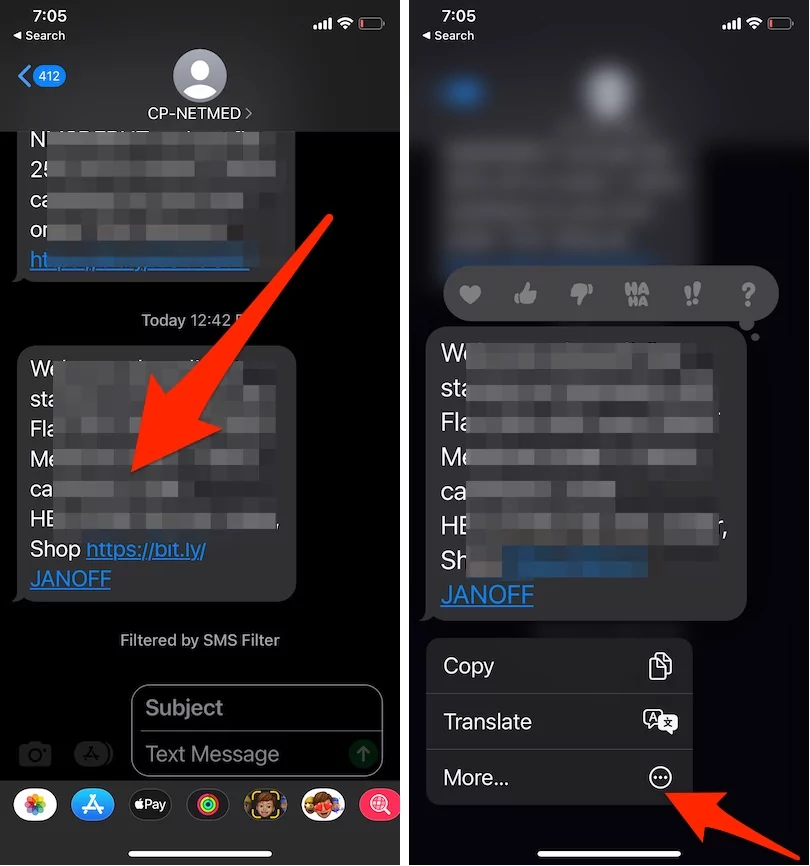
- Tap & hold on a text message that we forward to multiple contacts.
- Next, tap on the More option in the bottom pop-up menu.

- Then, find out Forward (Round arrow point at the bottom right corner of the screen)

- Add New contacts one by one and send them.
- It’s done.

In addition, you can also create a group name.
You’re probably familiar with Apple’s iMessage, a free messaging service available on iOS devices. When you send a message to another iMessage user, there are no charges. However, standard SMS text messages may incur fees depending on your iPhone carrier’s network.