Many iPhone users on Reddit have reported that “Type to Siri” suddenly stopped working after recent iOS updates or changes in settings. This accessibility feature is essential for those who prefer or need to interact with Siri silently, especially in public or quiet environments. When it fails to respond or doesn’t appear at all, it can be frustrating.
In this article, we’ll look into why Type to Siri might stop working, what Reddit users are saying about the issue, and how you can troubleshoot and fix it easily on your iPhone.
Why is Siri not working on my iPhone? Get Fixed
Siri Won’t bring up Phone keyboard
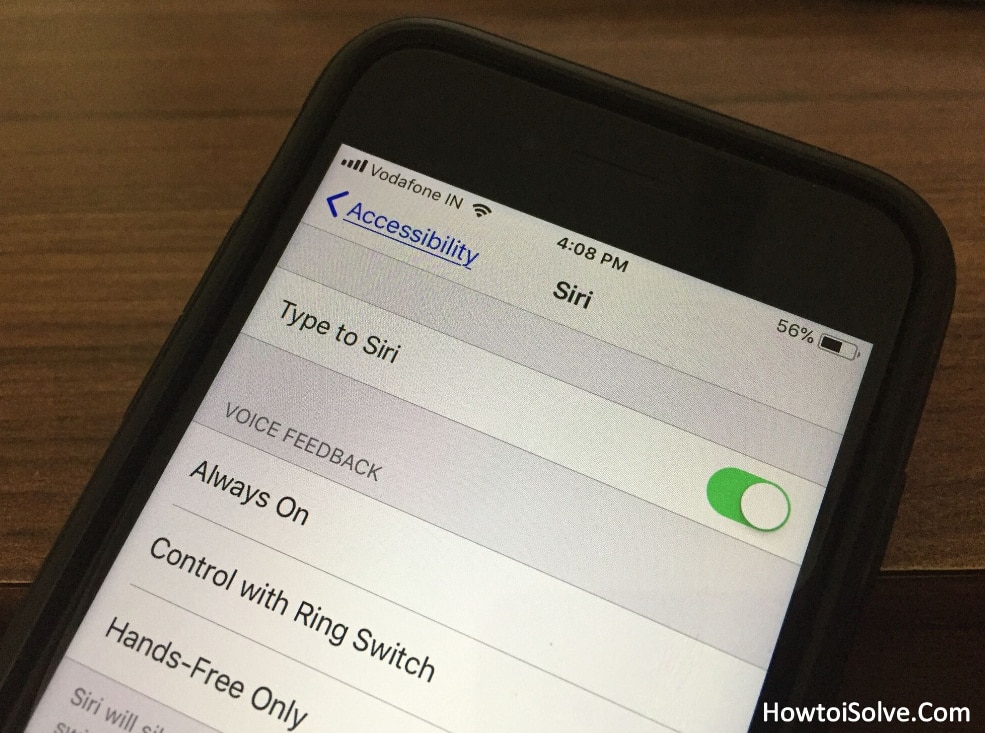
First of all, you should check out Type to Siri is turned on under the Settings preferences.
Check if Siri enabled on your iPhone
- Open the Settings App
- Tap Accessibility
- on the Accessibility setting, Scroll the screen, tap on Siri
- Now turn the toggle Type to Siri ON/Green.
After this, activate Siri, so you will get the Siri along with a keyboard to type your command.
If it’s off/white, please click it and do enable. For those users who have type to Siri activated, then Restart/ force restart your iDevice to fix an issue.
Siri is Stuck with the keyboard (unresponsive)
Restarting the iOS device will fix this issue quickly.
To restart → Press the Power button + Volume down button at the same time and drag the slider to the right side to shut off the iPhone.
Unable to typing on Siri keypad
You can’t type or feeling hard to use type to Siri on your old device or even brand new iPhone or iPad. Please force reboots your handset. Don’t worry. This way can’t delete anything it just clears RAM and provides a fresh environment to run flawlessly.
Double press home button Siri doesn’t wake up
Fix this terrible issue by using underneath instructions. Let’s see Press Home for Siri toggle ON/Green.
The alternative – Launch the Settings App → General → Accessibility → Home button → under the Press and hold to Speak – make sure check-marked is next to the Siri neither on Voice Control nor Off.
None of the above workarounds helpful to get rid of iOS-type to Siri not working on iPhone and iPad. Then we have two extra tidbits which are listed below.
Check for Software Update
- Launch the Settings app
- Tap General
- Click on Software update.
Make sure your device connected to Wi-Fi enough bandwidth.
Is any update available there? Please do the update first and test feature again.
Take the latest backup then erase all content and Settings, after it, restore your backup cause of Most of the users preferred this clue.
Useful – Text replacement in iOS to quickly input your phrase with a shortcut. Such a time-saving feature when we are texting, email, typing notes, etc.
Type to Siri not working on Mac macOS high sierra (MacBook Pro, MacBook Air, MacBook) then check out type to Siri box is checked.
Don’t Miss – How to Fix Siri shortcuts not working on iOS
Hey, guys don’t forget to share your feedback in the comments. We are waiting for your review. Thanks for Reading us!
Useful Tip – How to get rid of iOS Keyboard shortcuts not working