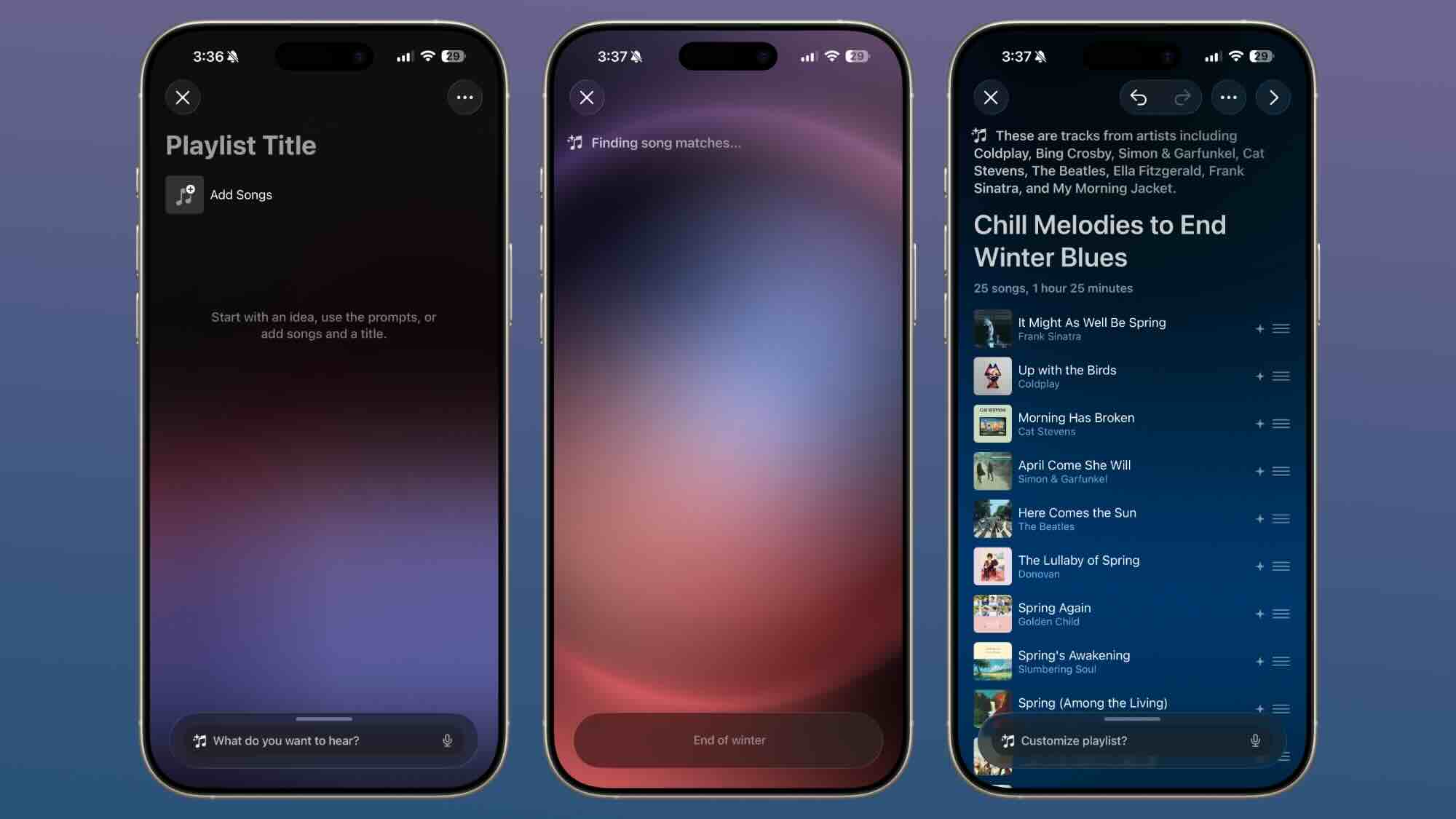
If you’ve updated your iPhone to iOS 26.4 but still can’t find the Playlist Playground option, you’re not alone. Many users are facing this issue, especially since this feature is still limited and in beta.
In this guide, we’ll break down why Playlist Playground is missing and how to fix it step by step.
Why Playlist Playground Is Missing
Before jumping into solutions, here are the main reasons:
- Your iPhone is not updated to iOS 26.4
- Your region is not supported
- Feature is still in beta (limited rollout)
- Apple Music subscription is required
- Age restrictions apply
1. Update Your iPhone to iOS 26.4 (Fix Rate: 90%)
This is the most common reason.
👉 Go to Settings
👉 Tap General
👉 Tap Software Update
If you’re not on iOS 26.4, update your device.
📌 Playlist Playground is only available on this version or later.
2. Check Your Region Settings (Fix Rate: 85%)
Playlist Playground is currently only available in the United States.
👉 Go to Settings
👉 Tap General
👉 Tap Language & Region
👉 Set Region to United States
⚠️ After changing, restart your iPhone for changes to apply.
3. Feature Is in Beta (Fix Rate: 70%)
Even if everything is correct, you might not see it.
Why?
Because Playlist Playground is still in beta testing, meaning:
- Not available to all users yet
- Limited rollout by Apple
- Might appear later automatically
👉 In this case, you just have to wait for Apple to enable it on your device.
4. Check Apple Music Subscription (Fix Rate: 95%)
This feature only works if you are an Apple Music subscriber.
👉 Open Settings
👉 Tap your Apple ID
👉 Check your subscription status
If you’re not subscribed, Playlist Playground won’t appear.
5. Check Age Requirement (Fix Rate: 80%)
Apple has restricted this feature based on age.
👉 You must be 13 years or older
If your Apple ID is set below this age, the feature will be hidden.
6. Language Requirement (Fix Rate: 75%)
Playlist Playground currently supports English only.
👉 Go to Settings > General > Language & Region
👉 Set iPhone language to English (US)
Final Thoughts
If Playlist Playground is missing on your iPhone, it’s usually due to region, subscription, or beta limitations.
👉 The fastest fix is:
- Update to iOS 26.4
- Set region to US
- Use English language
- Ensure Apple Music is active
If everything is correct and it’s still missing, it’s likely because Apple hasn’t enabled it for your device yet.
Pro Tip
New iOS features like this are often released in phases, so even if you don’t see it now, you’ll likely get it in a future update.
If you still can’t find Playlist Playground, feel free to ask—I’ll help you troubleshoot further.