What to Know
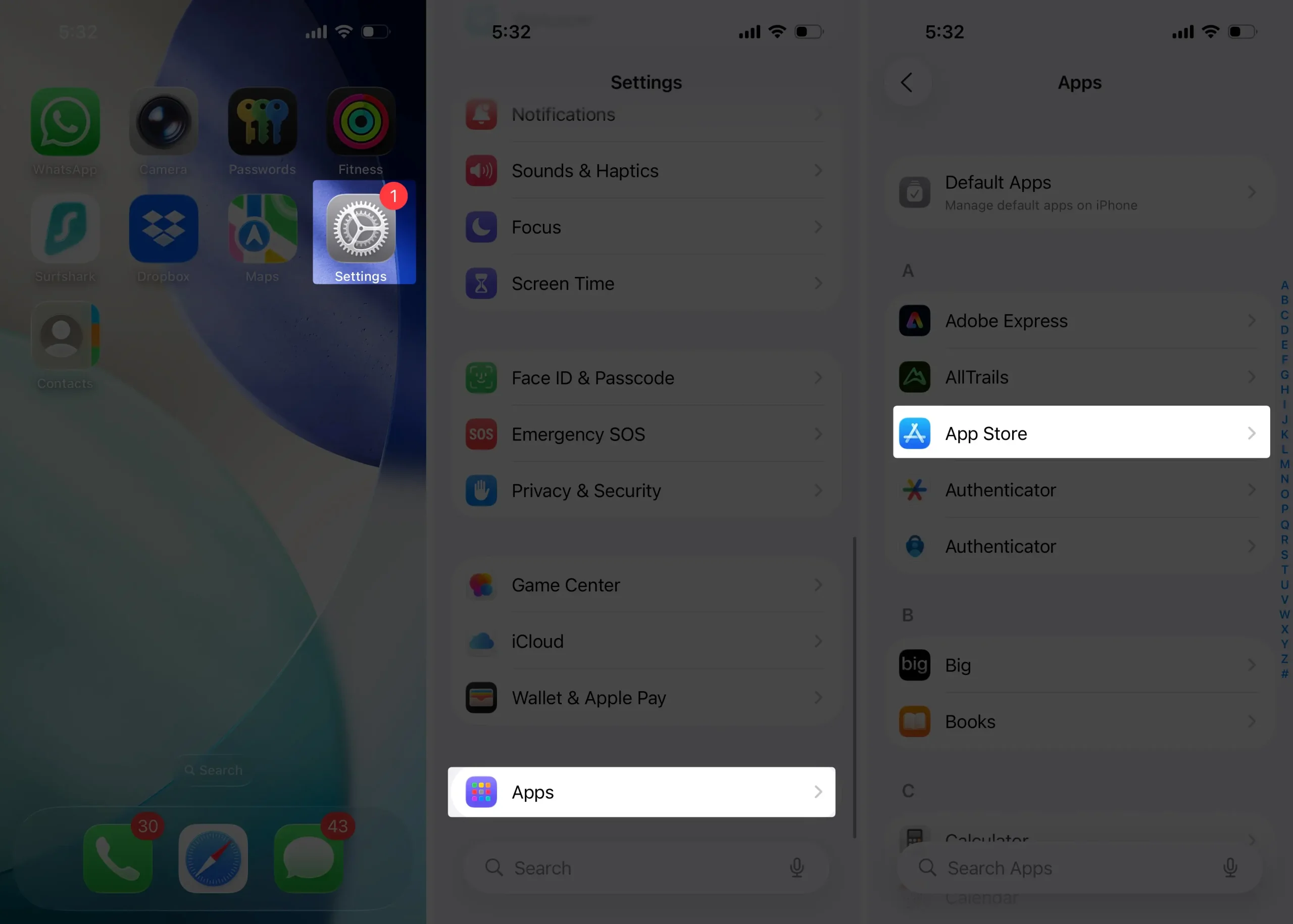
- Open Settings App > Apps > App Store > Disable App Updates.
- It’s not easy to revert a Snapchat update on an iPhone due to Apple’s restrictions on app downgrading.
Want to stop the new Snapchat updates on your iPhone or iPad? If the latest version feels annoying or hard to use, you can disable automatic updates and keep your current version. Snapchat is hugely popular worldwide, and while updates often improve security and features, sometimes they change things too much. If you prefer control, you can turn off auto-updates and update manually when you’re ready.
Stop Auto-Update for Snapchat on iPhone
Stop the Auto Update Snapchat App from the App Store
- Go to the Settings app on your iPhone.
- Now, scroll down to the Apps section.
- Scroll again to the App Store.
- Turn the toggle to the left side next to the“App Updates”
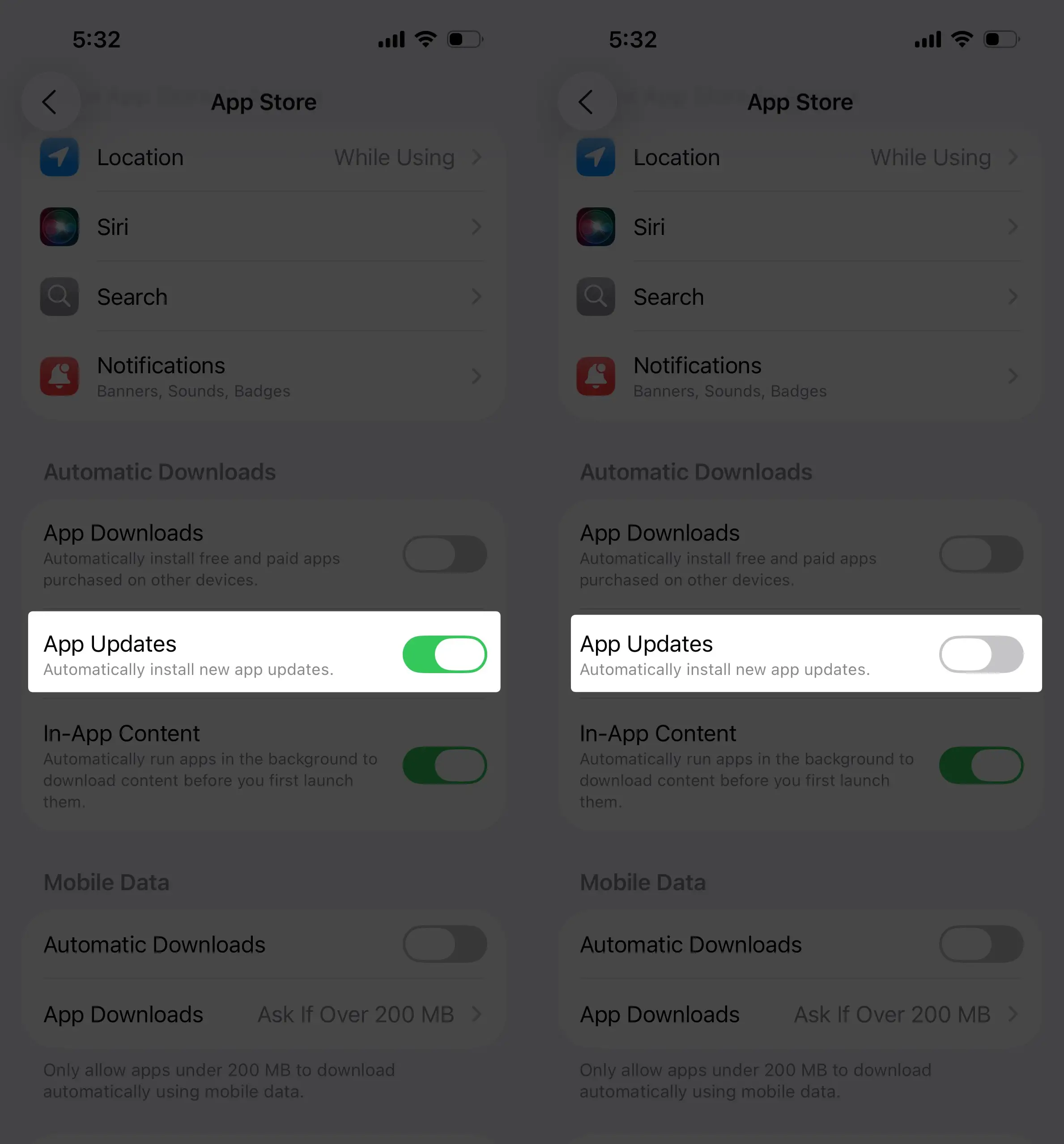
That’s it.
Stop auto-downloading the iOS update if you wish
Sometimes a new iOS version isn’t compatible with older versions of Apps. So we need to face problems like App Crashes, Hangs, or freezes over time.
Push auto-downloads the new iOS version on your iPhone while Wi-Fi is turned on.
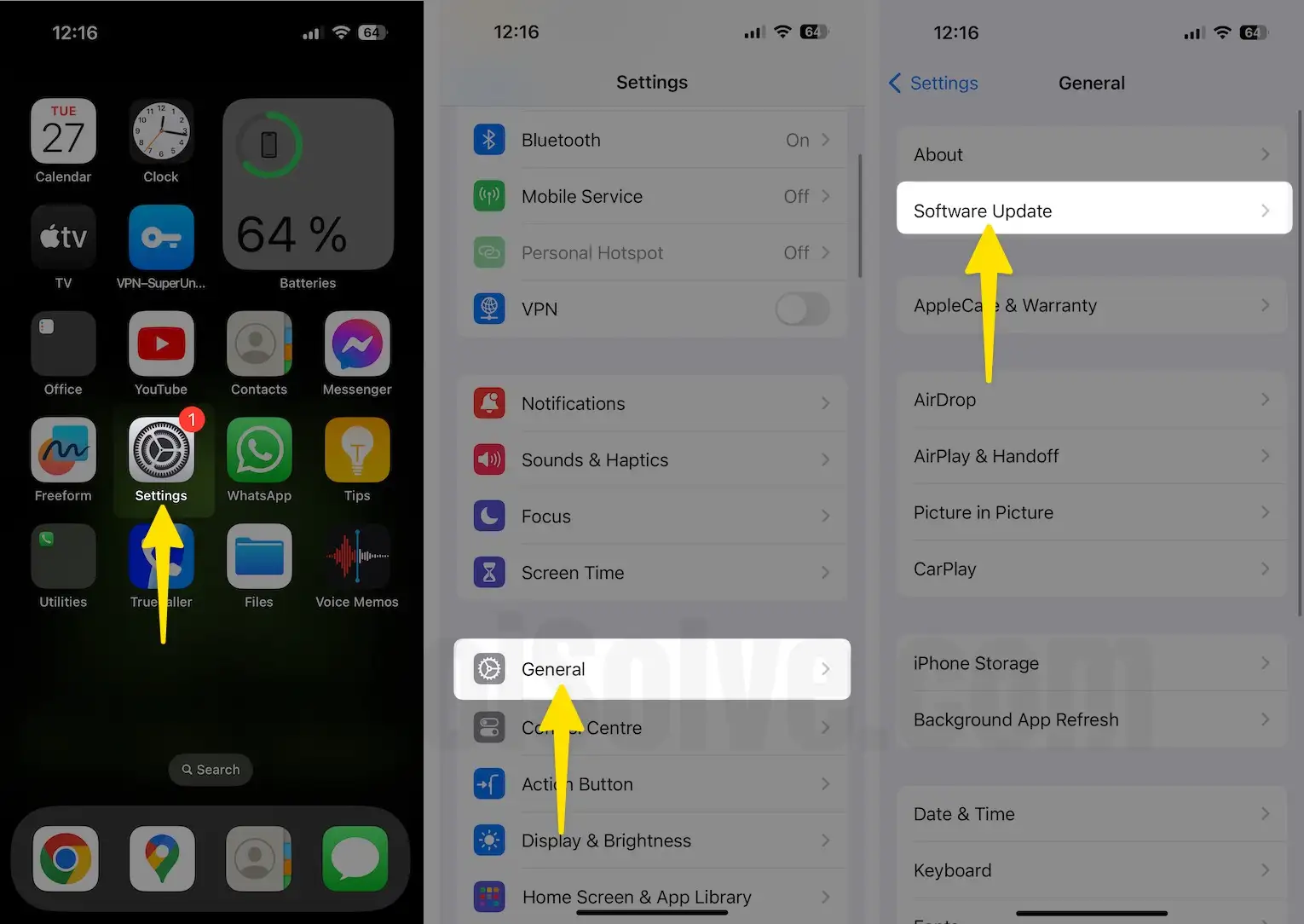
- Go to the Settings > General > Software Update.
- Wait for a Few seconds until you see the “Automatic Updates” option. Disable or Turn off “Automatic Updates”.
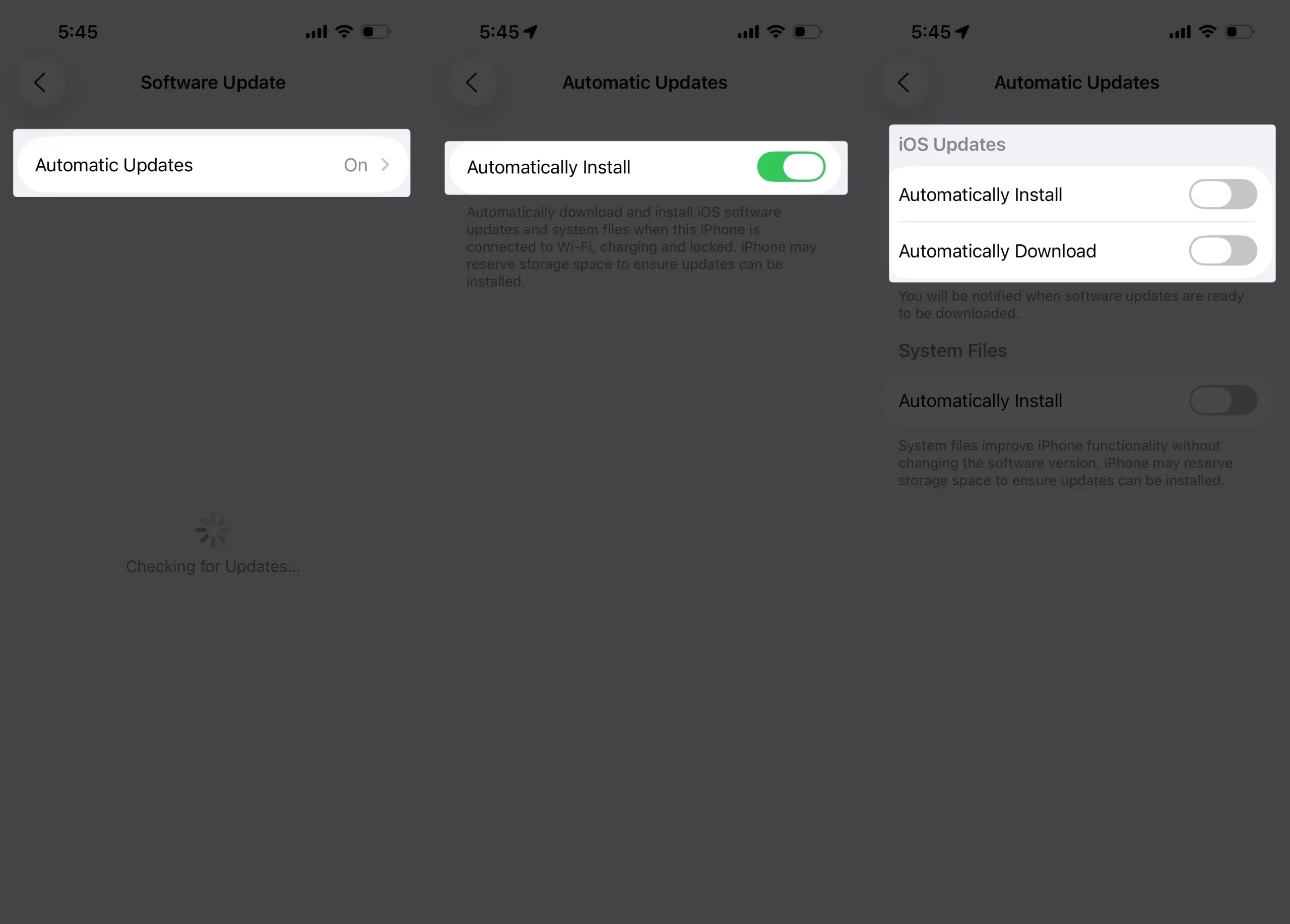
That’s it.
Note that some app Changes will be available only after the update. However, some Dynamic layouts and options will be shown or changed as complying, finalizing, and publishing, so you can’t stop this one.
For Example, New sticker options, Number of Trophy levels, and more.
I hope you like my tips on getting rid of the Snapchat update on iPhone/iPad, new features, and settings that help you. Read about us and Learn more things about the snapchat iOS App and Other tips – handy tricks.