There are alternate ways to reset the Apple watch to factory settings. For your present situation, you can try any of these to erase the Apple Watch completely or Reset Apple Watch Home screen. For example, you forget the Apple watch lock screen passcode, need to clean up all data on the Apple watch, Hand it over to another person, and more.
Don’t miss – 7 Amazing things you need to know about Apple Watch
Erase or Reset Settings to Default options on Apple Watch
Know how to Unpair Apple Watch and iPhone (Reset)
under the below-given way, you can easily unpair your Apple Watch, Watch Sport, or Watch Edition.
Step 1. Launch the Watch App on your iPhone.
Step 2. Tap on My Watch. Click on the left corner of All Watches.
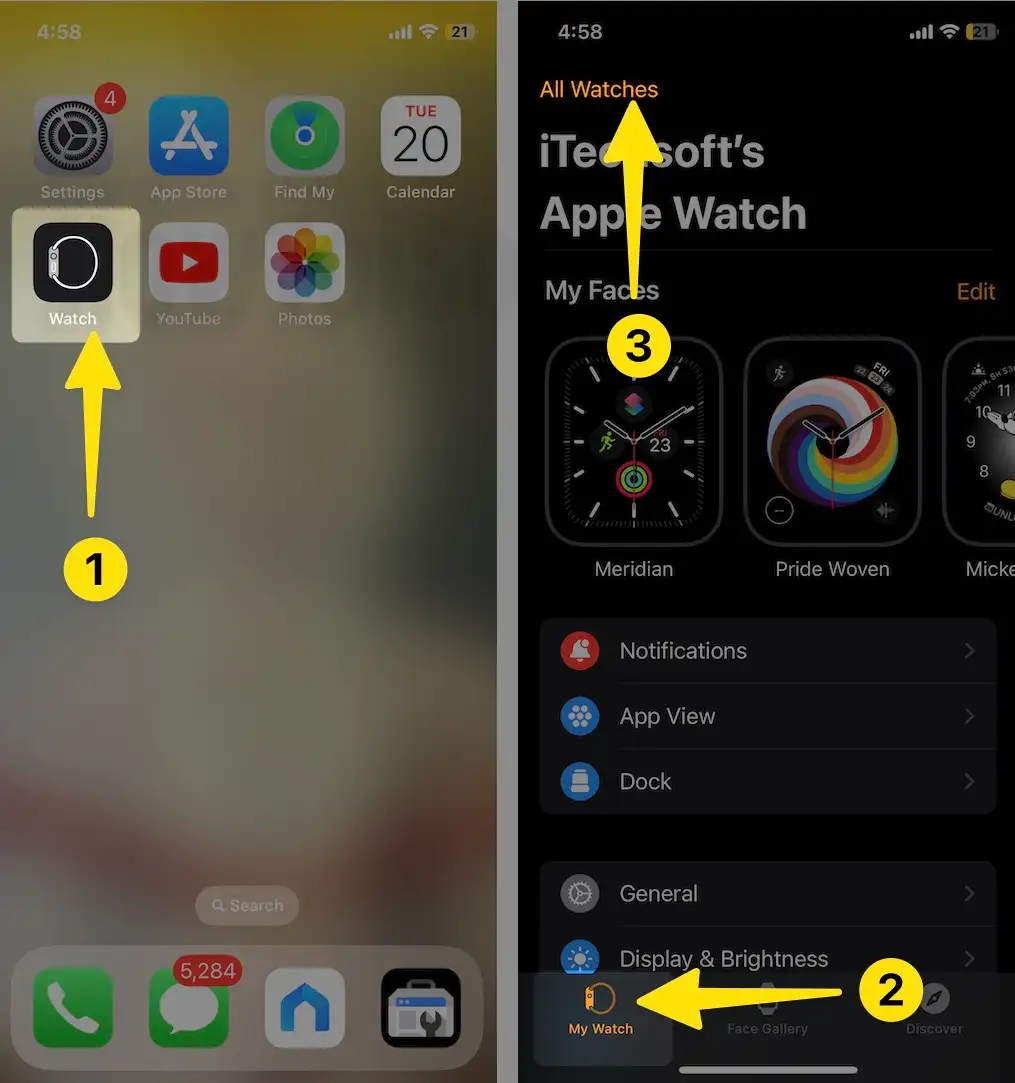
Step 3. Tap My Watch > Tap on Your Profile name > (i).
Step 4. Apple Watch, then in last tap Unpair Apple Watch. And tap again to make sure. That’s it. Your iPhone will take a backup automatically. You can use it whenever you sync your Apple Watch again.

Reset the Apple Watch to factory settings Using the iPhone
Step 1. Press the Digital Crown button on your Apple Watch to access the home screen.
Step 2. Tap on the Settings app (Gear icon).

Step 3. Now tap General, Scroll down to the app, and then Reset.
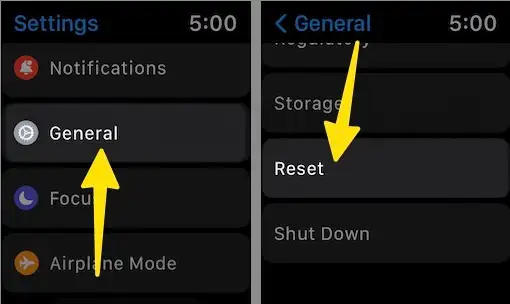
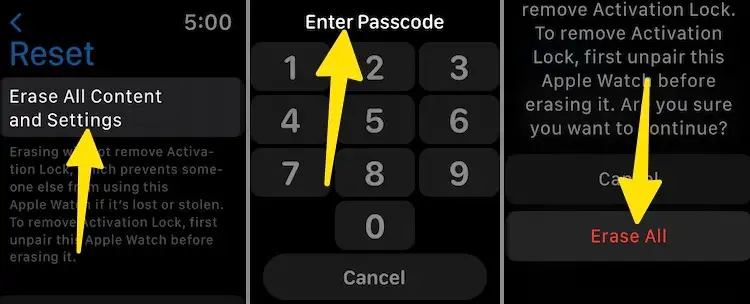
Step 4. Tap Erase Apple Watch content and settings, then tap again to ensure. Tap on Erase All. During this process, your Apple watch backs up on your paired iPhone and will Erase.
That’s it.
Steps to Reset Apple Watch to factory settings without iPhone
This means we can reset the Apple Watch without a paired phone. The following steps become helpful even if you’ve no iPhone handy.
Step 1. Launch the Settings app on Your Apple Watch.
Step 2. Tap General.

Step 3. Now, tap Reset. Select Erase Apple Watch Content and Settings.
Step 4. Tap on Erase All Content and Settings.

That’s it.
Erase Locked Apple Watch Without iPhone
If you forgot your Apple Watch passcode and are unable to recover it, Apple doesn’t allow you to reset the Apple Watch passcode on the Apple Watch. In this case, you must Erase the Apple Watch and set it up again.
Tried too many attempts and the Apple watch says, Try again in 1 Minute, 5 Minutes, and 15 Minutes.
Step 1: Put your Apple Watch on Charge.
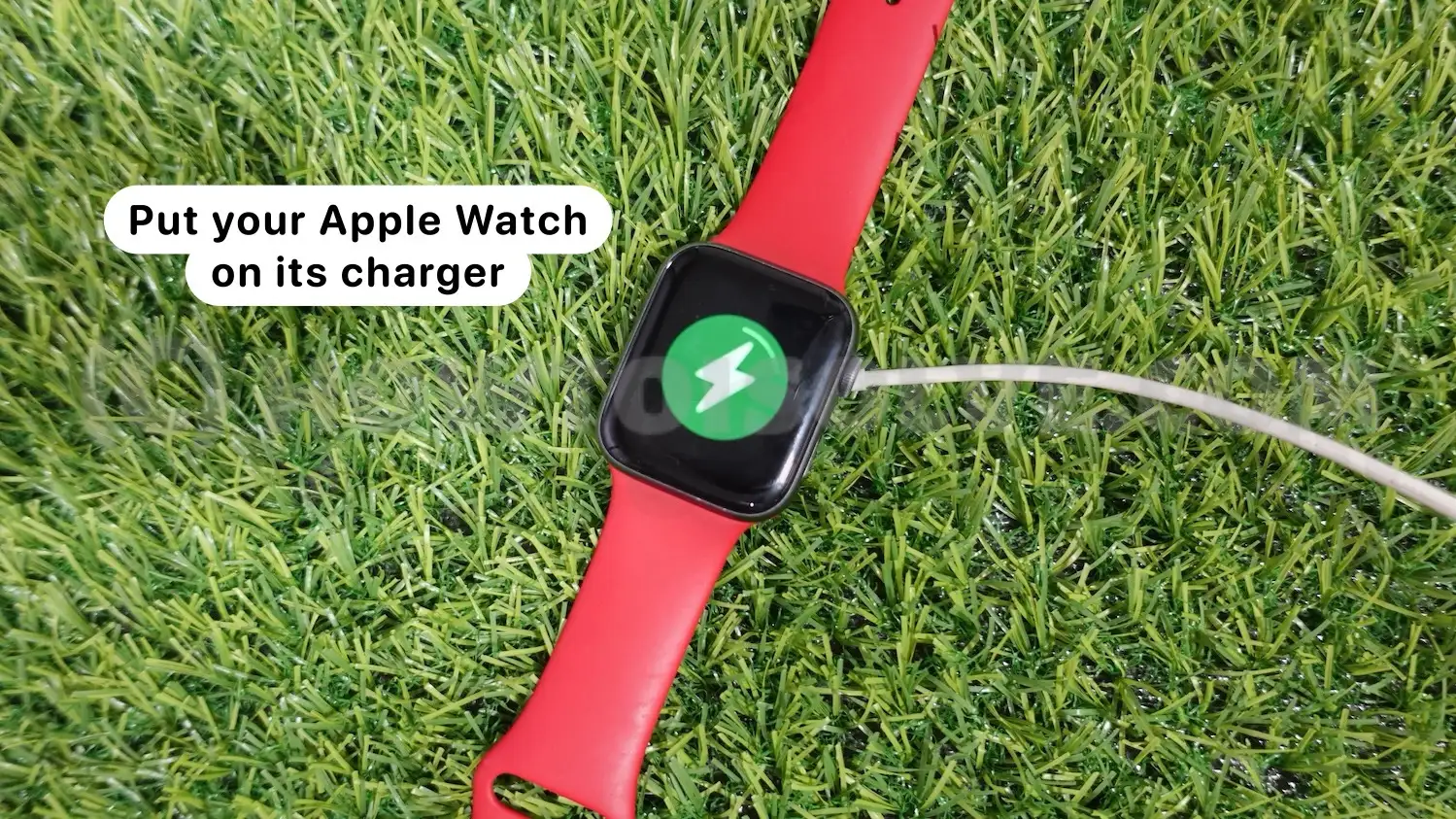
Step 2: Then press and Hold on the Power button until the slider appears on the screen.

Step 3: Now, Press and Hold on the Digital Crown button until you see Erase all content and settings on the screen. Tap on Reset. That’s it.

It’ll reset the Apple Watch to factory settings. How does this post explain how to reset an Apple watch without a paired phone? You can share your ideas and expressions in our Comment box. We’d like it.