
Are you experiencing issues with AirTag, such as hardware, software, or connectivity problems? Apple has a solution for each Apple user on all Apple devices. The software, hardware, and repair warranty periods are all available online from anywhere on any device.
The most common AirTag issues are:
Steps to Check AirTag Warranty Status Online
Note: You have a Valid Airtag Serial number for AirTag [Idetify “0” Zero number and “o” Character] in the serial number. Here are alternate ways to know your AirTag Serial number.
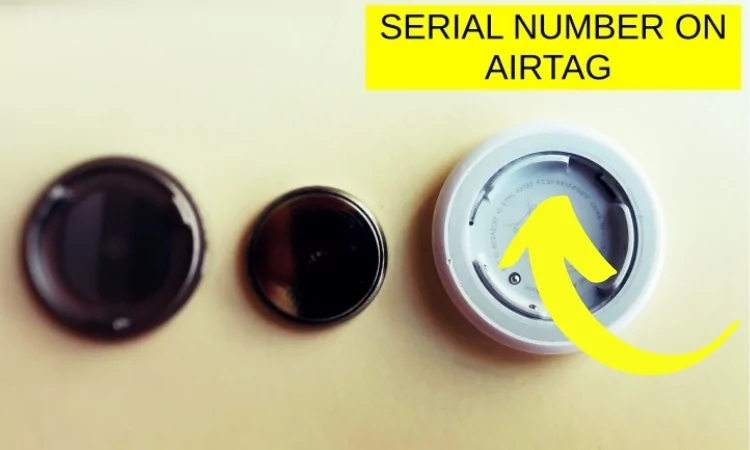
- Backside of AirTag Battery: To read the Airtag SN Number, Remove the Battery by Removing the Stainless still cap. and See the Serial number of your AirTag.

- From Find My App:- We can check the Serial number for Each item from Find my App on iPhone/iPad or Mac. Open Find my App > Check items Tab > Tap on AirTag name > And again Tap on AirTag Information to see Serial number.

Mac users can also find a Serial number of Select Airtag by Click on AirTag information.
- Purchase Box:- if you are purchasing one Pack AirTag, then the Serial number on the Box also can be used to track Warranty status online.

Check Warranty Status Online Using AirTag Serial Number
Apple users can track their warranty status online without registration or login.
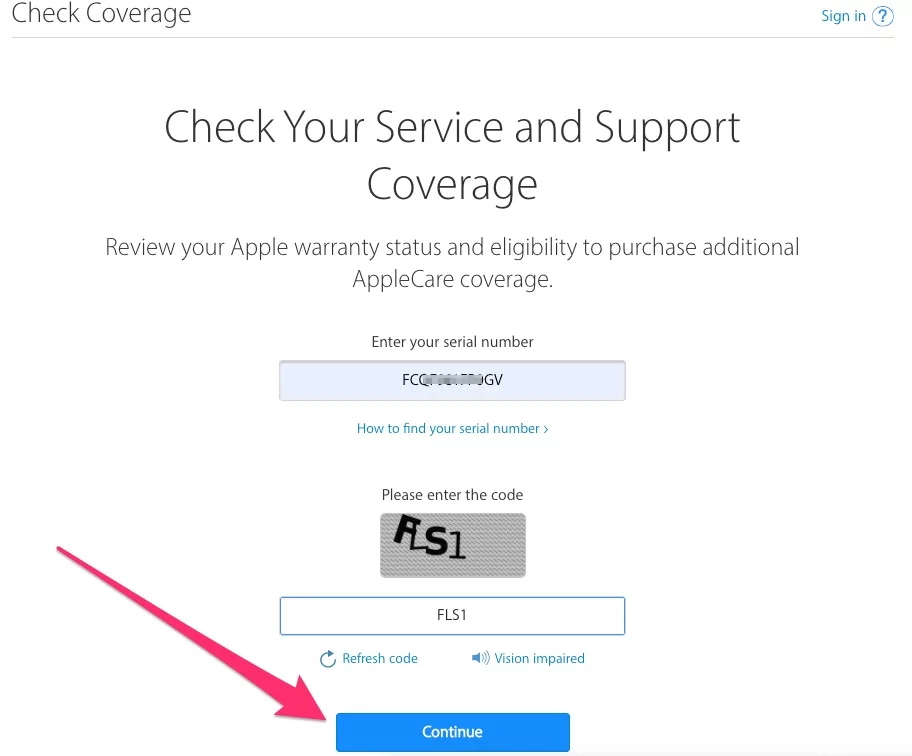
Go to: https://checkcoverge.apple.com/
Note: if the link is won’t open, then check Apple Service outage and Re-Try After sometimes.
and Enter the Serial number of your AirTag, and Enter verification captcha.
Click on the Continue button and see the Service coverage with valid purchase date and Warranty Coverage Date.
Note: Sometimes, your AirTag Data does not appear online, So it will take some time, Might be 2 to 5 days after the purchase date.

Get Apple Support:-
If you are getting any error or Saying your AirTag is not registered with Apple ID. and are you unable to track your AirTag information, then contact Apple Support online or Book a Genius bar appointment online?
In the same way, you can check the Warranty status of all Apple devices online.