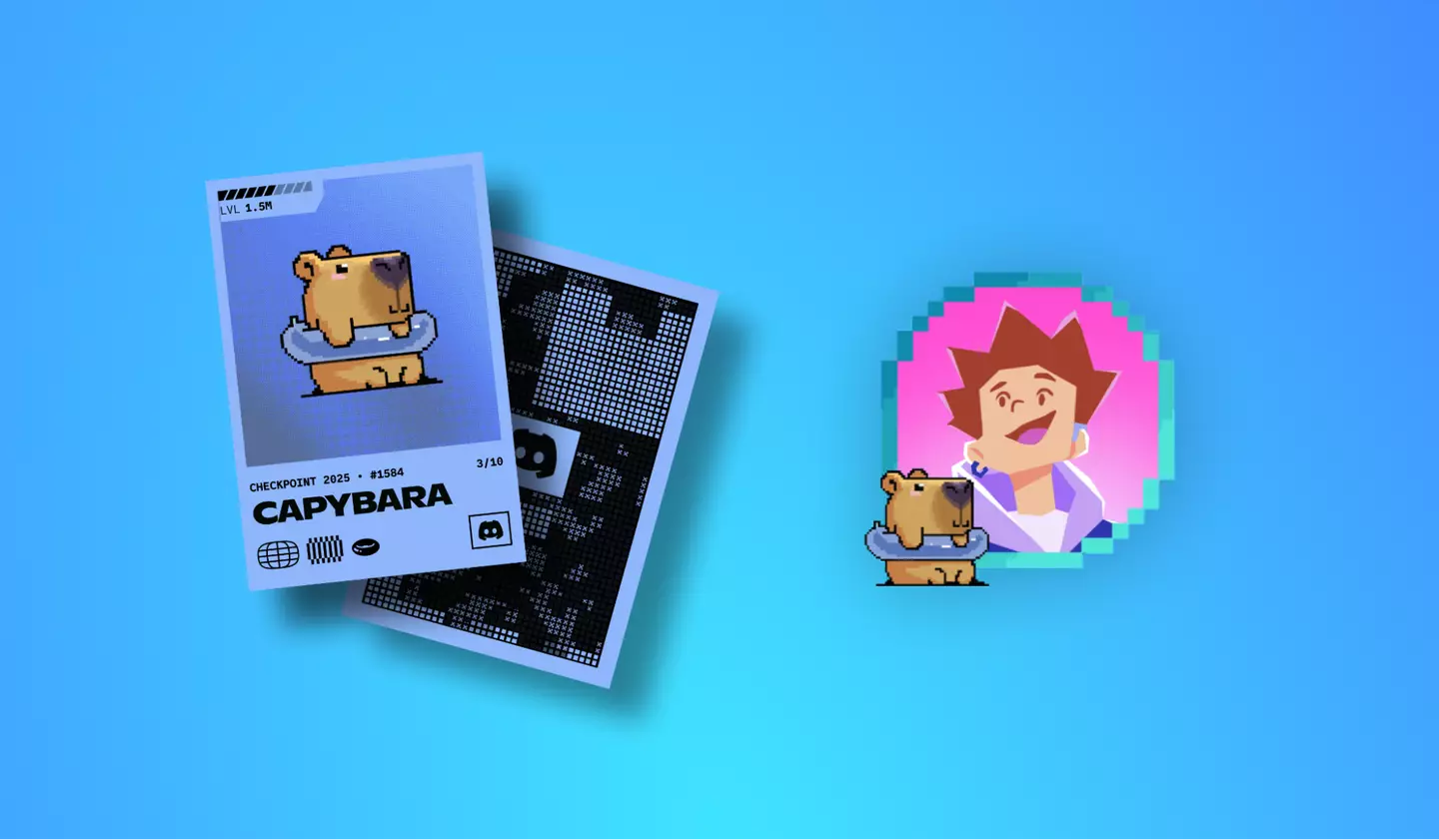
Discord introduced Checkpoint as its first-ever year-in-review experience, giving users a fun recap of their activity, friendships, and community highlights throughout the year. Along with personalized stats, many users also see something new on their profile: a Checkpoint Avatar Decoration.
But what exactly does this decoration mean? Why does Discord show a Claim button? And why are some users getting a Checkpoint Unavailable error?
This guide breaks down everything you need to know.
What Is Discord Checkpoint?
Checkpoint is Discord’s official year-in-review feature. It summarizes your unique activity on the platform and highlights the moments that defined your past year.
Your Checkpoint includes:
- Your top friends and DM activity
- The gaming sessions and servers you were most active in
- Communities you interacted with the most
- Your personal Discord usage stats
- A shareable wrap-up showing how you used Discord throughout the year
It’s Discord’s way of saying thank you to users for being part of the community.
What Are Checkpoint Avatar Decorations? (Meaning & Purpose)
As part of your Checkpoint, Discord gives you an exclusive avatar decoration.
This decoration sits around your profile picture and visually marks that you participated in Checkpoint for the year.
What the decoration represents:
- A visual badge showing you’re an active member of the Discord community
- A collectible design only available through Checkpoint
- A temporary profile decoration that lasts until January 15, 2026
- A reward for exploring your personalized year-in-review
Once you claim it, the decoration appears instantly on your Discord profile and stays until the expiration date.
Why You See the “Claim” Button on Discord Checkpoint
After opening your Checkpoint stats, Discord shows a Claim button near the avatar decoration preview.
The Claim button allows you to:
- Unlock your exclusive Checkpoint Decoration
- Apply it to your profile
- Enable it before the expiration period starts
If you don’t tap Claim, the decoration will not automatically apply to your profile—so it’s important to claim it before the end date.
Discord Checkpoint Unavailable Error — What It Means
Some users are reporting that instead of seeing Checkpoint stats, they only see the decoration preview with a Checkpoint Unavailable message.
Why this happens:
- You haven’t met Discord’s required activity threshold
- Not enough data for the system to generate your recap.
- Personalization settings are off
- Discord cannot collect data to build your Checkpoint.
- The feature is still rolling out
- Not all accounts get access on the same day.
- Server delays or region rollout limits
- Discord processes Checkpoint in batches worldwide.
What you still get even if Checkpoint is unavailable:
- The Checkpoint Avatar Decoration
- The Claim button to apply it to your profile
- A short info message explaining why your recap isn’t available
Even without the full Checkpoint experience, the decoration is still offered as a community reward.
How to Fix or Bypass the “Checkpoint Unavailable” Error
While you can’t always force the full recap to appear, you can try the following:
1. Update your Discord app
Checkpoint features may not appear in outdated versions.
2. Check your privacy settings
Enable personalization under
Settings → Privacy & Safety → Use data to customize my Discord experience.
3. Log out and log back in
Sometimes, Checkpoint loads after a fresh session.
4. Try mobile and desktop versions
Some users report it appears on one platform but not the other.
5. Wait for rollout
Discord says Checkpoint rolls out in waves—it can take hours or days.
Final Thoughts
Discord Checkpoint is a fun, personalized year-in-review that celebrates your time spent on the platform. The Checkpoint Avatar Decoration is a collectible reward, showing you participated—even if your full Checkpoint recap isn’t available.
If you see the Checkpoint Unavailable message, your recap might not have enough data or isn’t ready yet, but you can still claim your avatar decoration and display it proudly through January 15, 2026.