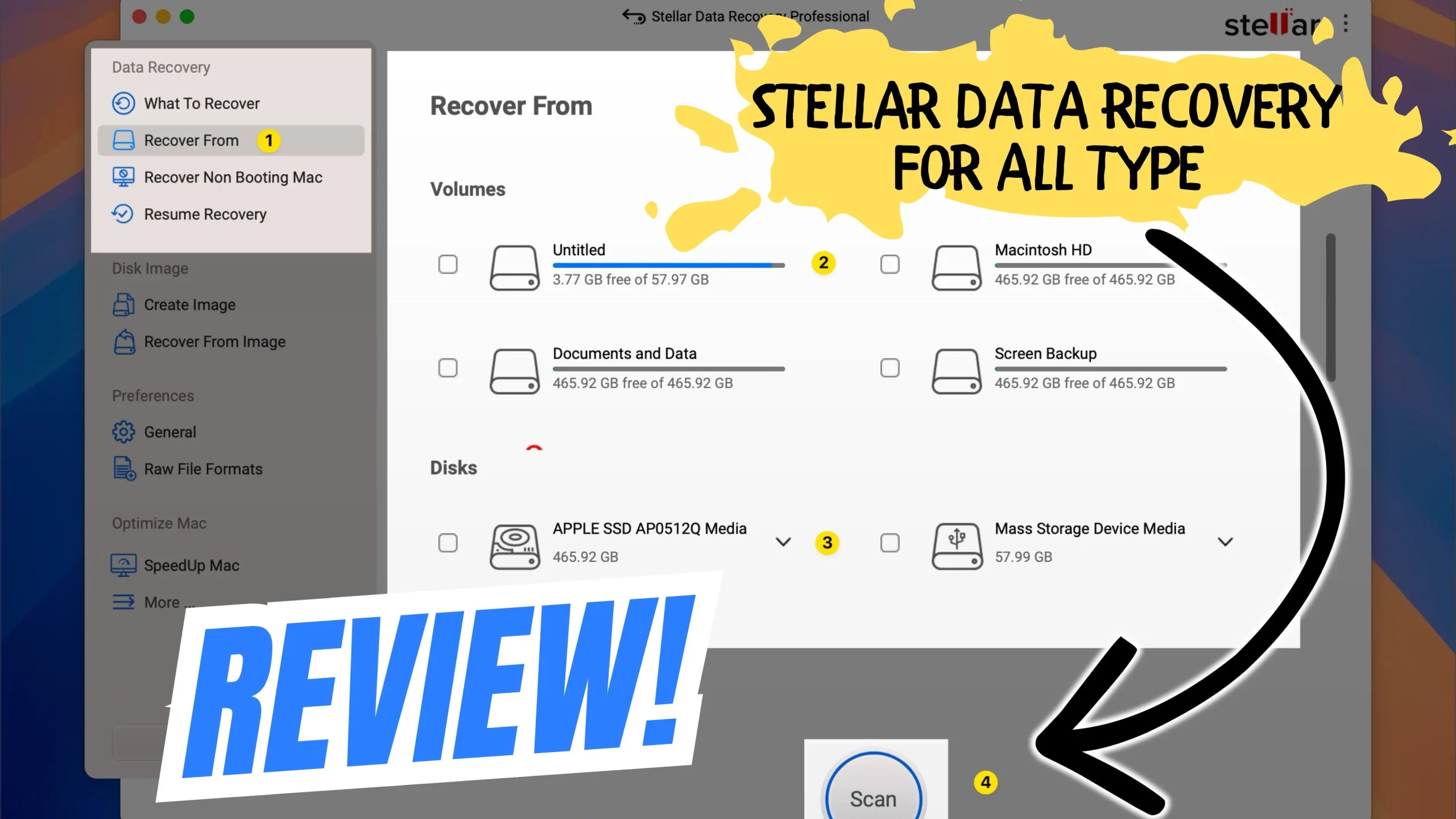
Accidentally deleting files on a Mac is more common than you think. Whether it’s emptied Trash, a formatted drive, or lost documents after a macOS update, data loss can happen in seconds. The big question is — what’s the best way to recover deleted files on Mac?
To find out, we tested Stellar Data Recovery on macOS to see how well it performs in real-world recovery scenarios.
Why File Recovery on Mac Is Tricky
macOS is designed to optimize storage and protect system performance. Because of this:
- Deleted files may bypass Trash
- APFS overwrites data quickly
- Time Machine backups aren’t always enabled
- External drives and SSDs behave differently
Once data is overwritten, recovery becomes difficult — which is why acting fast and using the right tool matters.
What Is Stellar Data Recovery for Mac?
Stellar Data Recovery for Mac is a dedicated recovery tool designed to restore lost or deleted files from:
- Mac internal drives
- External hard drives & SSDs
- USB flash drives
- Memory cards
- Encrypted APFS volumes
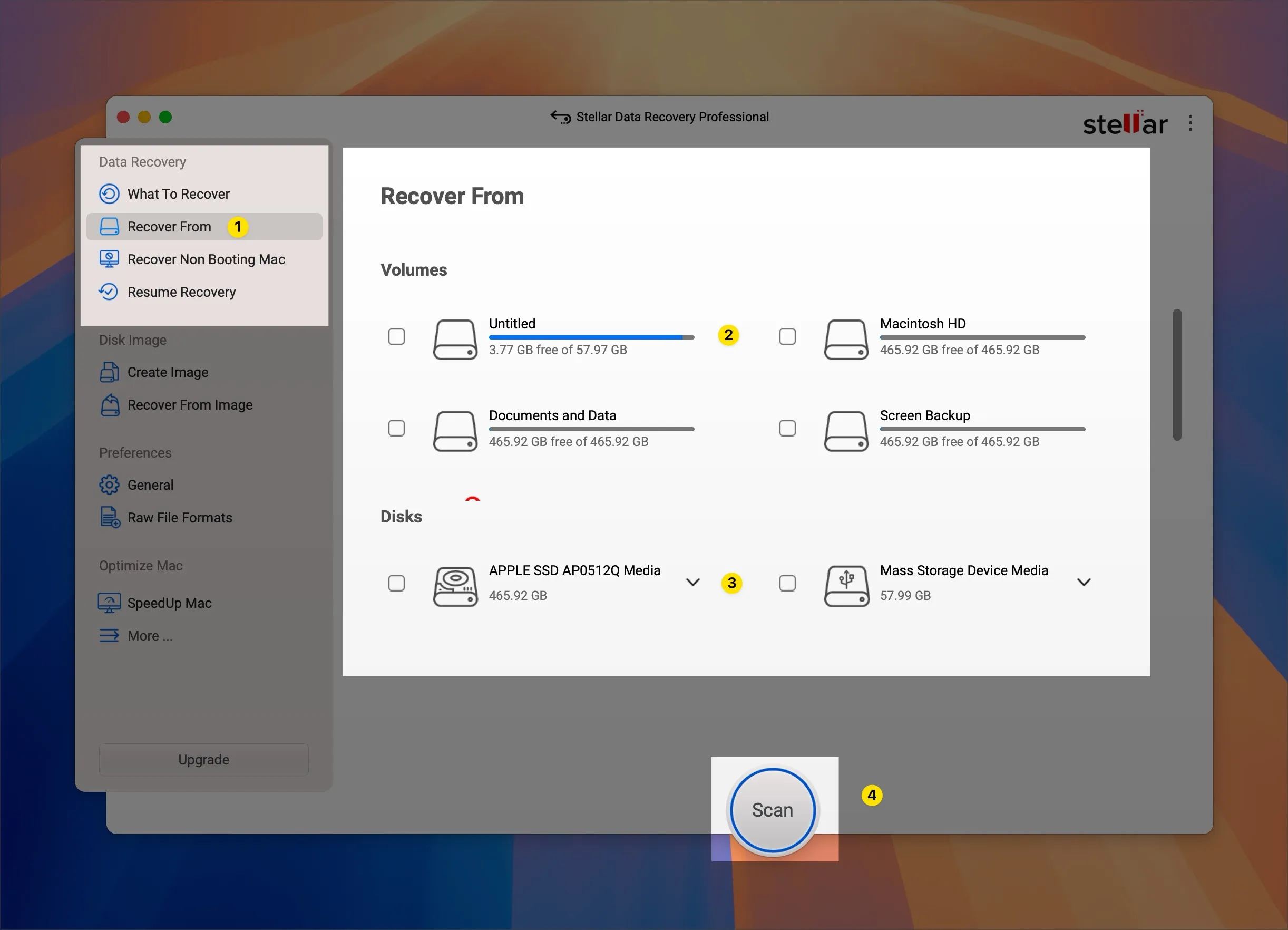
It supports recovery of documents, photos, videos, emails, and more — even after formatting or accidental deletion.
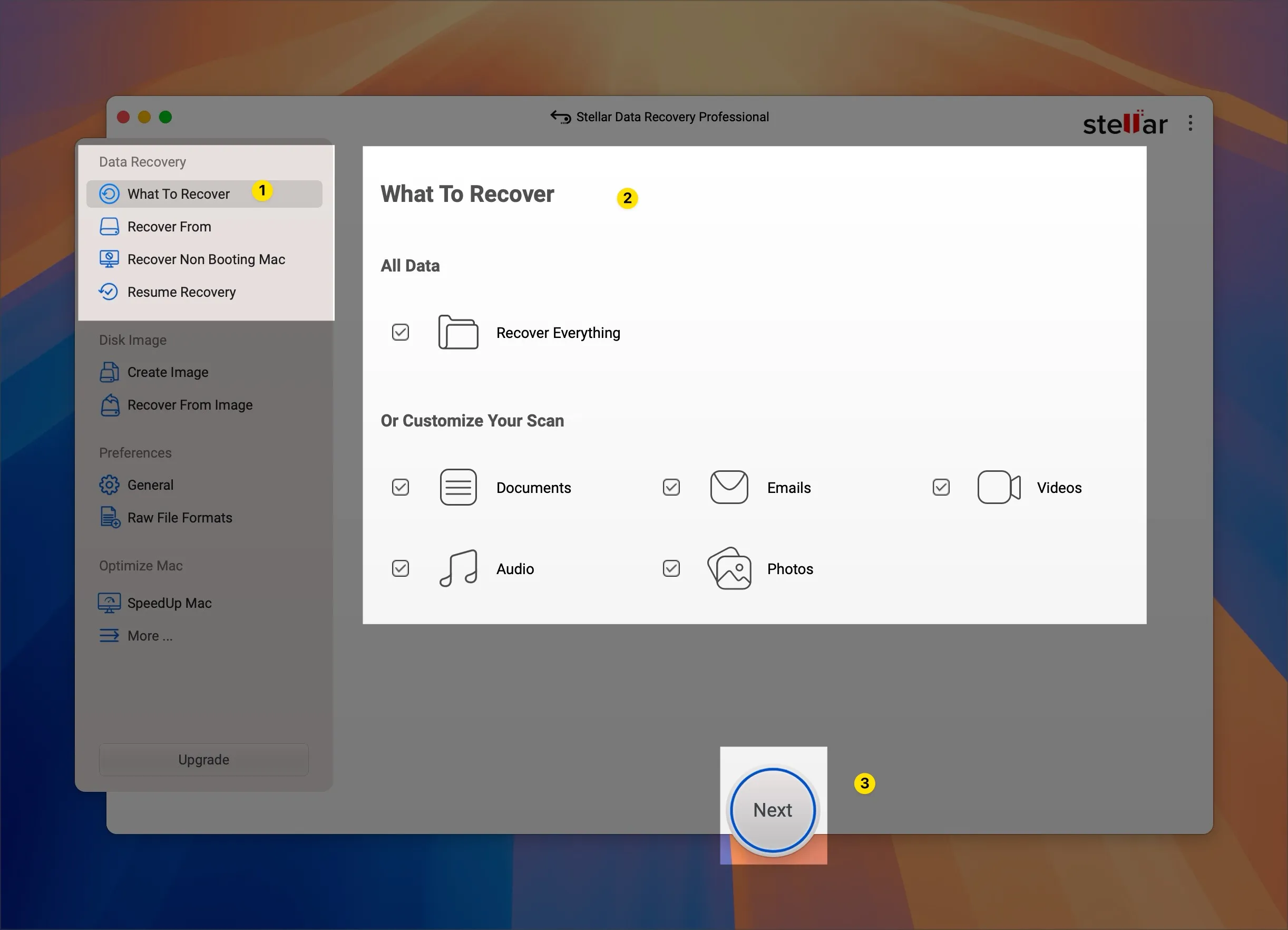
How We Tested Stellar on macOS
To keep things realistic, we tested Stellar in multiple common situations:
Test Scenarios
- Deleted files emptied from Trash
- Files removed using Command + Delete
- Formatted external USB drive
- Lost photos from an SD card
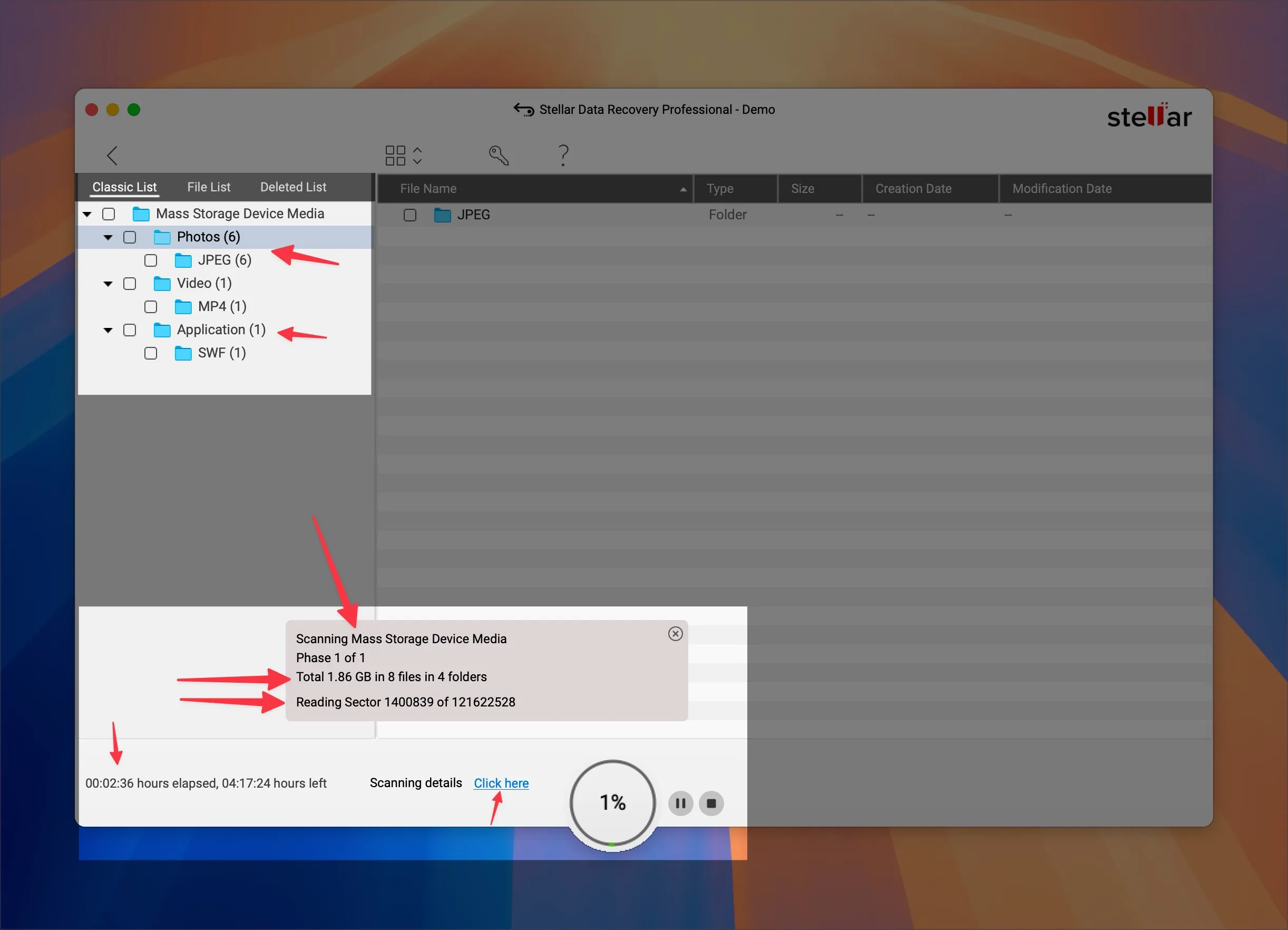
We used a MacBook running the latest macOS version and avoided restoring files to the same drive to prevent overwriting. Here’s the Final result,
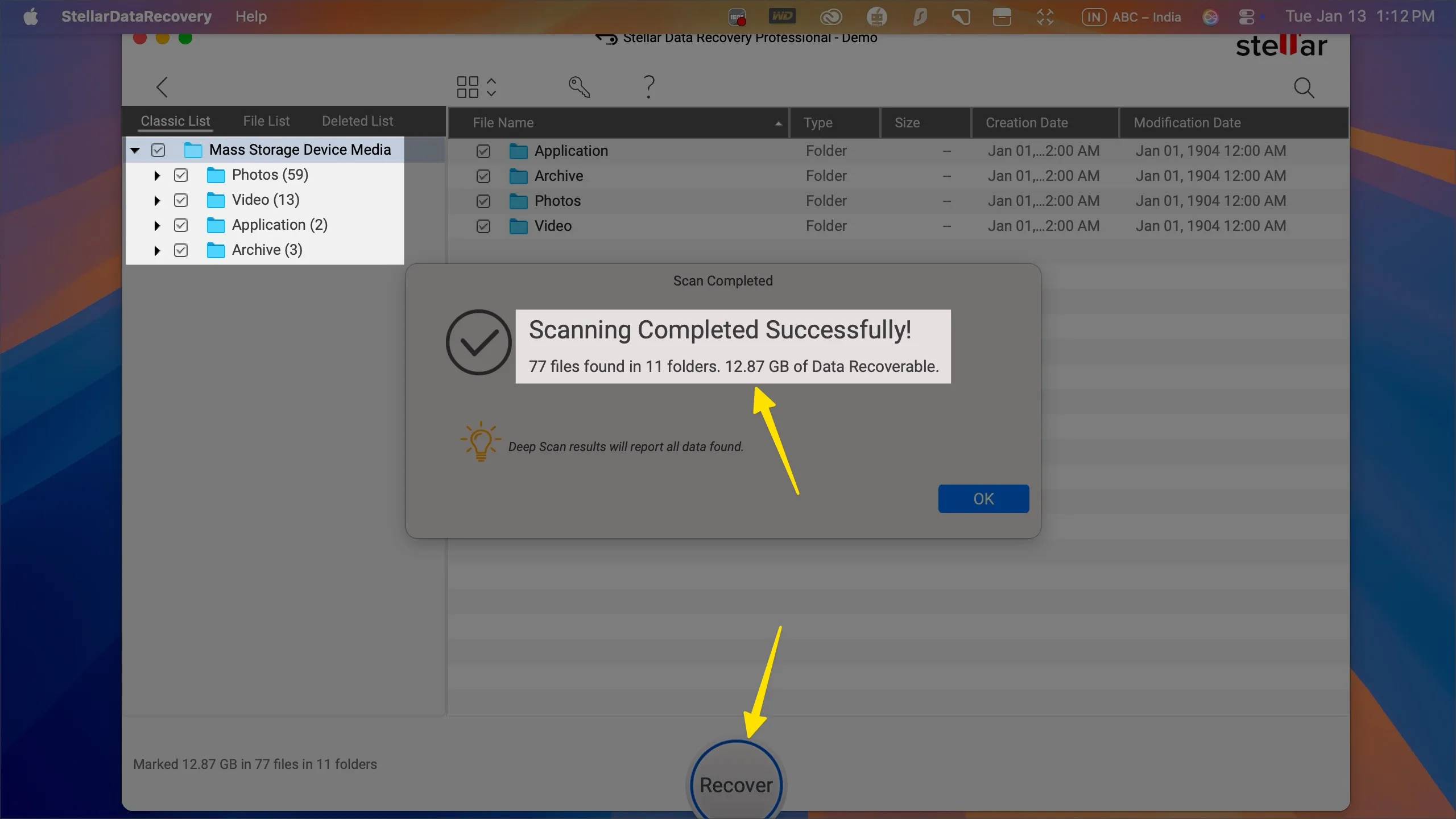
Recovery Results: Does Stellar Actually Work?
Deleted Files from Trash
✅ Success rate: High
Stellar quickly detected deleted documents, images, and videos. Preview before recovery worked perfectly.
External Drive Recovery
✅ Success rate: Very good
Even after formatting, Stellar recovered most files with original names and folder structure intact.
Photo & Video Recovery
✅ Success rate: Excellent
RAW images, JPGs, MP4s, and MOV files were recovered without corruption.
Speed & Accuracy
- Fast scan: Quick results
- Deep scan: Takes longer, but finds significantly more files
- File previews help avoid unnecessary recovery
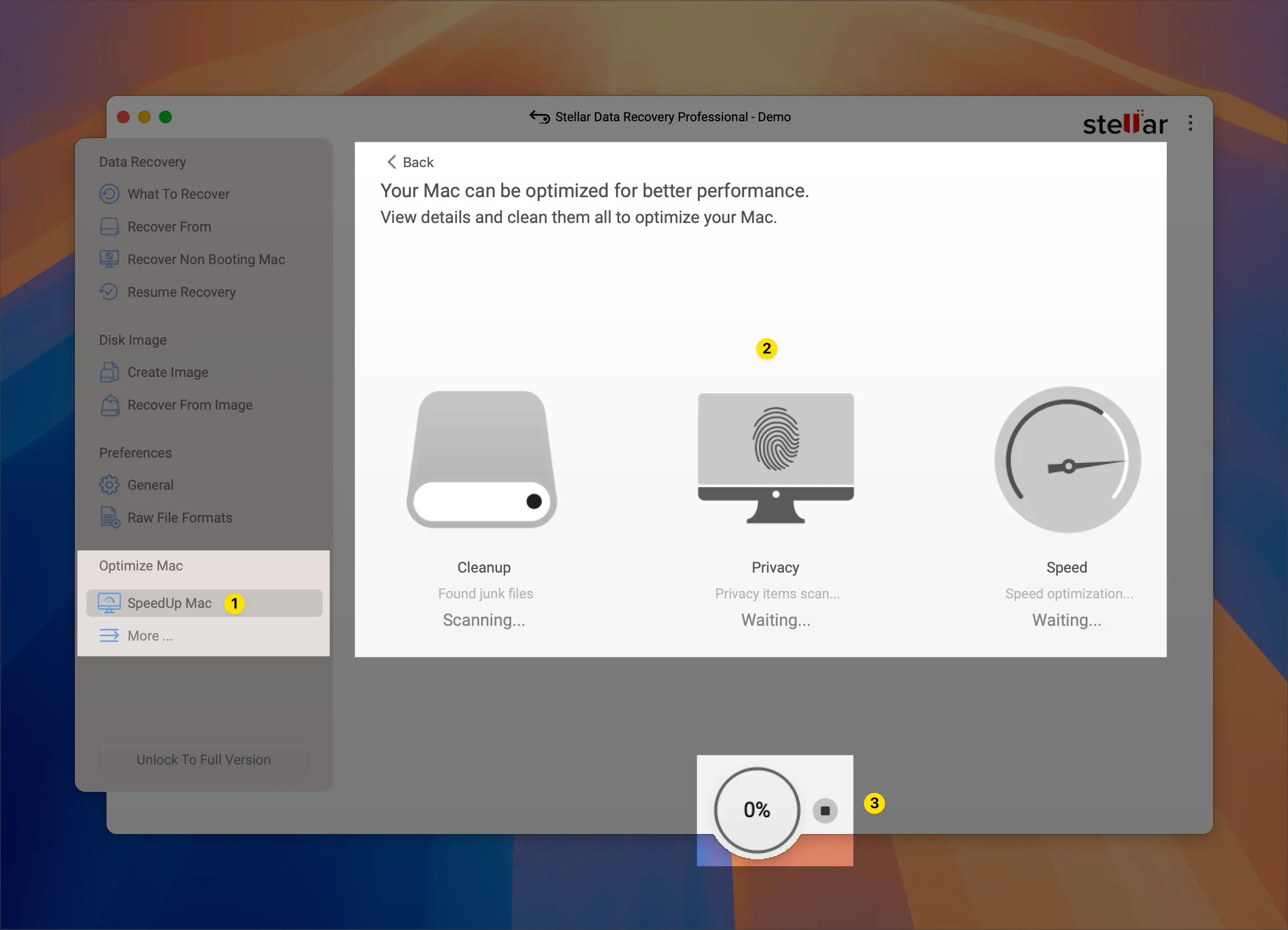
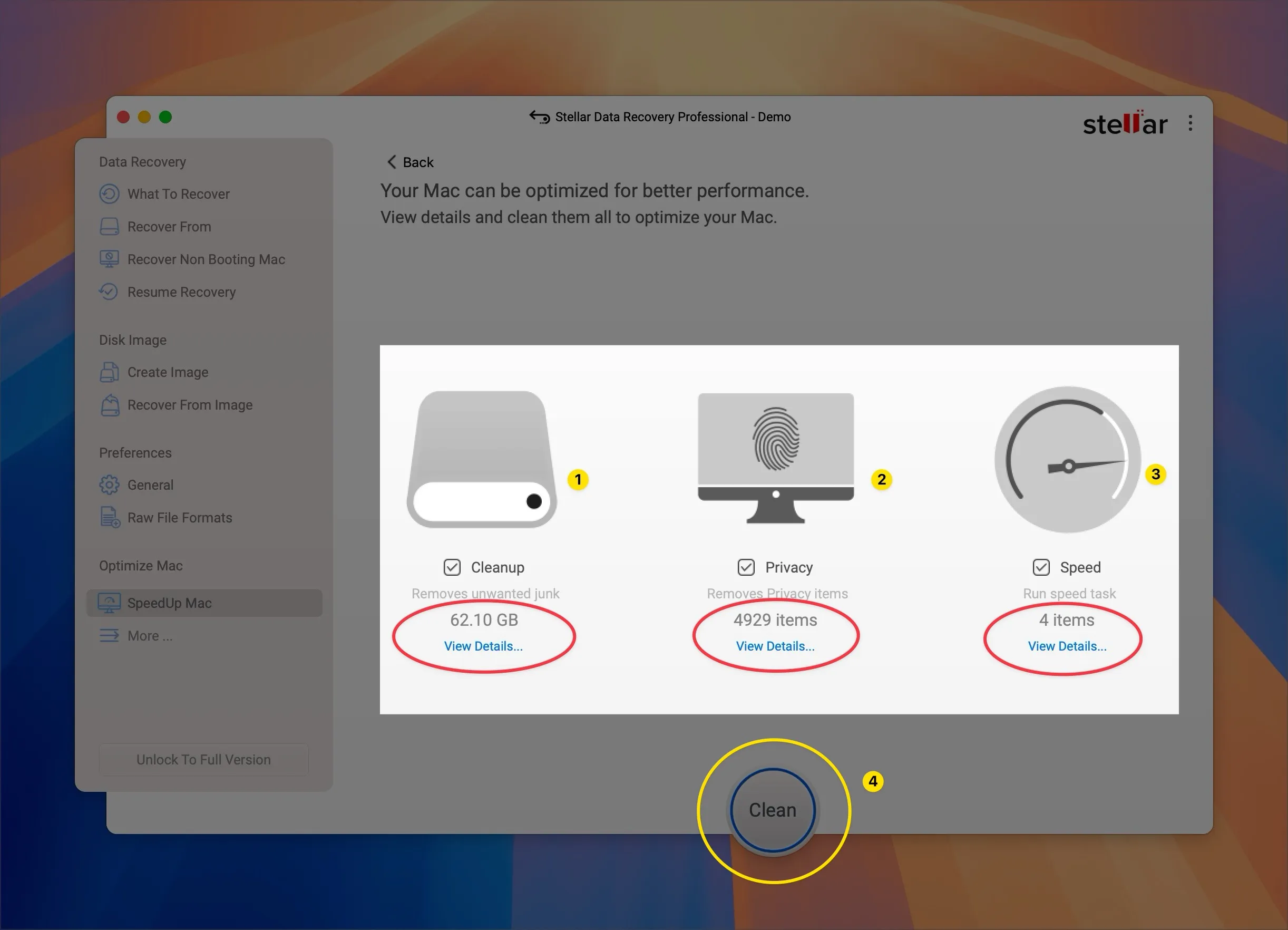
- In a single click – gigabytes of storage, Remove privacy items and speed task. (Result ⬇️)
Features We Liked Most
- Simple, beginner-friendly interface
- Supports APFS, HFS+, and encrypted volumes
- Preview files before recovery
- Deep Scan for hard-to-find data
- Read-only recovery (safe for your Mac)
Any Downsides?
To be fair, here are a few limitations:
- Free version allows scanning and preview, but recovery requires a license
- Deep scans can take time on large drives
- Cannot recover files that are fully overwritten
Still, these are common limitations across most Mac recovery tools.
Is Stellar the Best Way to Recover Deleted Files on Mac?
Based on our testing, yes — Stellar is one of the most reliable ways to recover deleted files on Mac, especially if:
- You emptied Trash accidentally
- You lost files after formatting a drive
- You don’t have a Time Machine backup
- You need recovery from external storage
It balances ease of use with powerful recovery capabilities, making it suitable for both beginners and advanced users.
| Pros | Cons |
|---|---|
| Easy-to-use, beginner-friendly interface | Free version only allows scan and preview |
| Recovers deleted files even after Trash is emptied | Full recovery requires a paid license |
| Supports APFS, HFS+, and encrypted Mac drives | Deep scans can take time on large drives |
| Works with internal, external, USB, and SD cards | Cannot recover files that are overwritten |
| Preview files before recovery | Recovery speed depends on drive condition |
| Safe, read-only recovery process | No mobile app (desktop only) |
Final Verdict
If you’re searching for a trusted, effective Mac data recovery solution, Stellar Data Recovery is absolutely worth considering. Just remember — stop using the affected drive immediately and run recovery as soon as possible for the best results.
⭐ Rating: 4.6 / 5
✔ Recommended for Mac users facing accidental file loss