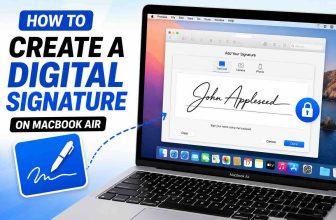
Okay, so here’s the thing. Apple has quietly packed some really cool tools into iOS 26, and one of the most underrated ones is this built-in Preview feature. Most people just scroll past it thinking it’s a basic file viewer — but it’s actually way more powerful than it looks.
I’ve been using it for a while now, and honestly, it’s saved me so much time. So if you’ve ever had to sign a PDF, mark up a form, or highlight something quickly on your iPhone, this tool’s gonna be your new best friend.
What Is Preview on iOS 26?
Preview is a built-in tool on your iPhone that lets you open, view, and edit documents like PDFs, images, and screenshots without needing any third-party apps. It’s basically the same Preview app from macOS — just redesigned for your iPhone screen.
You can use it to sign contracts, add notes, draw shapes, highlight text, or even crop images — and it’s all baked right into iOS 26.
Hint: Think of it like a mini editing studio hiding inside your phone.
How to Access Preview on iPhone
Honestly, it’s super easy but not very obvious.
Here’s what you wanna do:
- Open the Files app and tap any PDF or image.
- Tap the share icon in the bottom corner.
- Choose Open in Preview or sometimes it just shows Markup.
- You can also do this inside Mail or Notes — just open an attached document and tap the markup pen icon.
Note: You don’t need to install anything — it’s already built in.
What You Can Do with Preview
Once you open something in Preview, here’s the fun part — you can:
- Sign PDFs using your finger or Apple Pencil (if you’re on iPad too)
- Highlight or underline text on forms
- Add arrows, circles, and shapes to screenshots
- Type text boxes directly on top of images
- Crop, rotate, and resize images
- Instantly share the edited version via Mail, Messages, or AirDrop
Hint: If you’re constantly sending forms for work or school, this saves you from printing and rescanning anything.
Why Preview Is Super Useful
Here’s why I love it — it just works. It’s quick, lightweight, and super secure since everything stays on your device. No need to upload files to random apps or worry about privacy.
For students, it’s perfect for marking up assignments or highlighting notes. For professionals, signing and sending contracts takes like two taps. And for everyone else… it’s just handy to have.
Bottom Line
Preview on iOS 26 might be one of the most overlooked tools on your iPhone, but once you try it, you won’t stop using it. It saves time, saves storage (no third-party apps needed), and makes your iPhone way more productive.
Next time you open a PDF or image, tap that little Markup icon — you’ll see exactly what I mean.