Usually, mail attachments are downloaded in the Download Folder in Finder. If you have a large number of downloads, it’s likely challenging to locate the attachment when you need it. If you want to hang on to everything in the download folder, or save Attachments in a different folder. Here is how to Change the Default Save/Download Mail Attachment Location on all Macs.
In Addition, a large file or attachment takes more time to download or save on your External hard drive. Follow the steps below to change it on the Latest macOS.
Frequently Asked Questions, What is the default download location for files on Mac? Open Finder on Mac > Click Download Folder from the sidebar (Filter or find Recently Downloaded files from mail attachment). Follow the steps below to change or set your folder in Finder.
Steps to Changing the Default Mail App Download Location On Mac Finder
1: Launch the Mail app on Mac.
2: Go to the Top Mac Menu, Mail > Settings.
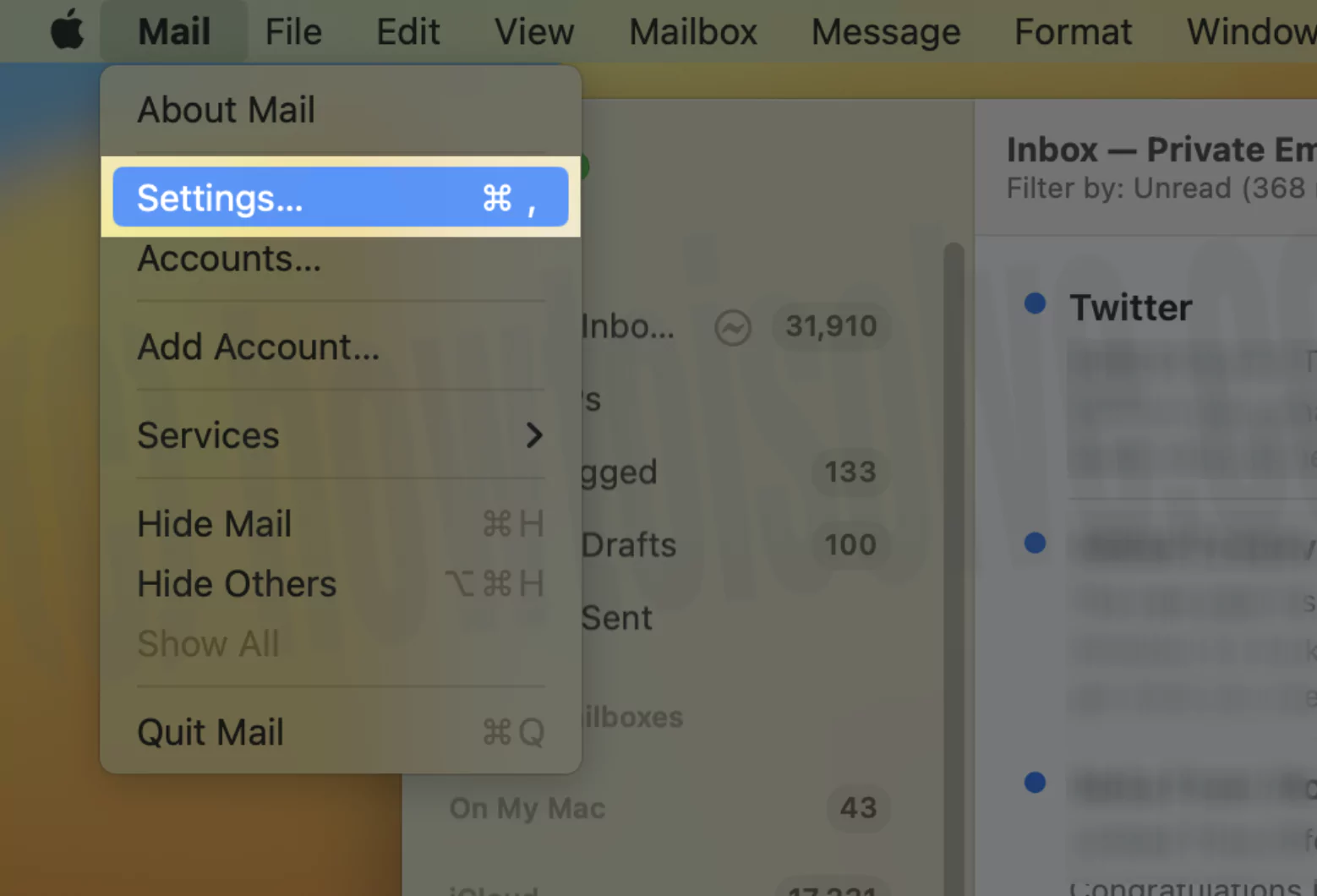
3: Then, Under General Section > Download Folder.

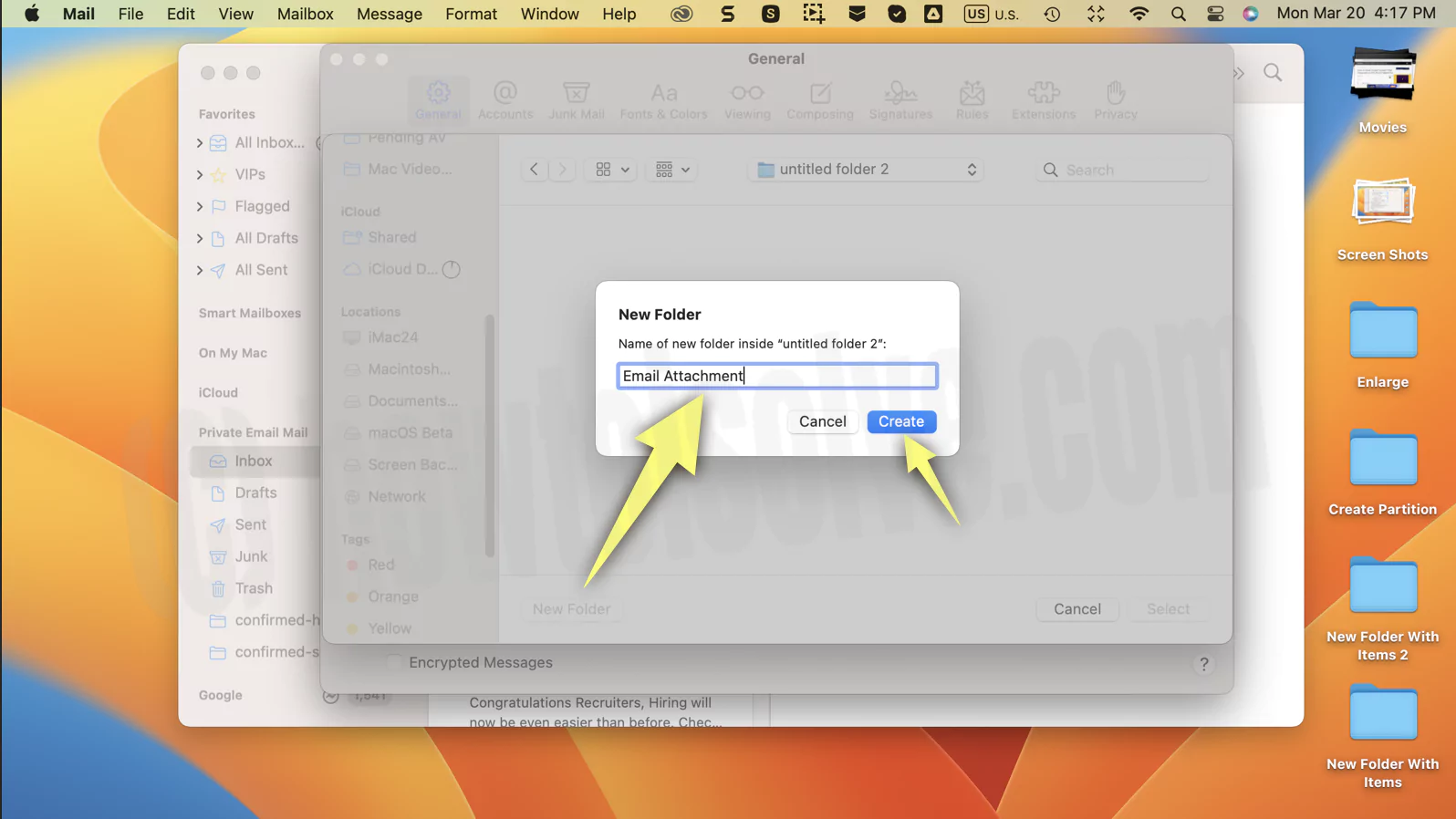
4. Click on the drop-down to change it. Next, Go for Other.
5. Choose the target location that you prefer most and is easy to use.

That’s it.

6. Now, test the attachment mail inside the mail app. Click on attachment pin > Save all

Here I set it for the Desktop. Still want to change it for this time, tap on the Dropdown and choose another location folder.
- Next time, Your Attachment will be moved or saved to a new location on your MacBook.
Really Useful: More in the mail app setting, you can create different signatures with images under a single mail account on the Mac Mail app. Additionally, you can set your Time for the auto fetch to retrieve new mail from the Mail server at your desired interval.
More new features for upcoming updates and tips, Tricks related to the mail app on Mac. Connect with us and share your valuable feedback on how valid the Mail app download location is on Mac, iMac, and MacBook.