WhatsApp for iPhone has been updated to allow users to send animated GIFs, enhancing the chatting experience. The new version features a search option for easily finding and sharing funny GIFs. Now, users can send and receive animated GIFs and live photos, adding to the app’s utility alongside the ability to bookmark or star messages.
You no longer need to use a third-party app to send GIFs on WhatsApp. Simply install the latest version of WhatsApp on your iPhone, and you’re all set! Sharing GIFs and live photos is easy. Here’s how you can send a GIF on WhatsApp using your iPhone.
Let’s explore the dedicated search icon for finding the perfect animated GIF in WhatsApp. Enjoy the process! Before proceeding with the steps, ensure that you have the latest version of WhatsApp.
Get here: Tip to Download and send stickers on WhatsApp iPhone
Quite Easy to Send Animated GIFs in Whatsapp on iPhone
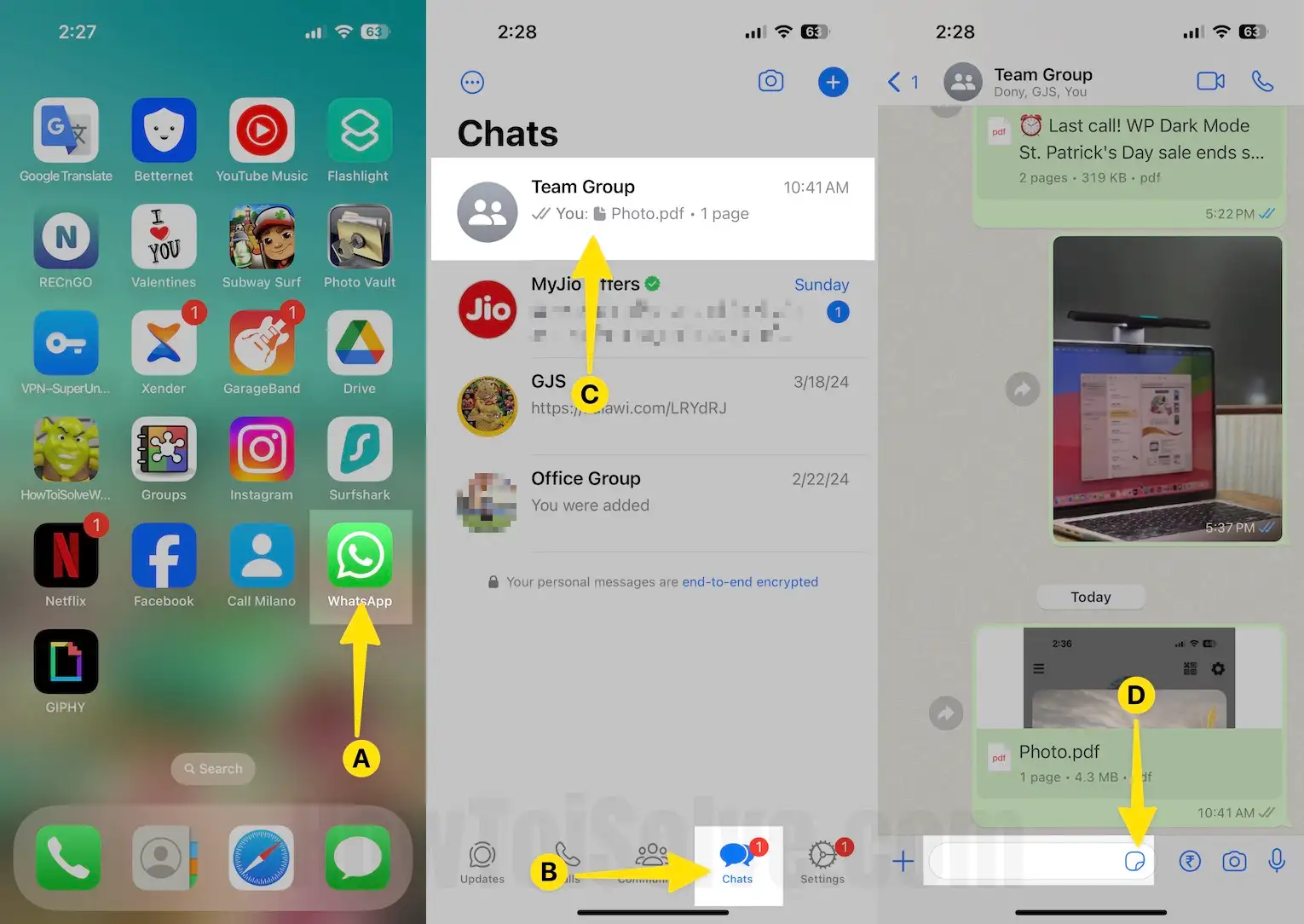
- Launch the Whatsapp app on your iPhone.
- Tap on the Chats tab From the Bottom of the Screen and Select Conversation.
- Tap on the Sticker icon that appears in a text bar next to the Plus sign icon.
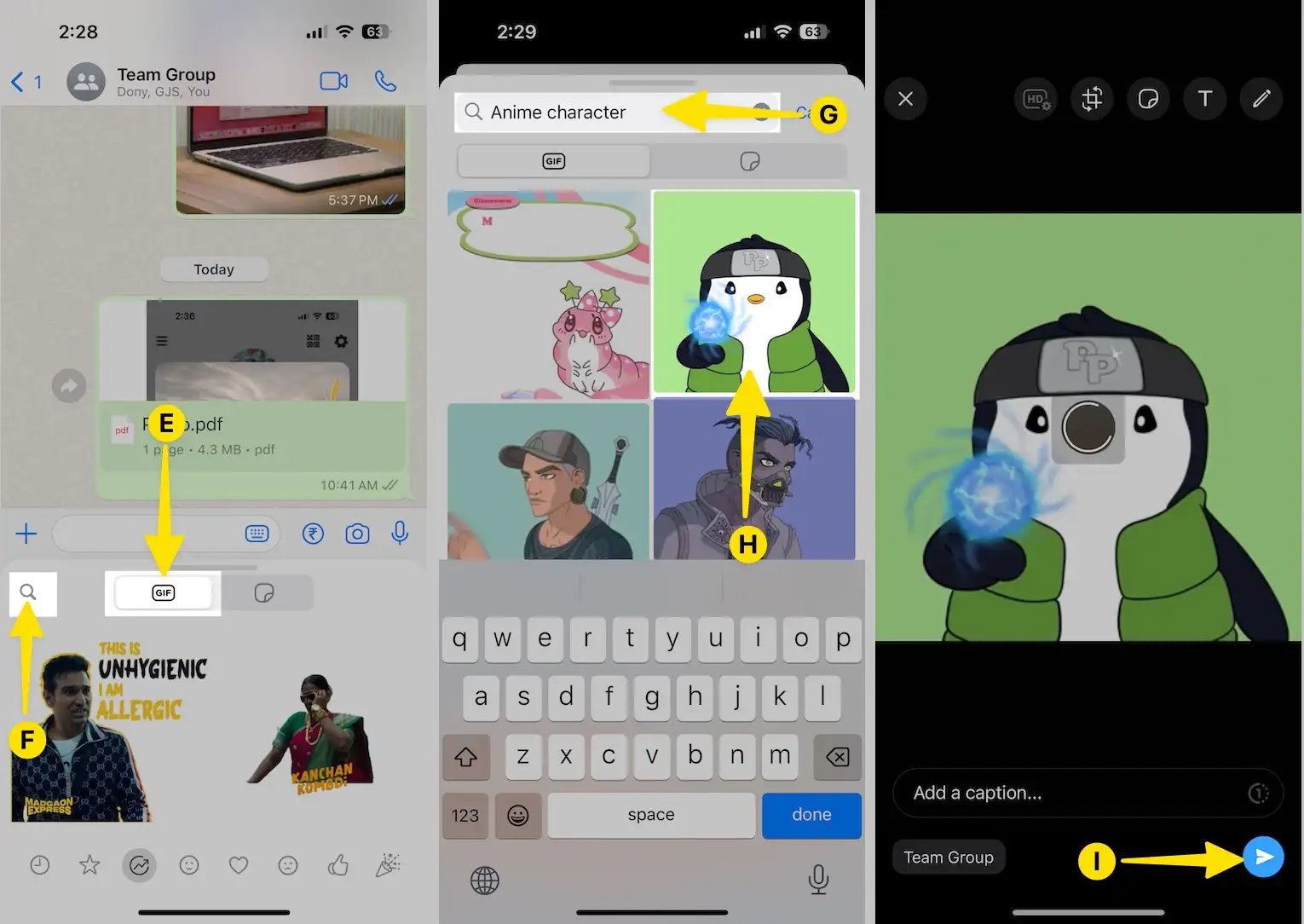
- Now Tap on the Gif section and Select the Search bar icon to find and send Gif image on whatapp iOS.
- Now, Enter your word in the search field, for example –Anime character, So the result screen will show you a GIF of it. Scroll the screen to get more GIFs. Next, Tap on a GIF image.
- On this screen, you can Edit GIFs. Tap on the Send button that looks blue color located in the right-lower side corner of the screen.
Get More idea here: Tip to Download and send stickers on WhatsApp iPhone
That’s it.
There is also an option to send multiple GIFs in Whatsapp at a time. It is also very easy to crop, add emojis, and put text on GIF images. In addition, there is a Starred tab to view all bookmarked GIFs and to send often very easily. Even while you received GIFs in Whatsapp, you can easily copy, delete and forward with other contacts of your list.
To send Live Photos as animated GIFs, you will have to just 3D touch any live photo from the Photo & Video library and then choose ‘’select as GIF’’.
To send Videos that are 6 seconds or shorter, you can now send them as an animated GIF, the trick to send a video as GIF in Whatsapp on iPhone.
Get More: the Hidden trick to Hide Last seen timestamp on WhatsApp iPhone
Video to getting Cool WhatsApp Tips & Tricks
We would love to hear about your experience sending animated GIFs on WhatsApp for iPhone. Your feedback is greatly appreciated! Feel free to also share your thoughts on Facebook or Twitter. Lastly, stay in touch with us for more updates.