
User Posts: Jaysukh patel
0
What to KnowRestart iPhone.Ensure Tinder is installed from the Apple App Store.Update iOS and Open Tinder to prompt permission requests....
 Jaysukh patel
0
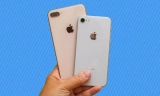
In this article, I’ll share my thoughts on Is the iPhone 8 or iPhone 8 Plus still worth buying in 2023? how long will the iPhone 8 be supported and should you ...
0

Smoking is one of the fast-spreading habits among teenagers these days. Even if we know it's impacting our health and life quality, people are still unable to ...
0
Know What is Find My App on iPhone, iPad. How will it work for offline Apple iPhone and iPad? User can also find Airtag attached item using Finy my ...
0

Mac users who want to mask their IP address and browse online without being traced can utilize a virtual private network (VPN). There are several providers ...
0

Today, Facebook-owned messaging service WhatsApp's latest version is available on the App Store with the new settings called Screen Lock. You can lock your ...
0
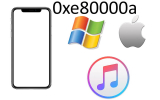
Unlike iPhone, iTunes is also causing multiple errors like iTunes Error 0xE80000A When Connecting iPhone on Windows 11. This error is commonly faced and fixed ...
0

If you have been using an Apple peripheral for a long period, you might have a considerable array of Photos. You may be willing to download Photos from iCloud ...
0
With iOS 26, Apple has broken away from the long-standing 9-minute snooze default. Now, users can choose a snooze duration ranging from 1 to 15 ...
0
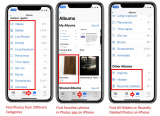
Your iPhone is capable of taking pictures in any environment with the greatest quality. And if you have an iPhone, then you are definitely assured to get ...
User Articles: Jaysukh patel
Sorry. Author have no articles yet
Browsing All Comments By: Jaysukh patel

Yes, I mean you should go with the method 1, Cancel Apple Music Plan from iPhone.
Thanks it will work for you!
In Latest iOS 12, There is no any option that you are looking for! pls, share screen if you have!
yes, Brittnay caught right point. For use Personal hotspot you must have active cellular plan and your carrier companies allow to use personal hotspot in a purchased or active plan.
Sorry to hear that. In present iOS 12, it’s not possible. Wait for Future update. in addition, you can send feedback to apple.
Thank you for Sharing!
You can export all the contacts manually from first Apple ID and restore into another Apple ID login.
Get tips over here, (Read the first part)
https://www.howtoisolve.com/how-to-save-iphone-xs-max-iphone-xs-or-iphone-xr-contacts-to-gmail-transfer-without-software/
Thank You For your Feedback! Care your Apple Watch. Because After Reset/Unpair & Repair, Find my Watch will auto disabled.
Right now it’s bug in iOS 12.1
Now, We Updated this Article for iOS 12.1
Happy Visiting us!
iOS 12 or later iOS: Restrictions settings are moved inside Screen Time,
Check this tutorial, https://www.howtoisolve.com/enable-use-restrictions-on-iphone-ipad/
Might be Deleted. You can get back after clean install that i explained in the Last solution. Restore your iPhone to Factory settings then restore Backup.
1. First Back up your iOS device on iTunes.
2. Update or Restore iPhone using iTunes in recovery mode to re-install new iOS 12.
3. Use iTunes to Setup new iPhone that auto copy all the data back as of earlier.
Thanks
Sorry, Apple Dropped This feature in Edge to Edge display mobile. Wait for the next update..
Beta profile installed on your iPhone X, first check this.
Go to the Settings > General > Profile.
Otherwise, Re-install iOS 12 beta profile then Force Restart iPhone X. I am sure this will work for you!
Thanks.
if you are irritating with Slow speed issues and Bug. Don’t do that try to install manually.
Restore will copy all the data (Files and Folders) as like earlier.
I am using Clean installed macOS Mojave. Very happy to use my mac.
Right not Available, until wait and enjoy default settings…
Yes, iOS 12 Required on Both Devices. and it works for all.
Don’t afraid.
You can Force Restart, https://www.howtoisolve.com/how-to-restart-reset-iphone-ipad-or-ipod-touch-ios-8-ios-7/
Or Use iTunes to install Public Version iOS 11.4 (https://www.howtoisolve.com/download-install-ios-itunes-iphone-ipad/) and Once you setup iOS 11.4, Re-try to install iOS 12 beta 4 public version on your iPhone.
Thanks.
have you taken any action?
but it is automatic functionality that put your iPhone at 30 seconds lock while you turn on LPM.
you can do anything while a phone is on charging. First charge it, Remove LPB and Now you can change Auto lock screen time, Settings > Display & Brightness > Auto-Lock (set 30 seconds to 5 Minutes or never).
Update WhatsApp. then Reset all settings and try again.
Hope this Help!
it will come to soon. Just Wait, but it’s confirmed.
double check your script, don’t copy from the webpage. try correct text that used here with an Example.
if possible share your screen via Email or Describe more, current MacOS Version, Mac Model and more..
Thank u! i glad to help you!
Thanks for your Voice! Enjoy
Check your Country! Can you share from which country you belong?
Follow my Guide Install News App outside USA, UK: Follow Clue 0 at top in article.
OTA means > Over The Air or Using WiFi.
You don’t need iTunes or Mac/PC.
you need to wait for few seconds, Mac App store will open on your screen with MacOS Mojave download option.
Also note that Your Mac doesn’t turn off or stop to go into sleep mode otherwise you need to re-download MacOS (6GB Setup file).
Thank you! i Check out your problem at my end and it’s works for me!
Yes, country wise it might be different with the name. But you can go with the same steps.