How-to
Top 5 Best Wearable Devices for iPhone in 2026

Do you want to know about the best wearable devices that are compatible with your iPhone? There are many healthcare devices available that can be used for personal monitoring. In this article, we have compiled a list of the top 5 fitness devices that are best for iPhone users. With one particular ...

READ MORE +
How to Restart iPhone 15 (All Models) with iOS 26

How to Tips for restart or reset iPhone, iPad, or iPod touch. If you might want to power off your iPhone, iPad, or iPod touch for the time of period, or you may want to restart it. Do you know that in which situation you’ve to need your iDevice to restart your reset? Read here, if your iOS app not ...

READ MORE +
How to Delete Photos From iCloud

High-resolution photos acquire a considerable amount of storage, which ultimately accumulates iCloud storage rapidly. However, the best part is deleting photos from iCloud backup is more handy than you think. Go through this step-by-step guide and learn how to delete photos from iCloud on your ...

READ MORE +
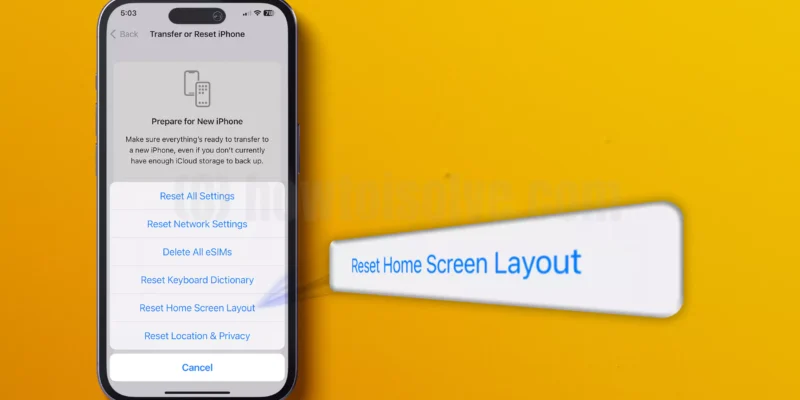
How to Reset Home Screen Layout on iPhone, iPad

You will find all your applications on the Home Screen layout, regardless of where they are installed. However, you can experience an issue with Home Screen Layout; for instance, installed apps aren’t showing, Contact or Camera Icon is Missing, etc. Conversely, you will likely see App Icon ...

READ MORE +
How to Show All Filename Extensions on a Mac

How to Tip for all version of macOS, you might refer the tip for hiding file and folder on your Mac. But have you ever been read the tutorial for Show or hide file name extension to your Macbook Air, MacBook Pro or iMac? No right whatever, you are in the right place where you can get steps to show ...

READ MORE +
How to Burn a DVD Using Finder on Mac

How to make or Burn CD/ DVD using the Finder app in Mac without iDVD. You can make a copy of your Movies, favorite Videos, Music, Data, Take backup as well as a Presentation copy for college or school on a CD or DVD in the Finder of your Mac. Make CD or DVD on Mac using the Optical DVD drive of ...

READ MORE +
HowToiSolve
Logo