How-to
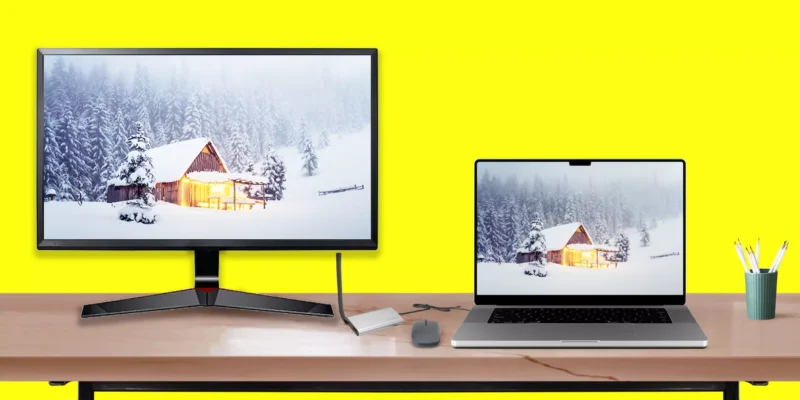
How to Connect External Monitor to Mac, MacBook

Need a large screen – set up a second monitor with your Mac lets you be a multitasker. It is troublesome if you have an extra screen but don’t know how to connect the Monitor to a Mac computer or MacBook. As of now and forever, hooking up a Macbook or Mac with a dual screen isn’t as easy as ...

READ MORE +
How To Crop a Screenshot On Mac (5 Methods)

Here are several ways to crop a Screenshot on Mac. We can crop a certain part using freehand crop that's really improved on the Mac Preview app (5th Method). We have the right option for Crop Screenshot On Mac before saving, after saving, and for multiple screenshots at once.Keep in mind all ...

READ MORE +
How To Calibrate Colors On Mac’s Display

Do you want to ensure videos, photos, and games look their best on a Mac computer? Calibrating the Color on a Mac is the key. Monitor color calibration to make the screen as black and colorful as accurately as possible, and fortunately, you can do this using the built-in feature.Moving ...

READ MORE +
How to Cancel Printing & Print Jobs in Mac

Suppose you are a first-time using printer and often accidentally try to print, which is no longer required. Therefore, you decide to cancel the job rather than waste ink and paper. However, being a first-time user, how to clear the printer queue on mac can be a head-scratcher. Don't worry; we ...

READ MORE +
How to Change Trackpad Settings on Mac

Apple Magic trackpad on Mac is an advanced alternative to Mouse. Secondly, Mac user's who don't like the extra effort to use MacOS System, Apps or Games can prefer Built-in Trackpad or External Trackpad.For Macbook Trackpad and Other Macs that pair with External Trackpad, can find and change ...

READ MORE +
How to Disable inertial Scrolling on Your Mac

Suppose you are new to mac, then you must wonder what Inertial Scrolling is on mac. With "inertial scrolling," Scrolling will continue even after you lift a finger from the mouse/trackpad until it gradually stops. In other words, Scrolling gets some momentum after you lift a finger from the mouse ...

READ MORE +
HowToiSolve
Logo