

Hey friends, Do you need horizontally or vertically flip photos on your Mac? Fine! Without any third-party Photo editing tool, you can do so with these Free techniques.
READ MORE +
Hey friends, Do you need horizontally or vertically flip photos on your Mac? Fine! Without any third-party Photo editing tool, you can do so with these Free techniques.
READ MORE +
Are you feeling hard to delete a Facebook page on the iPhone or iPad? Go through step by step ultimate guide. The popular Social network Facebook provides a facility of the business/ personal Page, and there are several categories to make Facebook pages such as Books & Magazines, Brands & ...
READ MORE +
On Mac, on other iOS devices , it's super easy to type upside down exclamation point (inverted exclamation marks) using the English or Spanish keyboard. here are the easy steps to type and use in conversation, email, messages and chat without any third-party keyboard or Extension.Here are the ...
READ MORE +
How to Tip for all version of macOS, you might refer the tip for hiding file and folder on your Mac. But have you ever been read the tutorial for Show or hide file name extension to your Macbook Air, MacBook Pro or iMac? No right whatever, you are in the right place where you can get steps to show ...
READ MORE +
As an iPhone user, you need to know everything about Voice Control and Siri of Apple iPhone, iPad, iPod Touch. Siri is proactive assistance and stronger than Voice control, but it does work only on the internet While Voice Control works offline but not much power. So definitely, the most user ...
READ MORE +
Are you exploring to logging out of Apple ID on your latest iOS device? Don’t worry. Get here all ways to logout Apple ID on iPhone, iPad, iPod touch. There are many services of Apple that use the same Apple ID account to access such as Game Center, FaceTime, Message, iTunes/iBooks, and App Store, ...
READ MORE +
Unlike Burst Mode, the long exposure is one of the most admiring aspects of the iPhone. In addition, the Camera Settings allow polymerizing moving objects into a dreamy blurred-out look. The long-exposure iPhone always looks impressive. And you might wonder how fancy cameras are used ...
READ MORE +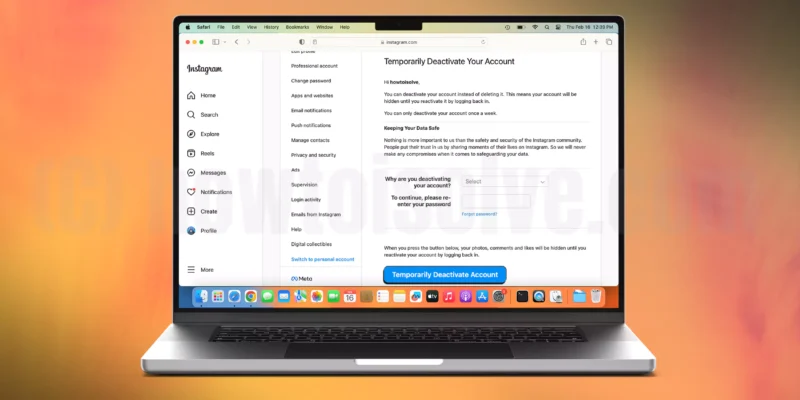
It's good to know that you have decided to take a break from Instagram and want to enjoy the real world outside. I’m not criticizing Instagram, we all know that Instagram has gained many more users within a short time compared to any other social apps. And many Instagram users are running ...
READ MORE +
The haptic feature also packed in last year's iPhone, even though, it doesn’t work for the home button. And, recently launched iPhone coming with Taptic Engine (Physically Contact with Home button) for Home button iPhone. Today New iPhone model also works on Haptic Feedback on Change toggle, Face ...
READ MORE +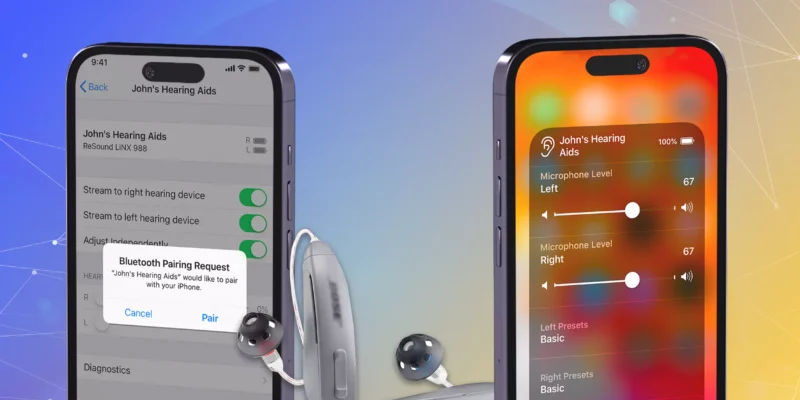
The Accessibility feature is wedded into apple’s iOS pack. Accessibility is not limited to hearing aids (higher quality digital audio) features, but that makes iOS more versatile. So hear everything about Pair hearing aids Bluetooth device on iPhone. Most helpful post for the iPhone users who ...
READ MORE +
